
Most accessibility tools stop at contrast ratios and missing alt text. They ignore the layer that actually causes people to abandon a page: cognitive load, confusing layouts, and content that assumes every visitor processes information the same way. AI is changing that. New models can detect when an interface overwhelms a user, adapt content delivery in real time, and automate audits that used to require weeks of manual review.

- AI-driven tools now adapt interfaces in real time based on individual cognitive profiles, reducing bounce rates and improving comprehension.
- Automated accessibility audits powered by machine learning catch cognitive barriers that traditional WCAG checkers miss entirely.
- Personalized content delivery uses NLP and behavioral signals to simplify text, restructure layouts, and surface the right information at the right moment.
The cognitive gap in accessibility
Traditional accessibility testing covers about 30% of the actual barriers users face. Screen reader compatibility, color contrast, keyboard navigation: these are solved problems with mature tooling. Cognitive accessibility sits in the other 70%. It includes reading comprehension, decision fatigue, working memory limits, attention regulation, and the ability to parse complex navigation structures.
"Bureau of Labor Statistics, in 2022, approximately 21% of people with a disability in the U.S.">, AI and the Future of Accessibility
That statistic covers all disabilities, but cognitive and neurological conditions represent the fastest-growing segment. ADHD diagnoses alone have increased significantly over the past decade. Dyslexia affects roughly 15-20% of the population. Anxiety disorders impact how people process information under time pressure. These are not edge cases. They describe a substantial portion of your user base.
The gap exists because cognitive barriers are contextual. A page that works fine for one person overwhelms another. Static checklists cannot capture that variability. AI can.
Emerging AI technologies for cognitive access
Three categories of AI technology are reshaping cognitive accessibility right now:
- Natural Language Processing (NLP) for readability tools like GPT-based simplification engines that rewrite content at different reading levels without losing meaning.
- Computer vision models that analyze page layouts, detect visual clutter, and flag cognitive overload zones before a single user visits.
- Behavioral prediction models trained on interaction data (scroll depth, hesitation patterns, rage clicks) that identify where users get confused, not just where they leave.
The next wave applies similar thinking to web interfaces specifically. Tools that watch how a user interacts with a page and adjust the experience accordingly.
AI-driven interface adaptability

Interface adaptability means the UI changes based on who is using it. Not a one-size toggle like "dark mode" but continuous, granular adjustments driven by real-time signals.
Here is what this looks like in practice:
- Layout simplification: When a model detects rapid scrolling without clicks (a signal of overwhelm), it can reduce visible options, collapse secondary navigation, and increase whitespace.
- Progressive disclosure: Instead of showing all form fields at once, AI determines the optimal number of fields per step based on the user's interaction speed and error rate.
- Focus management: Attention-tracking models (using mouse movement as a proxy, not eye tracking) can highlight the most relevant content block and dim peripheral elements.
A better approach: let users set cognitive preferences (similar to prefers-reduced-motion in CSS) and let AI fill in the gaps when no explicit preference exists. The W3C's Personalization Task Force has been working on exactly this with the WAI-Adapt specification.
Personalized content delivery

Personalized content delivery goes beyond interface layout. It changes the actual words, structure, and presentation of information based on the user's cognitive profile.
NLP models can now:
- Rewrite a paragraph at a 6th-grade reading level without losing technical accuracy
- Break long sentences into shorter ones automatically
- Replace jargon with plain-language equivalents
- Add contextual definitions inline (hover or expand) for domain-specific terms
- Reorder content to put the most relevant information first based on the user's navigation path
The key constraint is transparency. Users should know when content has been adapted and have the ability to see the original. AI-driven simplification without disclosure creates trust problems, especially for users who rely on precise language (legal contexts, medical information, financial disclosures).
Automating cognitive accessibility audits

Manual cognitive accessibility audits take weeks. A trained specialist reviews each page, tests with representative users, documents findings, and prioritizes fixes. For a 50-page site, that is easily 80-120 hours of work.
AI compresses this dramatically. Here is the process:
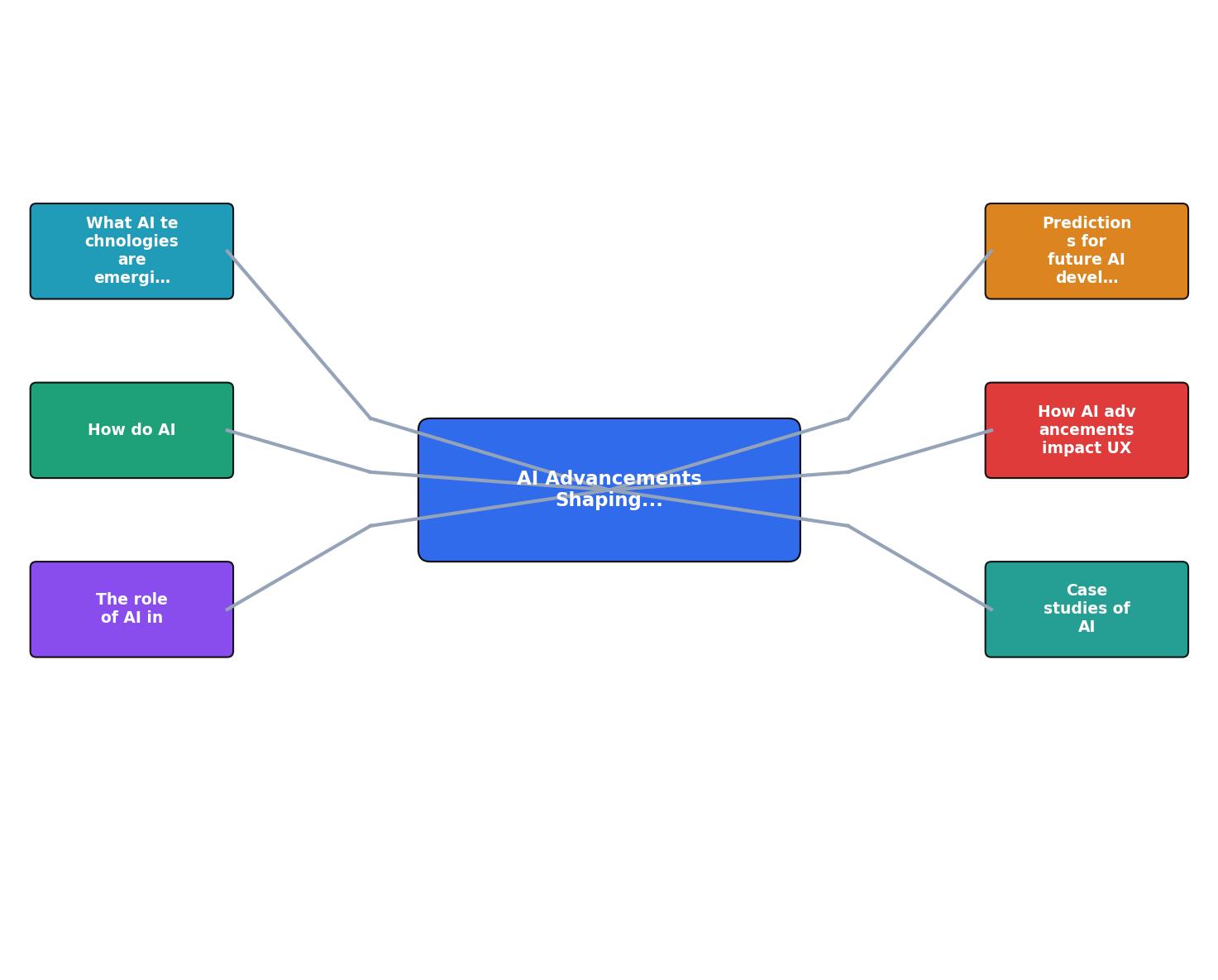
The steps break down as follows:
- Crawl & parse the site structure, extracting text, layout, navigation paths, and interactive elements.
- Score readability using NLP models that go beyond Flesch-Kincaid to measure conceptual density, ambiguity, and assumed knowledge.
- Analyze visual complexity with computer vision, flagging pages where element density, color variation, or animation frequency exceeds cognitive load thresholds.
- Map user flows and identify decision points where cognitive demand spikes (too many options, unclear labels, missing feedback).
- Generate prioritized fixes ranked by impact and implementation effort.
The output is not a pass/fail checklist. It is a cognitive load map of your entire site, with specific, actionable recommendations tied to real user behavior patterns.
Predictions for the next three years
The following interactive element summarizes where AI-driven cognitive accessibility is heading based on current technology trajectories and adoption patterns across the industry:
Major browsers ship cognitive preference APIs (similar to prefers-reduced-motion) that websites can query and adapt to automatically.
Standards TrackOn-device LLMs rewrite page content at the user's preferred complexity level without round-tripping to a server, preserving privacy.
Emerging TechUpdated WCAG 3.0 guidelines and the European Accessibility Act enforcement include measurable cognitive load thresholds for the first time.
Policy ShiftSpecific developments to watch:
- On-device LLMs (Apple Intelligence, Gemini Nano) will enable real-time content simplification without sending user data to external servers. Privacy and cognitive accessibility converge.
- WAI-Adapt specification reaching Candidate Recommendation status will give designers a standard vocabulary for cognitive preferences.
- Multimodal AI combining text, layout, and behavioral analysis in a single model will produce far more accurate cognitive load assessments than any single-signal approach.
- WCAG 3.0 is expected to introduce outcome-based scoring that directly measures cognitive accessibility, not just technical compliance.
Impact on UX design workflows
For UX and product designers, AI-driven cognitive accessibility changes the daily workflow in concrete ways:
Research phase: Instead of recruiting participants for cognitive walkthroughs (expensive, slow), AI models pre-screen designs for cognitive barriers. You still need real user testing, but you catch the obvious problems before spending budget on it.
Design phase: Figma and similar tools are integrating AI plugins that score cognitive load in real time as you design. Change a layout, see the predicted comprehension score update. This is not hypothetical. Plugins like Stark already do visual accessibility scoring. Cognitive scoring is the next feature.
Handoff phase: AI-generated annotations flag specific elements that need cognitive accessibility attention during development. "This dropdown has 23 options. Consider grouping or progressive disclosure." Concrete, actionable, attached to the specific component.
QA phase: Automated cognitive accessibility testing runs alongside visual regression tests in CI/CD pipelines. A pull request that increases cognitive load on a key conversion page gets flagged before merge.
| Manual Cognitive Review | AI-Assisted Cognitive Review |
|---|---|
| 80-120 hours per site | 2-4 hours per site |
| Subjective findings | Data-backed scores |
| Point-in-time snapshot | Continuous monitoring |
| Requires specialist | Any designer can run it |
| Hard to prioritize | Auto-ranked by impact |
AI Cognitive Accessibility Integration Roadmap
Your progress is saved automatically in your browser.
FAQ
Frequently Asked Questions
Additional Resources
- AI and the Future of Accessibility - Computing Services - Artificial intelligence is changing how we think about accessibility, AI can translate, summarize, describe, caption, and reorganize ...
- How AI in Assistive Technology Supports Students and ... - Tools like screen readers, speech-to-text software, and navigation aids now leverage AI to enhance accuracy, efficiency, and customization. -driven tools, such ...
- Integrating AI and Assistive Technologies in Healthcare - PMC - AI-driven tools like ChatGPT 4 and Verbit improve accessibility for individuals with cognitive and linguistic disabilities, facilitating ...