
Most accessibility tools stop at color contrast ratios and missing alt text. They ignore the layer that actually causes people to abandon websites: cognitive load, confusing language, and information architecture that assumes every visitor thinks the same way. AI is starting to change that by detecting comprehension barriers that no automated WCAG checker was built to find, and the next few years will push this much further.

- AI can identify cognitive accessibility barriers (reading complexity, navigation confusion, sensory overload) that traditional checkers miss entirely.
- Current tools already simplify language, adapt interfaces in real time, and flag cognitive load issues during design reviews.
- Future AI systems will personalize digital experiences per-user, adjusting layout, content density, and interaction patterns on the fly.
Why traditional tools miss cognitive barriers
Standard accessibility audits check a finite list of technical criteria: contrast ratios, ARIA labels, keyboard navigation, heading hierarchy. These matter. But they say nothing about whether a visitor with ADHD can parse your three-column pricing table, or whether someone with dyslexia will bail on a paragraph stuffed with jargon.
Cognitive accessibility covers how well a person can perceive, understand, and act on digital content given their cognitive profile. That includes working memory limits, attention regulation, reading comprehension, and decision fatigue. Roughly one in five adults in the United States lives with some form of disability that affects how they process information.
"Bureau of Labor Statistics, in 2022, approximately 21% of people with a disability in the U.S.">, AI and the Future of Accessibility
That is not a niche audience. It is a fifth of your users, and traditional tooling gives you zero signal about their experience.
How AI detects cognitive load issues

AI approaches cognitive accessibility from multiple angles at once:
- Natural language processing (NLP) scores reading difficulty, flags ambiguous phrasing, and suggests plain-language alternatives. Tools like Hemingway Editor have done basic readability scoring for years, but newer NLP models understand context, not just syllable counts.
- Computer vision models analyze page layouts for visual clutter, inconsistent spacing, and information density. They can estimate how "busy" a screen looks to a first-time visitor.
- Behavioral pattern analysis uses aggregated interaction data (scroll depth, rage clicks, back-button frequency) to infer where users get confused, not just where they click.
- Predictive modeling combines these signals to estimate cognitive load scores per page section, before real users even see the design.
Current AI tools for cognitive accessibility
Several categories of AI tools already address cognitive accessibility in production:
- Readability analyzers with AI rewriting: Grammarly, Rewordify, and Microsoft Editor go beyond highlighting complex sentences. They suggest rewrites calibrated to specific reading levels.
- Automated content simplification: Tools like Textio and Plain Language AI rewrite entire pages to meet plain-language standards, useful for government, healthcare, and financial services sites.
- Layout and visual complexity scoring: Platforms such as EyeQuant and Attention Insight use neural networks trained on eye-tracking data to predict where users look first and where they get lost.
- Real-time interface adaptation: Some experimental systems adjust font size, spacing, color schemes, and content density based on detected user behavior (slow scrolling, repeated re-reading, hesitation patterns).
- Cognitive load estimation in prototypes: Figma and Sketch plugins powered by AI can flag high-complexity screens during the design phase, before a single line of code ships.
NLP Readability
Scores and rewrites content for target reading levels using contextual language models.
ContentVisual Complexity
Predicts eye-tracking heatmaps and flags cluttered layouts before user testing.
DesignBehavior Analysis
Detects confusion signals like rage clicks, re-reading loops, and hesitation patterns.
AnalyticsAdaptive Interfaces
Adjusts font, spacing, and density in real time based on individual user behavior.
RuntimePagePerson Insights fits into this ecosystem by analyzing live websites for cognitive accessibility barriers and surfacing specific, actionable fixes that go beyond what standard WCAG checkers report.
Real-world examples of AI-driven accessibility

Concrete cases show what AI-driven cognitive accessibility looks like in practice:
Microsoft Immersive Reader strips away visual noise from web pages and documents. It adjusts line spacing, highlights parts of speech, and reads content aloud. Originally built for students with dyslexia, it now ships across Edge, OneNote, Word, and Teams. The AI component adapts the reading experience based on the content type and user preferences.
Google Lookout uses on-device machine learning to describe scenes, read text, and identify objects for people with visual and cognitive impairments. The app processes information locally, which means it works without sending personal data to a server.
Apple's Cognitive Accessibility features in iOS include Assistive Access, a simplified interface mode that reduces apps to their core functions. AI determines which elements to keep and which to hide based on usage patterns.
Userway and accessiBe use AI overlays to adjust websites in real time. While overlay tools have legitimate criticism around their limitations, the underlying AI models for detecting navigation complexity and reading difficulty have improved significantly since 2023.
Each of these examples shares a pattern: AI does not replace human judgment about accessibility. It scales the detection of problems that humans would catch in a usability session but cannot run on every page of a 10,000-page site.
Future trends in AI and cognitive accessibility

Three directions stand out for the next three to five years:
- Per-user adaptive experiences. Instead of one-size-fits-all pages, AI will adjust content presentation in real time. A visitor showing signs of cognitive fatigue (slower interactions, shorter scroll sessions) might see a simplified layout automatically. This is not science fiction; early versions exist in e-learning platforms like Duolingo, which adjusts lesson difficulty based on performance patterns.
- Multimodal content generation. AI will generate alternative representations of content on demand: a complex data table becomes a narrated summary, a dense legal paragraph becomes a step-by-step visual guide. Large language models combined with image generation make this technically feasible today; the challenge is integration into CMS workflows.
- Continuous cognitive auditing in CI/CD pipelines. Just as Lighthouse runs performance checks on every deploy, future tools will run cognitive accessibility checks. Pull requests that introduce a page with a Flesch-Kincaid score above a threshold or a layout complexity score in the red zone will get flagged before merge.
| Traditional Accessibility | AI-Enhanced Cognitive Accessibility |
|---|---|
| Static WCAG rule checks | Dynamic comprehension analysis |
| Manual usability testing | Automated behavioral pattern detection |
| One layout for all users | Adaptive per-user interfaces |
| Post-launch audits only | Continuous CI/CD integration |
| Color/contrast focus | Reading level + cognitive load focus |
Integrating AI tools into your workflow
The process for bringing AI-driven cognitive accessibility into a design workflow does not require rebuilding everything from scratch. It layers onto existing practices.
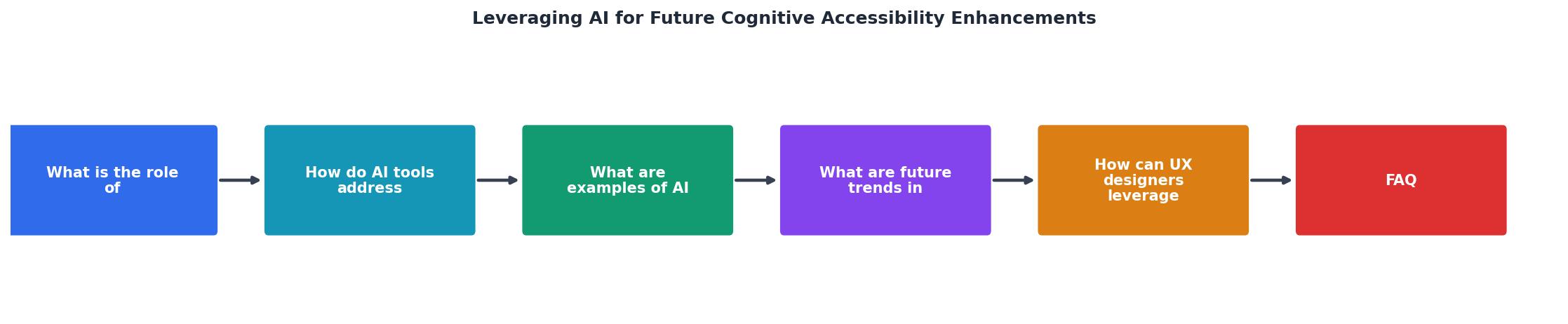
The diagram above outlines the core steps: Audit existing pages, Identify cognitive barriers with AI tools, Prioritize fixes by impact, Implement changes, and Monitor continuously. Here is how each step works in practice:
- Audit: Run your current pages through an AI readability analyzer and a visual complexity tool. Collect baseline scores.
- Identify: Look for pages where reading level exceeds grade 8, where layout complexity scores are in the top quartile, or where behavioral data shows confusion signals.
- Prioritize: Rank issues by traffic volume and conversion impact. A confusing checkout page matters more than a confusing blog archive.
- Implement: Apply plain-language rewrites, simplify navigation structures, reduce information density on high-priority pages.
- Monitor: Set up recurring AI audits (weekly or per-deploy) to catch regressions.
AI Cognitive Accessibility Integration Checklist
Your progress is saved automatically in your browser.
FAQ
Frequently Asked Questions
Additional Resources
- AI and the Future of Accessibility - Computing Services - Artificial intelligence is changing how we think about accessibility, AI can translate, summarize, describe, caption, and reorganize ...
- How AI in Assistive Technology Supports Students and ... - Tools like screen readers, speech-to-text software, and navigation aids now leverage AI to enhance accuracy, efficiency, and customization.
- The Future is Accessible: AI Advancements in Accessibility - Reminder Systems: AI applications can provide reminders for medications, appointments, and daily tasks, supporting individuals with memory impairments.