
Incorporating AI into UX design has become a game-changer for enhancing cognitive accessibility. By leveraging AI technologies, designers can create more personalized and adaptive user experiences that cater to diverse cognitive needs. These innovations not only address cognitive load issues but also improve user engagement and satisfaction. Understanding how AI contributes to UX design is crucial for those aiming to create inclusive digital experiences.

TL;DR
- AI technologies enhance UX design by providing personalized experiences, real-time feedback, and adaptive interfaces.
- These innovations help address cognitive load issues, improving user engagement and satisfaction.
How does AI contribute to cognitive accessibility in UX design?
AI has revolutionized the way UX designers approach cognitive accessibility by offering tools that can adapt to a user's needs in real-time. Traditional design methods often fail to consider the wide spectrum of cognitive abilities, leaving many users with unmet needs. AI bridges this gap by analyzing user behavior and providing insights that help designers create more inclusive experiences.
By integrating AI, designers can automatically adjust content complexity, provide tailored recommendations, and ensure a seamless user journey. This not only enhances accessibility but also boosts overall user satisfaction.

What is AI-driven personalization and how does it work?
AI-driven personalization involves using algorithms to tailor content and experiences to individual users based on their behavior and preferences. This approach allows for dynamic content delivery that can adjust in real-time as the user's needs change.
For instance, an AI system might track how a user navigates a website, noting any patterns or difficulties. It can then modify the interface or suggest content that better aligns with the user's cognitive capabilities. This level of personalization ensures that users can interact with content in a way that is intuitive and accessible.
Key takeaway: AI-driven personalization empowers users by providing experiences that are uniquely suited to their cognitive needs, enhancing both accessibility and engagement.
How can real-time user feedback analysis improve UX?
Real-time feedback analysis is a effective tool for UX designers, offering immediate insights into user interactions. By leveraging AI to analyze this data, designers can quickly identify pain points and make necessary adjustments to improve the user experience.
AI technologies can process large volumes of data at incredible speeds, enabling designers to understand user behavior patterns and preferences. This allows for timely interventions that can reduce cognitive load, such as simplifying navigation paths or adjusting content density.

What are adaptive user interfaces and their advantages?
Adaptive user interfaces (AUIs) are designed to change in response to user interactions, providing a more personalized experience. These interfaces can adjust layout, content, and functionality based on the user's behavior and preferences, making digital environments more accessible.
The advantages of AUIs include:
- Enhanced usability: Interfaces that adapt to user preferences reduce cognitive load and make navigation more intuitive.
- Improved engagement: Users are more likely to stay engaged with content that feels relevant and easy to interact with.
- Increased accessibility: Adaptive interfaces cater to a wider range of cognitive abilities, ensuring that more users can access digital content.

How have UX teams successfully integrated AI?
Successful integration of AI into UX design often involves a strategic approach that aligns with the organization's goals and user needs. Several case studies highlight how UX teams have leveraged AI to enhance cognitive accessibility:
These examples demonstrate the potential of AI to transform UX design by making digital experiences more accessible and user-friendly.
"True accessibility [is] about ensuring that everyone, regardless of their ability, feels welcome and empowered in the digital world.">, Accessibility and AI: Designing for Inclusive Futures :: UXmatters
What are the challenges of using AI for UX design?
While AI offers significant benefits, it also presents challenges that designers must navigate. These include:
- Data privacy concerns: Collecting and analyzing user data raises privacy issues that must be addressed through robust data protection measures.
- Bias in algorithms: AI systems can inadvertently perpetuate biases present in the data they are trained on, leading to unfair outcomes.
- Complexity in implementation: Integrating AI into existing systems can be complex and resource-intensive, requiring skilled professionals to manage the process.
FAQ
Frequently Asked Questions
Checklist for Implementing AI-Driven UX Improvements
Integrating AI into UX design can seem daunting, but breaking it down into manageable steps can simplify the process. Here's a checklist to guide you through:
AI-Driven UX Improvement Checklist
Your progress is saved automatically in your browser.
Before you dive into integrating AI, consider the visual representation of how AI can enhance UX design for cognitive accessibility. This process diagram offers a clear overview:
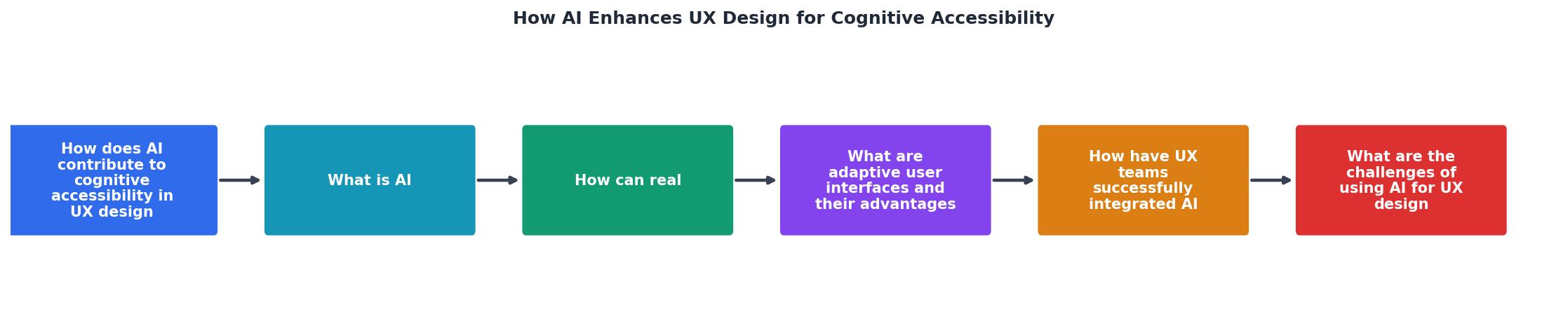
Key takeaway: AI technologies are crucial in making digital experiences more accessible by adapting to user needs and reducing cognitive load.
The journey to integrating AI into UX design is filled with opportunities and challenges. How do you plan to leverage AI to improve cognitive accessibility in your projects? Share your thoughts and experiences in the comments below.
Additional Resources
- AI-Driven Accessibility in UX: Inclusive Design for All - Discover how AI transforms accessibility in UX design - creating intelligent, adaptive interfaces that make digital experiences inclusive ...
- Accessibility and AI: Designing for Inclusive Futures - Siri, Apple's AI-powered assistant, uses Apple Intelligence to fine-tune Web sites for natural speech, handle interruptions, and support silent ...
- AI and the Future of Accessibility - Computing Services - AI can translate, summarize, describe, caption, and reorganize information faster than ever before. As AI reshapes how content is created and ...