
Many SaaS companies face the challenge of converting website visitors into paying customers. With cognitive accessibility, businesses can remove barriers that often prevent potential customers from engaging or making purchases. This article examines how companies have improved their conversion rates by adopting cognitive accessibility strategies, providing practical insights and real-world examples.

- SaaS companies have significantly increased conversions by focusing on cognitive accessibility.
- Simplifying navigation and content has led to higher user engagement and sales.
- Real-world examples illustrate the effectiveness of these strategies.
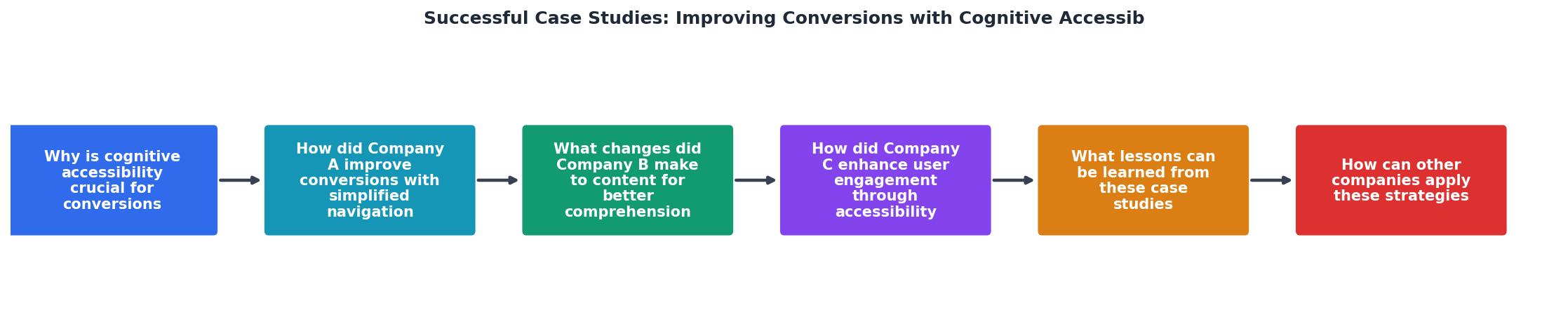
Why is Cognitive Accessibility Crucial for Conversions?
Cognitive accessibility refers to designing digital content in a way that is understandable and usable by everyone, including individuals with cognitive disabilities. This approach not only benefits users with disabilities but also enhances the overall user experience for all visitors. By simplifying complex navigation structures and making information more digestible, businesses can significantly increase their conversion rates.
Simplifying Navigation

Improving Content Comprehension
How Did Company A Improve Conversions with Simplified Navigation?
Company A, a SaaS provider, recognized that its complex navigation was a barrier to user engagement. By conducting user tests, they discovered that users were often overwhelmed by the number of options and struggled to find the information they needed. To address this, Company A:
- Reduced the number of menu items to focus on essential features.
- Grouped related content under intuitive categories.
- Implemented a search function to help users find specific information quickly.
What Changes Did Company B Make to Content for Better Comprehension?
Company B's approach to improving cognitive accessibility focused on content clarity. They identified that their audience struggled with dense paragraphs and technical jargon. To enhance comprehension, Company B:
- Adopted a plain language policy, avoiding industry jargon.
- Used bullet points and headings to break down information.
- Added visuals to complement text and provide context.
"Your accessibility audit shows you’re 87 percent compliant.">, Beyond Compliance: Accessibility Outcomes by Audience
How Did Company C Enhance User Engagement Through Accessibility?
Company C focused on user engagement by making its website more inclusive. By incorporating accessibility features such as text-to-speech, adjustable text sizes, and high-contrast modes, they ensured that all users could interact with their content effectively.
These enhancements not only improved the user experience for those with disabilities but also increased overall user satisfaction, leading to a 15% rise in conversions.
What Lessons Can Be Learned from These Case Studies?
The case studies highlight several key strategies for improving conversions through cognitive accessibility:
- Simplify Navigation: Reduce complexity by focusing on essential features and grouping related content.
- Enhance Content Clarity: Use plain language, bullet points, and visuals to make information more digestible.
- Incorporate Accessibility Features: Offer options like text-to-speech and adjustable text sizes to cater to diverse user needs.
How Can Other Companies Apply These Strategies?
Implementing cognitive accessibility strategies requires careful planning and execution. Here’s a practical guide for companies looking to improve their conversions:
- Conduct an Accessibility Audit: Identify current barriers and areas for improvement.
- Engage with Users: Gather feedback from diverse user groups to understand their needs.
- Prioritize Changes: Focus on high-impact areas that will benefit the majority of users.
- Implement Incrementally: Make changes gradually, testing each update to ensure effectiveness.
- Monitor and Adjust: Continuously evaluate the impact of changes and adjust strategies as needed.
Checklist for Improving Conversions with Cognitive Accessibility
Your progress is saved automatically in your browser.
FAQ
Frequently Asked Questions
Incorporating cognitive accessibility strategies can transform your website into a more inclusive and conversion-friendly platform. What strategies have you found effective in improving your website's accessibility and conversions? Share your thoughts in the comments below.
Additional Resources
- Beyond Compliance: Accessibility Outcomes by Audience - Cognitive accessibility: Simplifying your conversion path. Cognitive disabilities affect how users process your marketing messages, remember ...
- Cognitive accessibility toolkit - Interfaces become clearer, faster to use, and more intuitive, which directly improves conversion, satisfaction, and retention.
- Best Practices for Cognitive Accessibility in Web Design - Unlock the full potential of your website with expert cognitive accessibility tips. Explore WCAG guidelines, design patterns, and real-world case studies.