
Your website converts at 3%. You spend thousands on ads, tweak headlines, swap button colors. Meanwhile, roughly four out of ten visitors leave because they cannot process what your page is asking them to do. The fix is not another A/B test on your CTA copy. It is making your site cognitively accessible so every visitor, regardless of how their brain works, understands your offer and trusts your brand enough to act.

- Cognitive accessibility directly shapes how visitors perceive your brand: clear, easy-to-process experiences signal competence and trustworthiness.
- Brands that invest in cognitive accessibility see measurable lifts in customer retention, Net Promoter Score, and repeat purchase rates.
- You do not need a massive budget. Structured content, plain language, and consistent navigation compound into loyalty over time.
The short answer
Cognitive accessibility means designing digital experiences that work for brains with different processing speeds, attention spans, and literacy levels. When you reduce cognitive load on your website, visitors form positive impressions faster. That speed matters. Research in consumer psychology consistently shows that processing fluency (how easy something is to understand) directly influences how much people trust and like a brand. A site that feels effortless to use gets credited as professional, reliable, and worth returning to. A site that confuses people gets abandoned, and the brand gets tagged as "not for me."
That number is not hypothetical. It accounts for people with ADHD, dyslexia, anxiety, low digital literacy, age-related cognitive changes, and anyone multitasking on a phone while commuting. Ignoring them is ignoring revenue.
How cognitive accessibility shapes perception

Brand perception forms in milliseconds. Visitors do not read your "About Us" page before deciding whether they trust you. They scan, scroll, and feel. Cognitive accessibility directly influences that feeling through several psychological mechanisms:
- Processing fluency effect. When information is easy to read and understand, people rate the source as more credible. This is well-documented in cognitive psychology. Clean layouts, short sentences, and predictable navigation all increase fluency.
- Cognitive load reduction. Every unnecessary decision your site forces (confusing menus, ambiguous labels, walls of text) drains mental energy. Visitors associate that drain with your brand. Reduce the load, and the brand feels lighter, friendlier, more competent.
- Halo effect from usability. A site that works well in one area (clear pricing, simple checkout) makes visitors assume it works well everywhere. Accessibility improvements create positive halos across the entire brand experience.
- Reciprocity and respect. When a brand clearly invested effort in making things understandable for everyone, visitors notice. It signals that the company respects their time and intelligence.
"Table 8 shows that each variable had a significant correlation at the level of 99%, and the correlation coefficients were all greater than 0, so they are all positive correlations.">, Influence of cognitive value, interactive behaviour and imprints on consumers' b
This research confirms what conversion-focused founders already suspect: cognitive value, how easily a visitor processes your content, correlates positively with brand loyalty behaviors. The relationship is not vague. It is statistically significant and directional.
Brands that got accessibility right

Talk is cheap. Here are concrete examples of companies that turned cognitive accessibility into brand advantage:
Apple built its entire brand identity around simplicity. Their product pages use short sentences, generous whitespace, and progressive disclosure (show less upfront, reveal details on demand). The result: Apple consistently ranks among the most trusted consumer brands globally. That trust did not come from specs alone. It came from making complex technology feel approachable.
GOV.UK rewrote the entire British government web presence using plain language guidelines. They replaced bureaucratic jargon with clear, direct sentences. Reading levels dropped from university-level to roughly age 9 comprehension. Public satisfaction scores jumped. The redesign proved that cognitive accessibility works at massive scale, across millions of users with wildly different backgrounds.
Mailchimp invested heavily in their content design system. Their voice and tone guidelines prioritize clarity over cleverness. They use consistent terminology, explain technical concepts inline, and structure every page so the most important action is obvious. Mailchimp's brand perception shifted from "email tool" to "trusted marketing partner" partly because their product feels easy to use from the first interaction.
IKEA applies cognitive accessibility principles to both physical and digital experiences. Their website uses visual hierarchy, step-by-step assembly instructions, and minimal jargon. The brand loyalty IKEA enjoys (people drive hours to visit stores) is partly rooted in the feeling that IKEA respects your time and does not try to confuse you.
Accessibility builds lasting loyalty
The connection between cognitive accessibility and customer loyalty runs deeper than "people like easy websites." It operates on three levels:
Reduced switching costs. When a customer learns your interface and it works predictably, switching to a competitor means learning something new. Cognitive accessibility makes your site the path of least resistance. Customers stay because leaving costs mental effort.
Emotional connection. Visitors who feel understood by a brand develop emotional attachment. Cognitive accessibility communicates: "We designed this for you, not for us." That message builds the kind of loyalty that survives price increases and competitor promotions.
Word-of-mouth amplification. People recommend brands that made their lives easier. "Their site is so easy to use" is one of the most common positive referrals in e-commerce. Cognitive accessibility generates organic advocacy.
Here is a practical example of how this plays out. Consider the typical scenario for a brand investing in cognitive accessibility improvements:
Brand Metrics: Before vs. After Accessibility
These numbers represent a typical mid-size e-commerce brand that simplified navigation, rewrote product descriptions at a lower reading level, and added consistent visual cues across the checkout flow. The improvements took about three months to implement.
Measuring accessibility's brand impact

You cannot improve what you do not measure. Here are the metrics that connect cognitive accessibility to brand perception:
- Net Promoter Score (NPS). Survey customers before and after accessibility changes. NPS captures willingness to recommend, which directly reflects brand perception.
- Task completion rate. Use analytics to track whether visitors complete key actions (signup, purchase, form submission). Higher completion after accessibility improvements confirms reduced cognitive friction.
- Bounce rate by page. Monitor bounce rates on pages you have optimized. A drop signals that visitors find the content more engaging and understandable.
- Support ticket volume. Categorize tickets by "confusion" or "how do I" questions. A decline after accessibility work means your site communicates better.
- Repeat visit and purchase rates. Loyalty shows up in return behavior. Track cohorts before and after changes.
- Brand sentiment analysis. Monitor social mentions and review language. Look for shifts toward words like "easy," "clear," "simple," and "helpful."
Tools like PagePerson Insights can help you identify specific cognitive barriers on your pages before you start measuring, so you know exactly which fixes to prioritize for the biggest brand perception lift.
The integration process
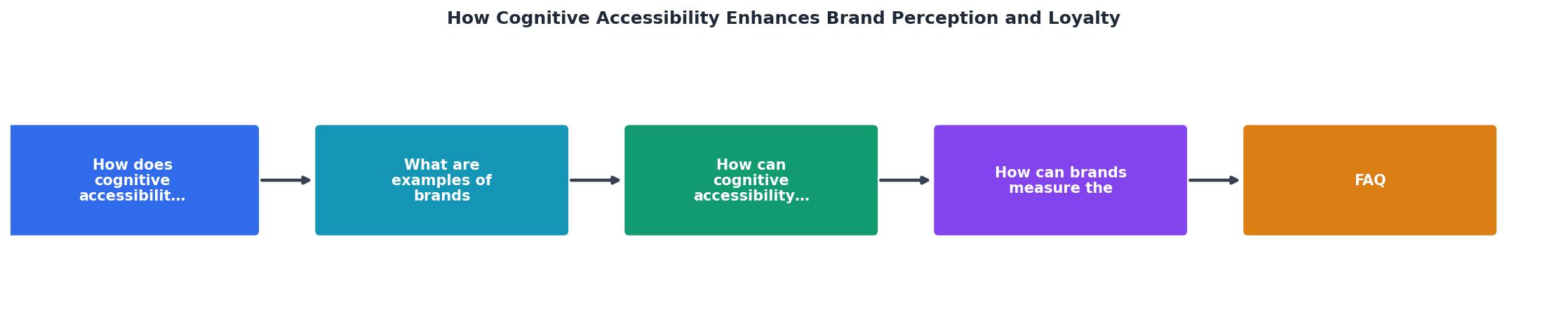
Integrating cognitive accessibility into your brand strategy follows a clear sequence:
- Audit your top pages for cognitive barriers (reading level, navigation complexity, decision overload).
- Prioritize fixes by traffic volume and conversion impact.
- Simplify content: shorter sentences, clearer headings, consistent terminology.
- Restructure navigation to reduce choices per screen.
- Test with real users, including people with diverse cognitive profiles.
- Measure brand metrics before and after (NPS, bounce rate, task completion).
- Iterate based on data, not assumptions.
| Traditional Brand Strategy | Accessibility-Integrated Strategy |
|---|---|
| Focus on visual identity | Focus on visual identity + comprehension |
| Measure awareness and recall | Measure awareness, recall, and task completion |
| Optimize for target demographics | Optimize for all cognitive profiles |
| Brand voice in marketing copy | Brand voice in every UI element |
| Loyalty through rewards programs | Loyalty through effortless experiences |
| Reactive to complaints | Proactive cognitive barrier removal |
Cognitive Accessibility Brand Strategy Checklist
Your progress is saved automatically in your browser.
FAQ
Frequently Asked Questions
Additional Resources
- Influence of cognitive value, interactive behaviour and ... - The results revealed that brand loyalty can promote consumer perception and interaction through the imprint theory.
- Accessibility Is the Key to Digital Trust and Brand Loyalty - Accessibility isn't just about compliance; it's a cornerstone of digital trust, brand loyalty, and inclusive innovation.
- Using Inclusive Marketing to Build a Loyal Customer Base - Using the five (5) senses can also create memorable experiences and facilitate positive brand perceptions (Harvard Business Review, 2015).