
Legacy systems run critical operations in government, healthcare, finance, and education. They were built years or decades ago, long before cognitive accessibility entered any specification. Now regulations like the European Accessibility Act and updated WCAG guidance demand that these systems work for people with ADHD, dyslexia, anxiety, and other cognitive conditions. Retrofitting them is not optional, and the path forward is more practical than most teams expect.

- Legacy systems present specific cognitive accessibility barriers: inconsistent navigation, dense forms, jargon-heavy labels, and session timeouts that punish slow readers.
- Retrofitting is achievable through overlay strategies, progressive component replacement, and structured auditing without full rewrites.
- Organizations that retrofit gain compliance coverage, reduced legal risk, and measurable improvements in task completion rates across all users.
Why legacy systems fail cognitive accessibility
The short answer: they were never designed for it. Most legacy platforms were built around technical constraints of their era, not around how human brains process information. The result is a set of recurring patterns that create cognitive barriers.
Inconsistent navigation tops the list. A system built over 15 years by rotating teams ends up with three different menu structures, two naming conventions for the same action, and breadcrumbs that appear on some pages but not others. For someone with a working memory impairment, this inconsistency turns every page into a puzzle.
Dense, multi-step forms are another hallmark. Legacy enterprise applications love cramming 30 fields onto a single screen. No progressive disclosure, no inline validation, no clear grouping. A user with ADHD loses focus by field 12. A user with dyscalculia misreads the account number format because there is no input mask or example.
Jargon and internal terminology leak into user-facing labels. A government benefits portal built in 2009 might label a button "Submit 1040-EZ Adjudication Request" instead of "Submit your tax form." The developers understood it. The public does not.
Session timeouts punish anyone who reads slowly, needs to look up information, or gets interrupted. A 10-minute timeout on a banking portal forces users with cognitive disabilities to restart complex transactions.
No error recovery path. Legacy systems often show a single cryptic error message ("Error 4012") with no explanation and no way to fix the input without starting over.
How organizations overcome these barriers

Full rewrites are expensive and risky. Most organizations cannot justify replacing a working system just for accessibility. The good news: you do not need to. Three strategies work in practice.
1. Presentation-layer overlays
The fastest approach targets the front end without touching back-end logic. This means:
- Replacing inline styles and table-based layouts with a modern CSS layer that improves spacing, contrast, and readability
- Adding client-side JavaScript for progressive disclosure on long forms (show five fields at a time, not thirty)
- Injecting ARIA landmarks and roles into server-rendered HTML through a middleware or proxy layer
- Implementing a "plain language" toggle that swaps jargon labels for clear alternatives
2. Progressive component replacement
Instead of rewriting everything, replace the worst-offending components one at a time. Identify the three screens with the highest abandonment rates, rebuild those as modern accessible components, and embed them into the legacy shell.
This works well with micro-frontend architecture. The legacy system serves the page frame. Individual sections load from a modern service. Each new component follows WCAG 2.2 cognitive accessibility guidance from day one.
3. Structured cognitive audits
Before changing anything, audit systematically. A cognitive accessibility audit differs from a standard WCAG check. It evaluates:
- Reading level of all user-facing text (target: grade 8 or lower)
- Navigation consistency across all major flows
- Error message clarity and recovery options
- Timeout policies and whether they accommodate slow interaction
- Cognitive load per screen (number of decisions, fields, and competing elements)
"The accessibility issues addressed in this guidance are essential for people with certain disabilities to be able to use digital technology.">, Cognitive Accessibility at W3C
The retrofit process step by step
Here is the process that connects audit findings to shipped improvements. The diagram below shows the full flow at a glance.
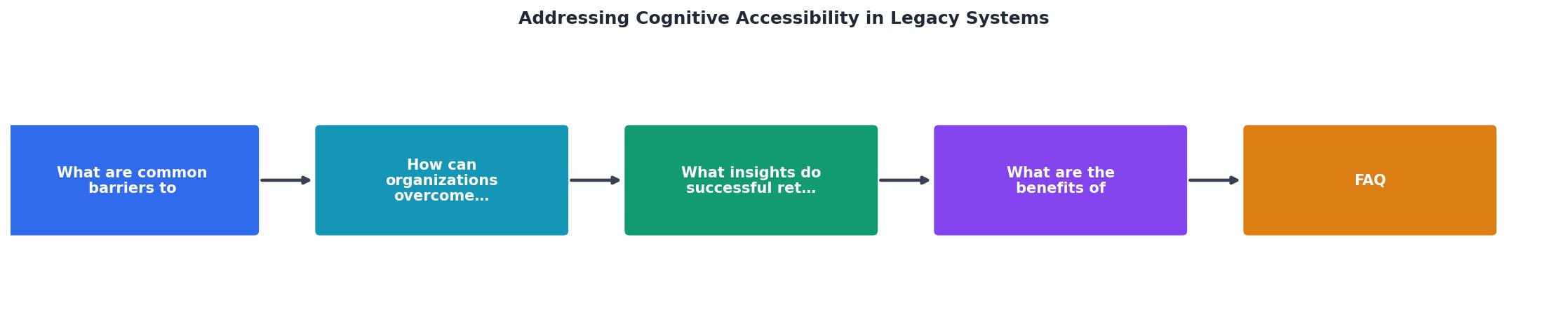
The steps break down as follows:
- Audit the current system for cognitive barriers using automated scanning and manual review
- Prioritize findings by user impact and regulatory risk
- Design accessible alternatives for the highest-priority screens
- Implement changes using overlay or component replacement strategies
- Test with real users, including people with cognitive disabilities
- Document changes for compliance records and future maintenance
- Monitor ongoing accessibility through automated checks integrated into CI/CD
What successful retrofits teach us

Several patterns emerge from organizations that have completed legacy cognitive accessibility projects.
Start with the highest-traffic, highest-friction flows. A healthcare patient portal team focused on appointment scheduling and prescription refills first. Those two flows accounted for 60% of all user sessions and 80% of support calls. Fixing cognitive barriers there delivered the biggest compliance and usability return.
Plain language rewrites pay off fast. Replacing technical labels and instructions with clear, grade-8-level text consistently reduces error rates. One financial services firm reported a drop in form submission errors after rewriting field labels and adding contextual help text to their legacy loan application system.
Timeout extensions are low-effort, high-impact. Extending session timeouts from 10 minutes to 30 minutes (or adding a "still working" prompt) requires minimal code changes but eliminates one of the most common cognitive barriers.
User testing with cognitive disability participants reveals issues automated tools miss. Screen readers catch missing alt text. Automated scanners catch contrast ratios. Neither catches that a user with anxiety freezes when a form shows 25 required fields at once. Include participants with ADHD, dyslexia, and cognitive fatigue in your testing protocol.
Benefits of updating legacy systems
The compliance case is obvious: regulations require it, and deadlines are approaching. But the benefits extend well beyond avoiding fines.
- Reduced support costs. Clearer interfaces mean fewer calls, fewer password resets, fewer "how do I..." tickets.
- Broader user base. Cognitive accessibility improvements help older adults, non-native speakers, and stressed users. That is a large segment of any public-facing system's audience.
- Lower legal risk. Documented cognitive accessibility audits and remediation demonstrate due diligence, which matters in litigation.
- Improved task completion. Every cognitive barrier removed is a user who finishes their transaction instead of abandoning it.
- Future-proofing. Components rebuilt for accessibility are easier to maintain, test, and extend than the legacy code they replace.
Legacy Retrofit Impact Dashboard
| Before Retrofit | After Retrofit |
|---|---|
| Cryptic error codes | Plain-language error messages with fix suggestions |
| 30-field single-page forms | Progressive disclosure, 5 fields per step |
| 10-minute session timeout | 30-minute timeout with "still working?" prompt |
| Jargon-heavy labels | Grade-8 reading level, contextual help |
| No navigation consistency | Unified nav structure, persistent breadcrumbs |
| Zero cognitive accessibility documentation | Full audit trail for regulators |
Legacy System Cognitive Accessibility Retrofit Guide
Your progress is saved automatically in your browser.
FAQ
Frequently Asked Questions
Additional Resources
- Cognitive Accessibility at W3C - Cognitive and learning disabilities impact how people process information. For example, they can affect people's perception, memory, language, attention, ...
- A Guide to Improving Cognitive Accessibility - By implementing cognitive accessibility practices, websites can become more inclusive and user-friendly, accommodating a broader audience and improving the ...
- Web Accessibility for People with Cognitive Disabilities - Research of how individuals with cognitive disabilities navigate Web-based media is limited. There have been a number of studies in the last twenty years that ...