
Most website owners treat SEO and accessibility as separate projects with separate budgets and separate teams. That split costs them traffic and conversions at the same time. The overlap between what search engines reward and what makes content easier for human brains to process is enormous, and the businesses that exploit it gain a compounding advantage over those that keep the two in silos.
Photo by Lukas Blazek from Pexels
TL;DR:- Cognitive accessibility and SEO share the same core goal: make content easy to find, read, and act on.
- Reducing cognitive load directly improves dwell time, bounce rate, and page rankings.
- A single content optimization pass can serve both accessibility and organic search when you follow the right checklist.
Where SEO and accessibility overlap
Search engines have spent two decades trying to approximate what a human brain does when it lands on a page. Google's helpful content system, passage ranking, and Core Web Vitals all reward the same qualities that reduce cognitive load: clear headings, logical structure, fast rendering, and plain language.
Think about what happens when a visitor with ADHD hits a wall of unbroken text. They leave. That exit signal is identical to the one Google uses to judge content quality. The algorithm does not care why the user bounced. It only sees the bounce.
Three specific areas where the two disciplines share requirements:
- Heading hierarchy (H1 through H4) helps screen readers and search crawlers parse content structure.
- Descriptive link text gives context to assistive technology and passes anchor-text relevance to linked pages.
- Short paragraphs and bullet lists reduce working-memory demands and match the snippet formats Google prefers.
"The accessibility checks directly contribute to SEO improvements in several key ways.">, Enhancing SEO Through Web Accessibility
When you fix one side, you fix the other. That is not a metaphor. It is the same HTML, the same content, the same page speed budget.
How cognitive load reduction boosts rankings

Cognitive load is the total mental effort required to use a page. When it spikes, visitors stop reading, stop clicking, and stop buying. Search engines pick up the aftermath through engagement metrics.
Here is the chain reaction:
- Lower readability leads to shorter sessions. Google interprets short sessions on informational queries as a quality signal.
- Confusing navigation increases pogo-sticking (clicking back to search results and choosing a different link). Pogo-sticking correlates with ranking drops.
- Cluttered layouts slow Largest Contentful Paint (LCP) and Cumulative Layout Shift (CLS), two Core Web Vitals that directly affect ranking eligibility.
A SaaS landing page that replaces jargon-heavy copy with plain language, adds descriptive subheadings, and removes three unnecessary modal pop-ups will likely see both a conversion lift and a ranking improvement within the same quarter. The fixes are identical; only the measurement dashboards differ.
Strategies that serve both goals
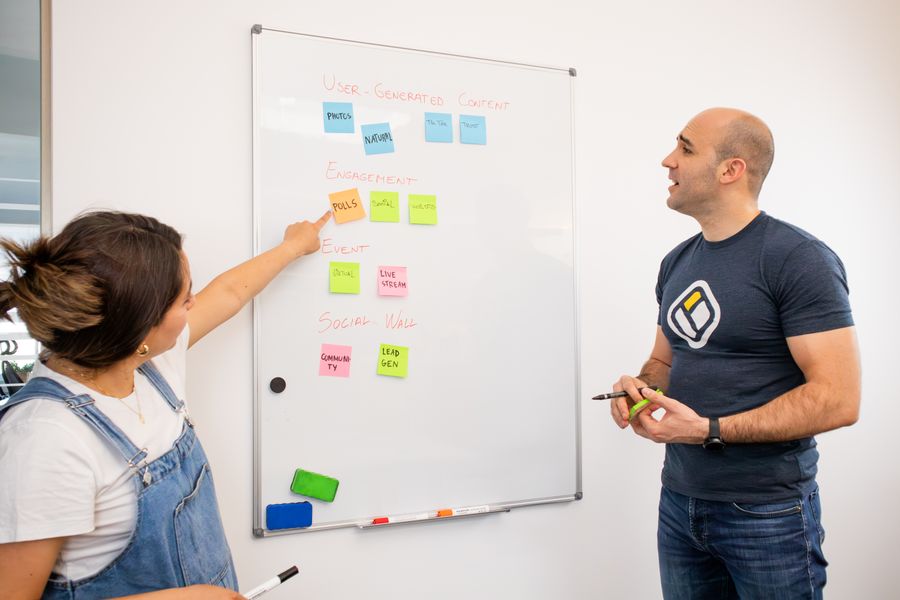
Here are concrete tactics you can apply this week. Each one improves cognitive accessibility and organic search performance simultaneously.
Simplify page titles and H1 tags
Write H1 tags that answer the searcher's question in under ten words. A clear H1 reduces the visitor's orientation time (cognitive benefit) and matches the query Google is trying to serve (SEO benefit). Example: change "Our Comprehensive Suite of Enterprise Resource Planning Solutions" to "ERP Software for Mid-Size Teams."
Use structured data for clarity
Schema markup (FAQ, HowTo, Article) gives search engines explicit structure. It also forces you to organize content into discrete, answerable chunks, which is exactly what reduces cognitive load for readers with anxiety or low digital literacy.
Front-load key information
Put the answer in the first sentence of every section. Journalists call this the inverted pyramid. For SEO, it increases the chance Google pulls your text into a featured snippet. For accessibility, it means a reader who scans only the first line of each section still gets the core message.
Optimize images with real alt text
Write alt text that describes the image content, not the keyword you want to rank for. "Bar chart showing 40% bounce rate drop after readability improvements" beats "SEO accessibility chart." Descriptive alt text serves visually impaired users and gives Google genuine image context.
Reduce interaction cost
Every extra click, scroll, or form field adds cognitive load. Flatten your site architecture so key pages sit within two clicks of the homepage. Fewer clicks means faster crawling by Googlebot and less decision fatigue for visitors.
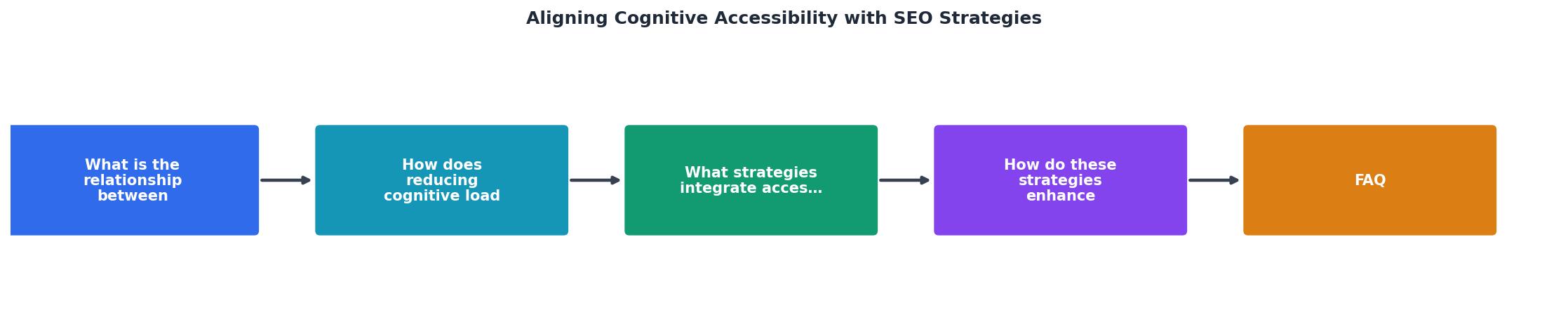
The diagram above shows the five-step loop: Audit content readability, Simplify headings and copy, Structure with schema and hierarchy, Test with real users and search console data, Iterate based on results.
How alignment drives engagement

Engagement is where the ROI becomes tangible. When content is both accessible and well-optimized for search, three things happen:
- Dwell time increases. Visitors who can parse your content without strain stay longer. Longer sessions signal quality to ranking algorithms.
- Pages per session rise. Clear navigation and logical internal linking (good for crawl depth and for users with working-memory limitations) encourage exploration.
- Conversion rates climb. A visitor who understands your value proposition on the first read is more likely to sign up, buy, or request a demo.
Consider an e-commerce category page. Replacing a dense product grid with grouped sections, clear filters, and concise product titles reduces cognitive overload. The same changes improve internal linking signals and keyword relevance for long-tail queries. One redesign, two wins.
The following interactive card shows how a typical content page performs before and after applying combined accessibility and SEO optimizations.
Before Optimization
After Optimization
Checklist: Optimize Content for Accessibility and SEO
Your progress is saved automatically in your browser.
FAQ
Frequently Asked Questions
Additional Resources
- Enhancing SEO Through Web Accessibility - Many accessibility best practices, such as using semantic HTML and optimized images, align with SEO principles, improving both user experience ...
- SEO and Web Accessibility: What You Need to Know - Here are six SEO concepts that work with accessibility. Title Tags Headings and Header Tags Image Captioning Anchor/link text Video and Audio transcriptions ...
- Web Accessibility and SEO - The list of accessibility and SEO practices that are closely in alignment include: Using proper alternative text for images Providing a clear ...