

Cognitive accessibility is a critical yet often overlooked aspect of user experience (UX) design. With an increasing number of users facing cognitive challenges, it's essential for designers to create interfaces that are intuitive and easy to navigate. By focusing on cognitive accessibility, UX designers can significantly enhance user engagement and satisfaction. This article explores the benefits of incorporating cognitive principles into UX design, common barriers users face, and how designers can overcome these challenges to create more inclusive digital experiences.

TL;DR:
Cognitive accessibility enhances UX design by addressing cognitive barriers, leading to more intuitive interfaces and improved user experiences. By focusing on cognitive principles, designers can increase user satisfaction and reduce bounce rates.
Understanding cognitive accessibility in UX design is about more than just following guidelines; it's about empathy and creating experiences that everyone can navigate with ease. Cognitive barriers can hinder user engagement, making it crucial for designers to understand and address these challenges. With the right strategies, UX designers can create interfaces that are both accessible and delightful, ensuring that no user feels left behind.
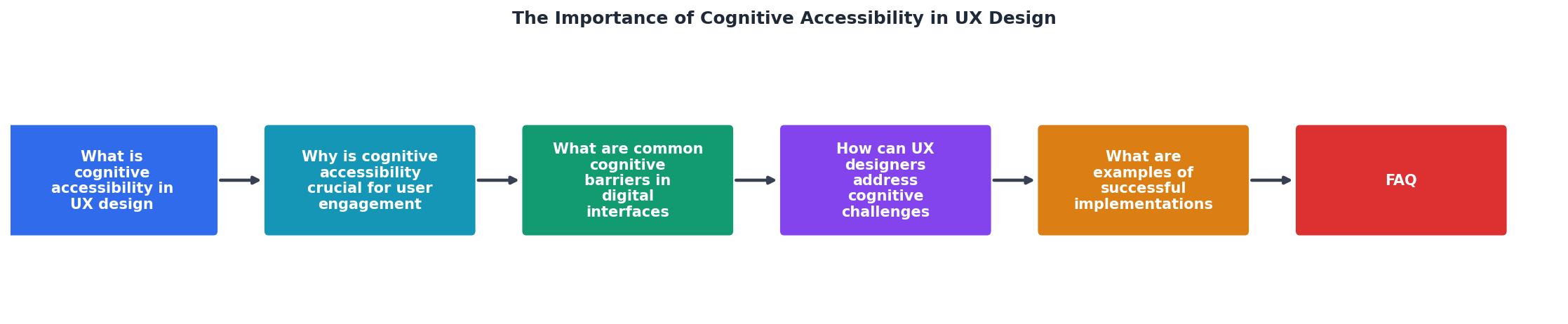
What is Cognitive Accessibility in UX Design?
Cognitive accessibility refers to designing digital interfaces that accommodate users with cognitive disabilities, such as dyslexia, ADHD, or memory impairments. Unlike physical or sensory disabilities, cognitive impairments affect a user's ability to process information, understand content, or navigate a website. Therefore, cognitive accessibility focuses on simplifying interfaces to make them more intuitive and user-friendly.
Designers aiming to improve cognitive accessibility must consider various factors, such as simplifying text, providing clear instructions, and using easily recognizable icons. For instance, using plain language instead of jargon can help users understand information more quickly. Additionally, providing options for customization, like adjusting text size or contrast, can significantly improve usability for individuals with cognitive challenges.

Why is Cognitive Accessibility Crucial for User Engagement?
Cognitive accessibility is crucial because it directly impacts user satisfaction and engagement. When users can easily understand and navigate a website, they are more likely to stay longer, return, and convert. Here are some key benefits:
- Increased User Satisfaction: Users appreciate interfaces that are easy to understand and navigate. When design elements are straightforward, users can complete tasks more efficiently, leading to a more satisfying experience.
- Reduced Bounce Rates: Clear and intuitive design helps keep users on the page longer. Users are less likely to abandon a site if they can find the information they need without frustration.
- Broader Audience Reach: Accessible design ensures that more people, including those with cognitive disabilities, can use your site. This inclusivity can expand your audience and improve brand reputation.
What are Common Cognitive Barriers in Digital Interfaces?
Cognitive barriers in digital interfaces can take many forms, including complex navigation, information overload, and poor layout. These barriers can prevent users from accessing information efficiently, leading to frustration and disengagement.

Common barriers include:
- Complex Navigation: Difficult menus and unintuitive paths can confuse users. If a website's navigation is not clear, users may struggle to find the information they need or become lost, leading to a negative user experience.
- Information Overload: Too much information at once can overwhelm and deter users. When users are bombarded with excessive content, they may find it difficult to process and prioritize information, which can lead to disengagement.
- Inconsistent Layouts: Varying layouts can disorient users and disrupt their experience. A lack of consistency in design can make it challenging for users to develop a mental model of how to interact with a site.
"The first group includes mental, psychological, and medical problems that may cause a decreased mental function or slowly deteriorate it."
— Tips on designing inclusively for cognitive disabi, Tips on designing inclusively for cognitive disabi
How Can UX Designers Address Cognitive Challenges?
UX designers can address cognitive challenges by integrating cognitive principles into their design processes. Here are some methodologies:
- Simplify Navigation: Use clear labels and logical structures to guide users. Employing a consistent and intuitive navigation structure can help users find what they need more easily.
- Prioritize Content: Highlight essential information and use whitespace to improve focus. By prioritizing content, designers can help users focus on the most important elements without unnecessary distractions.
- Consistent Layouts: Maintain uniformity across pages to create a predictable experience. Consistent layouts help users form expectations and understand where to find key elements on a page.
UX designers can also employ tools and extensions, such as PagePerson Insights, to analyze and improve cognitive accessibility on their websites.
What are Examples of Successful Implementations?
- E-Commerce: Simplified checkout processes and clear product descriptions. E-commerce websites that streamline the checkout process by minimizing steps and providing clear instructions can reduce abandonment rates.
- Education: Websites with straightforward navigation and accessible learning materials. Educational platforms that use clear layouts and prioritize key learning materials can enhance student engagement and learning outcomes.
- Government Services: User-friendly portals that accommodate diverse needs. Government websites that offer clear instructions and easy-to-find services enable citizens to access necessary information without undue stress.

Template for Integrating Cognitive Accessibility into Design Processes
Designing with cognitive accessibility in mind involves specific steps that can be integrated into any design process. Here's a practical checklist to guide you:
Integrating Cognitive Accessibility
Your progress is saved automatically in your browser.
FAQ
Frequently Asked Questions
Now that you know the importance of cognitive accessibility in UX design, how will you incorporate these principles into your next project? Share your thoughts in the comments below.
Additional Resources
- Tips on designing inclusively for cognitive disabilities - Users with cognitive problems can easily feel overwhelmed and they expect the interface to be predictable. They need more time to complete tasks ...
- Give Users' Brains a Break: UX Tips for Cognitive ... - Prioritizing cognitive accessibility means designing experiences that reduce mental strain and improve usability for everyone—whether they ...
- Accessibility in UX design - Accessible products and services make all users feel included and understood, regardless of their abilities, context, or situation.