

Your landing page looks great. Your copy reads well to your team. Your paid campaigns drive traffic. Yet visitors bounce, forms go unfinished, and your conversion rate sits stubbornly below where it should be. The gap between what your team sees and what a first-time visitor experiences is a cognitive gap, and closing it is one of the highest-leverage moves you can make for revenue growth.

- Cognitive insights reveal why visitors struggle on your site, not just where they drop off.
- Reducing cognitive load on key pages directly increases conversion rates and lowers customer acquisition cost.
- Applying cognitive insights to marketing strategies produces measurable ROI improvements without increasing ad spend.
The real reason visitors leave
Most analytics dashboards tell you the same story: visitors land, scroll a bit, and leave. Heatmaps show where they click. Funnel reports show where they drop. None of them answer the question that actually matters: what confused them?
Cognitive insights are data points about how the human brain processes information on your website. They cover things like working memory limits, decision fatigue, reading comprehension barriers, and attention fragmentation. When you understand these, you stop guessing why a page underperforms and start seeing the specific friction points that cost you revenue.
Think of it this way. A visitor lands on your pricing page. They see three tiers, each with 12 feature bullets, two toggle switches for billing frequency, a comparison table, and a banner about a limited-time offer. Their working memory can hold roughly four chunks of information at once. You just threw 40+ chunks at them. They leave. Your analytics say "bounce." Cognitive insights say "overload."
That number is not hypothetical. A significant portion of any audience includes people dealing with cognitive load from stress, multitasking, unfamiliarity with your product category, or conditions like ADHD and anxiety. Ignoring cognitive accessibility means ignoring a large slice of your potential customers.
How cognitive load kills conversions

Cognitive load is the total amount of mental effort required to use your website. It comes in three flavors:
- Intrinsic load relates to the complexity of the task itself. Buying enterprise software is inherently more complex than buying socks.
- Extraneous load is the unnecessary friction your design adds. Confusing navigation, jargon-heavy copy, inconsistent button styles. This is the load you can eliminate.
- Germane load is the productive effort a visitor spends understanding your value proposition. You want this one.
Research in cognitive psychology consistently shows that when people face too many choices or too much information, they default to the easiest action: leaving. This is not laziness. It is how brains conserve energy. Your competitors who present simpler, clearer pages capture those visitors instead.
Here is what high cognitive load looks like in practice:
- Pricing pages with more than five comparison dimensions per tier
- Sign-up forms asking for information that is not needed at that stage
- Navigation menus with 15+ top-level items and nested dropdowns
- Landing pages mixing three different calls to action above the fold
- Product descriptions written for internal stakeholders, not buyers
Applying cognitive insights to marketing

Knowing about cognitive load is one thing. Turning that knowledge into marketing strategy changes is where the ROI lives. Here are concrete approaches that work:
Simplify your value proposition
Strip your homepage headline down to one clear statement. Not three benefits separated by pipes. Not a clever metaphor that requires context. One sentence that answers: "What does this do for me?"
Basecamp did this years ago. Their homepage went from feature lists to a single line about project management being chaotic and Basecamp being the fix. Conversion went up. The product did not change. The cognitive load did.
Reduce choice on landing pages
Each landing page should have one primary action. Not "Sign up, or watch a demo, or read our blog, or follow us on Twitter." One button. One direction. When Unbounce analyzed thousands of landing pages, pages with a single CTA consistently outperformed pages with multiple CTAs.
Sequence information progressively
Do not dump everything on page one. Use progressive disclosure: show the minimum needed to make the next decision, then reveal more. SaaS onboarding flows that break a 10-field form into three steps of 3-4 fields each see completion rates jump significantly.
Match copy to reading level
Your audience is smart. That does not mean they want to parse dense, technical prose while evaluating your product. Tools like Hemingway Editor flag sentences that require college-level reading. Aim for grade 8-9 reading level in marketing copy. This is not dumbing down. It is respecting your reader's time and attention.
"The Benefits of Real-Time Customer Insights.">, Top Strategies to Leverage Real Time Customer Insights for Business Growth
Real-time cognitive insights take this further. Instead of guessing which pages confuse visitors, you get specific signals about where comprehension breaks down. Tools like PagePerson Insights analyze pages for cognitive accessibility barriers and show you exactly what to fix, turning subjective "this feels confusing" into concrete action items.
What success looks like in practice

Cognitive insight-driven optimization is not theoretical. Companies across industries have seen measurable results by focusing on how visitors think, not just where they click.
E-commerce checkout simplification. A mid-size DTC brand reduced their checkout from five steps to three, removed optional upsell modals during payment, and rewrote error messages in plain language. Cart abandonment dropped by 22% in the first month. No new traffic. No discount codes. Just less cognitive friction.
SaaS pricing page redesign. A B2B SaaS company replaced their four-tier pricing table (with 18 feature rows) with a two-tier layout and a "Talk to us" option for enterprise. They added a short paragraph above the table explaining who each tier was for. Signups from the pricing page increased by 35%.
Lead generation form optimization. A financial services firm cut their lead form from 11 fields to 5, moved the remaining fields to a post-submission profile completion step, and added microcopy explaining why each field was needed. Form completion rate doubled.
These examples share a pattern: the product stayed the same, the traffic stayed the same, but the cognitive experience improved. That is the leverage cognitive insights provide.
Step-by-step implementation guide
Here is a practical process for applying cognitive insights to your marketing campaigns. Each step builds on the previous one.
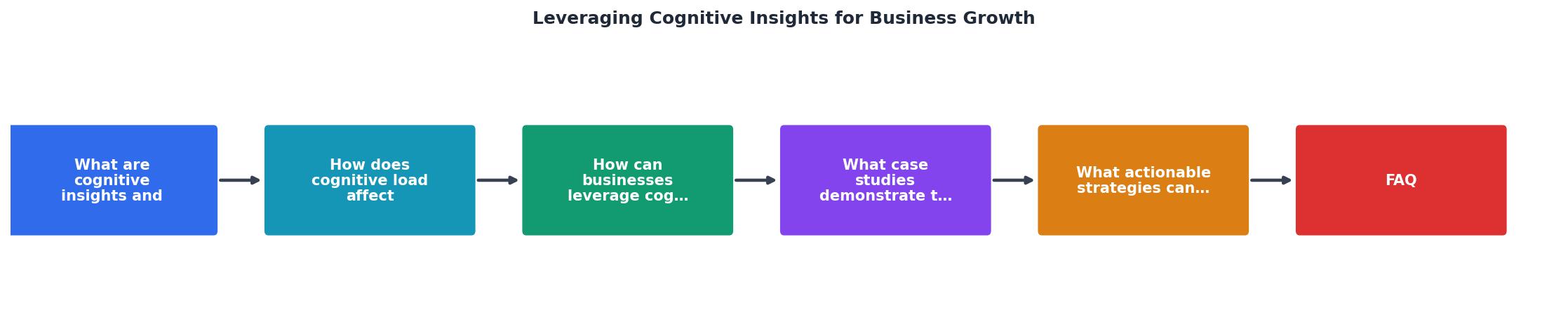
The diagram above outlines the core loop. Here is how to execute each phase:
- Audit your top 5 pages by traffic. Identify where cognitive load is highest.
- Measure current conversion rates, bounce rates, and time-on-page for each.
- Analyze cognitive barriers: reading level, choice overload, unclear CTAs, information density.
- Prioritize fixes by impact. Start with the page that gets the most traffic and has the worst conversion.
- Implement one change at a time. Simplify copy, reduce options, or restructure layout.
- Test with A/B experiments. Run each variant for at least two weeks or until statistical significance.
- Iterate based on results. Move to the next page and repeat.
Cognitive Audit Dashboard
Example: SaaS landing page before optimization
A score of 62 out of 100 means there is significant room for improvement. The red and yellow indicators point directly to what needs fixing first: competing CTAs and high information density. After addressing those two issues, you would re-audit and expect the score to climb above 80.
Strategies for cognitive-first marketing
Here are the specific strategies that produce the best results when you commit to cognitive-first marketing:
- One message per page. Every page should answer one question. If it answers two, split it into two pages.
- Visual hierarchy over decoration. Use size, contrast, and whitespace to guide the eye. Drop decorative elements that compete with your CTA.
- Plain language copy. Replace jargon with words your customers actually use. Check with readability tools.
- Progressive disclosure. Show less upfront, reveal more on demand. Accordions, tabs, and multi-step flows all work.
- Consistent patterns. Use the same button styles, form layouts, and navigation patterns across your site. Inconsistency forces the brain to re-learn on every page.
- Microcopy that explains. Add short helper text near form fields, buttons, and pricing. "No credit card required" next to a sign-up button reduces uncertainty.
- Mobile-first cognitive design. Small screens amplify cognitive load. If it works on mobile, it works everywhere.
Cognitive Insights Marketing Checklist
Your progress is saved automatically in your browser.
FAQ
Frequently Asked Questions
Additional Resources
- Top Strategies to Leverage Real Time Customer Insights for ... - Leveraging customer insights gives businesses a competitive edge by adapting strategies based on feedback. AI enhances products and strengthens customer ...
- Leveraging Big Data Analytics for Competitive Advantage - This paper delves into the strategic integration of big data analytics and artificial intelligence (AI) to propel business growth by leveraging customer ...
- Leveraging Data Insights To Strengthen Business Operations - Cutting-edge tools help prevent human error, ensure workplace accuracy, and build operational resilience. Organizations achieve measurable ...