
Cognitive accessibility does not live inside a single Figma file or a single JIRA ticket. It spans content strategy, front-end code, QA, product management, and customer support. When these disciplines work in isolation, users with ADHD, dyslexia, anxiety, or low digital literacy hit walls that no single team member could have predicted or prevented alone. The fix is structured cross-functional collaboration, and the organizations that get it right ship clearer, more inclusive products while spending less time on rework.

- Cognitive accessibility compliance requires input from UX designers, developers, content writers, QA, and product managers working together, not in sequence.
- Structured collaboration rituals like shared audits, paired reviews, and accessibility stand-ups reduce rework and catch cognitive barriers early.
- Building a culture of inclusivity starts with shared language, shared metrics, and shared ownership of accessibility outcomes.
Why solo efforts fail
A UX designer can simplify a checkout flow. A developer can implement proper focus management. A content writer can rewrite error messages in plain language. Each of these improvements matters. But cognitive accessibility breaks down at the seams between disciplines.
Consider a real scenario: a designer creates a clean, minimal form layout. The developer implements it faithfully but adds a complex client-side validation pattern that surfaces three error messages simultaneously in red text with no focus shift. The content team never reviewed those error strings because "that's a dev thing." The result? A user with anxiety disorder abandons the form. Nobody did anything wrong individually. The process failed collectively.
That number is not hypothetical. Cognitive barriers affect a significant portion of any audience, including people dealing with temporary states like stress, fatigue, or multitasking. Treating cognitive accessibility as one team's responsibility guarantees gaps.
What cross-functional collaboration looks like
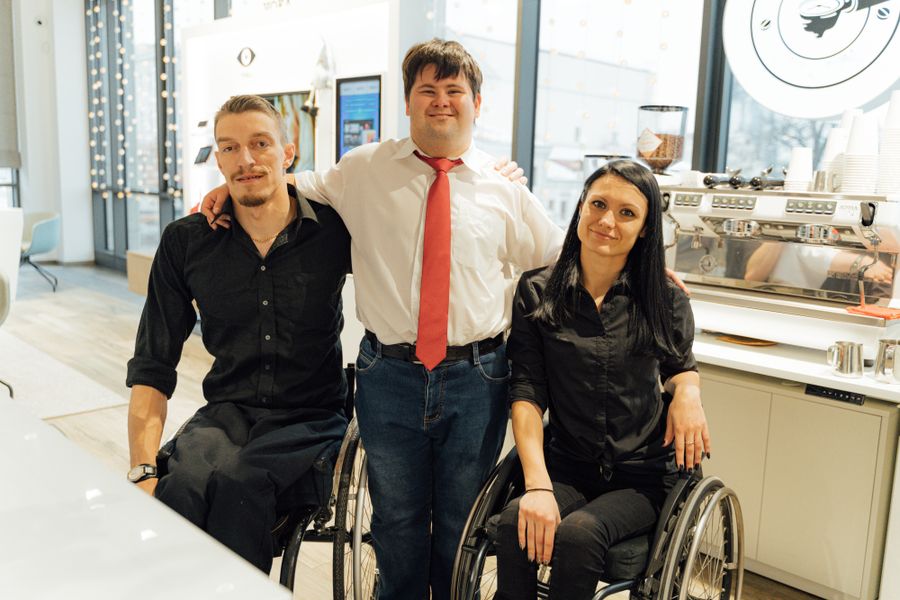
Cross-functional collaboration for cognitive accessibility means multiple disciplines contributing to the same accessibility goals at the same time, not handing off a checklist from one team to the next.
Here is what separates effective collaboration from the "we had a meeting" variety:
- Shared definition of done. Every user story includes cognitive accessibility acceptance criteria that UX, dev, content, and QA all agree on before sprint planning.
- Paired reviews. A designer and a developer review each other's work specifically for cognitive load issues. A content writer reviews UI copy in context, not in a spreadsheet.
- Accessibility stand-ups. A 15-minute weekly sync where each discipline flags cognitive barriers they spotted. No status updates, just barrier identification.
- Shared tooling. Everyone uses the same audit tool. When a designer flags a readability issue in PagePerson Insights, the developer sees the same finding and can act on it without translation.
"Even in "normal" times, a lack of collaboration on complex challenges like digital transformation can cost organizations ROI and future revenue growth.">, Cross
How collaboration improves compliance

WCAG 2.2 includes success criteria that no single discipline can satisfy alone. Take 3.3.7 Accessible Authentication or 3.3.8 Redundant Entry: these require coordination between interaction design, front-end implementation, and content strategy.
Here is how collaboration directly maps to compliance:
- Consistent terminology. When content writers and developers use the same labels for the same actions across an entire product, users with cognitive disabilities spend less working memory on translation. This supports WCAG 3.1.4 (Abbreviations) and general comprehension.
- Predictable navigation. Designers define patterns. Developers implement them consistently. QA verifies consistency across pages. One team missing from this chain creates inconsistency that trips up users relying on learned patterns (WCAG 3.2.3, 3.2.4).
- Error prevention and recovery. Designers specify error states. Content writers craft clear messages. Developers implement proper focus management and ARIA live regions. QA tests with screen readers and cognitive walkthroughs. Skip any link in that chain and error handling becomes a cognitive barrier.
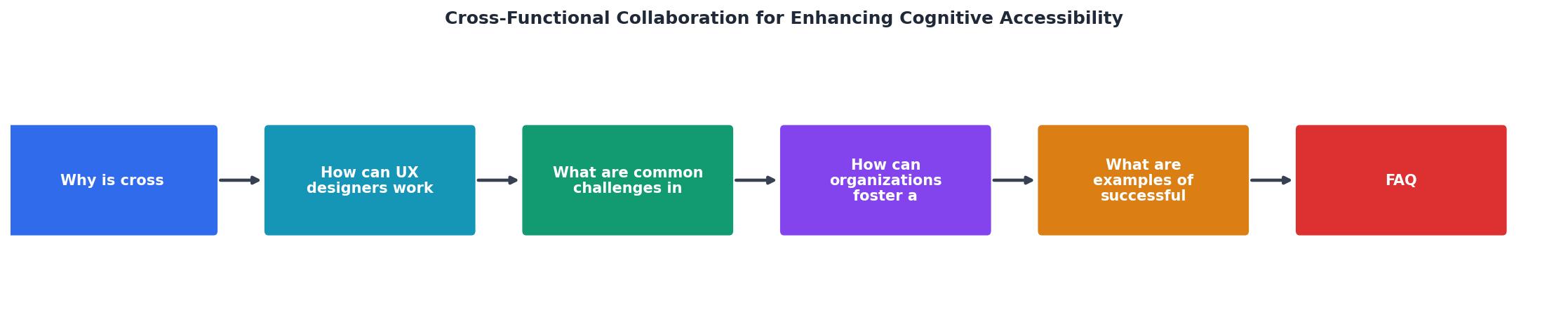
The steps in the diagram break down as: Define criteria, Paired review, Accessibility stand-up, Shared audit, Iterate, and Ship. Each step involves at least two disciplines. That overlap is the point.
Real-world collaboration examples
Apple's accessibility team does not sit in a silo. Accessibility engineers are embedded in product teams for Maps, Health, and iOS itself. When Apple introduced Cognitive Accessibility features in iOS 16 and 17 (like simplified Assistive Access mode), that required hardware engineers, software developers, UX researchers, and content strategists working in the same room. The result was a mode that genuinely reduces cognitive load rather than just hiding features.
Adobe took a different approach with their Inclusive Design Workshops. Cross-functional teams (product managers, engineers, designers, and researchers) spend structured sessions using their own products with simulated cognitive constraints. Engineers who experience the frustration of a confusing modal dialog firsthand write better code the next sprint.
Smaller companies achieve similar results with less ceremony. A 12-person SaaS startup can pair a designer with a developer for a 30-minute cognitive walkthrough of each new feature before it ships. No formal program needed. Just two people from different disciplines looking at the same screen and asking: "Would someone under cognitive stress understand what to do here?"
The following interactive element shows how team roles contribute to a typical cognitive accessibility review cycle:
Cognitive Accessibility Review Cycle
Building a culture of inclusivity

Processes and tools help. Culture is what makes them stick. Here are strategies that work in practice, not just in slide decks:
- Make cognitive accessibility visible in metrics. Track task completion rates segmented by complexity. Track support tickets tagged "confusing UI." When these numbers appear on the same dashboard as conversion and performance metrics, every team pays attention.
- Rotate accessibility champions. Instead of one permanent accessibility lead, rotate the role quarterly across disciplines. A developer who spent three months as accessibility champion brings that lens back to every code review afterward.
- Run cognitive empathy sessions. Have team members complete key user flows while under simulated cognitive constraints: a timer counting down, background noise playing, instructions in a second language. This builds genuine empathy faster than any training deck.
- Celebrate catches, not just launches. When someone flags a cognitive barrier before it ships, recognize it publicly. This shifts the culture from "accessibility slows us down" to "accessibility saves us rework."
- Use shared language. Agree on terms. Is it "cognitive load" or "mental effort"? Is it "plain language" or "simple copy"? Shared vocabulary eliminates translation overhead between disciplines.
Roles and responsibilities mapped
Each discipline brings a unique lens to cognitive accessibility. Here is a concrete breakdown:
UX Designers own the interaction patterns. They define how many steps a flow requires, how information is chunked, and where cognitive load peaks. Their deliverables include annotated wireframes with cognitive load notes and simplified user flows.
Front-end Developers own the implementation fidelity. Focus order, animation timing, loading states, error handling behavior, and ARIA attributes all live in their code. A developer who understands cognitive accessibility writes prefers-reduced-motion media queries without being asked.
Content Strategists and Writers own clarity. Every label, error message, tooltip, and onboarding string passes through their hands. They enforce reading level targets (aim for grade 6-8 for general audiences) and consistent terminology.
QA Engineers own verification. They run cognitive walkthroughs, test with assistive technologies, and verify that the implemented experience matches the designed intent. They catch the seams where design and code diverge.
Product Managers own prioritization. They decide which cognitive barriers get fixed this sprint versus next quarter. They need data to make those calls, which is where tools like PagePerson Insights provide the evidence that turns "this feels confusing" into "this specific element creates measurable cognitive friction for these user segments."
Customer Support owns the feedback loop. Support tickets contain raw signal about where users get stuck. A structured process for tagging and routing confusion-related tickets back to the product team closes the loop.
| Siloed Approach | Cross-Functional Approach |
|---|---|
| Accessibility is one team's job | Accessibility is everyone's criteria |
| Issues found in QA or production | Issues caught in design and planning |
| Rework after launch | Prevention before launch |
| Subjective "it's confusing" feedback | Evidence-based cognitive load data |
| Compliance as checkbox | Inclusion as culture |
Cross-Functional Cognitive Accessibility Collaboration Checklist
Your progress is saved automatically in your browser.
FAQ
Frequently Asked Questions
Additional Resources
- How Cross-Functional Collaboration Drives Success - Cross-functional collaboration boosts innovation, efficiency & teamwork. Learn how breaking silos helps businesses achieve goals faster ...
- Cross-Functional Collaboration Guide - Learn how OKRs, collaboration boards, and AI-powered execution strengthen cross-functional alignment, improve visibility, and accelerate business results.
- Cognitive Bridge: AI-Generated Boundary Objects for ... - Cognitive Bridge uniquely combines all three layers for remote, cross-functional collaboration, where real-time translation between designer and ...