
Most organizations treat cognitive accessibility as an afterthought, buried somewhere behind color contrast ratios and alt text. The result is a compliance gap that grows wider every year, especially as regulations like the European Accessibility Act start enforcing requirements that go beyond visual and motor impairments. This article breaks down the specific barriers that stall cognitive accessibility compliance and walks through proven strategies to clear them, one by one.

- Cognitive accessibility compliance stalls because of unclear standards, limited budgets, and a workforce that lacks training on cognitive barriers.
- Organizations that succeed invest in structured awareness programs, phased implementation plans, and repeatable audit processes.
- Even small teams can achieve meaningful compliance by prioritizing high-impact fixes and using tools that surface cognitive issues automatically.
The compliance gap nobody talks about
WCAG 2.2 includes success criteria that touch cognitive accessibility, and WCAG 3.0 drafts push even further. The European Accessibility Act (EAA), enforceable from June 2025, explicitly covers digital products and services across the EU. Section 508 in the United States and EN 301 549 in Europe both reference cognitive considerations. Yet most compliance programs still focus almost entirely on screen reader compatibility, keyboard navigation, and color contrast.
The gap exists because cognitive accessibility is harder to test, harder to quantify, and harder to explain to a budget committee. A missing alt tag is binary: it exists or it does not. Cognitive load on a checkout page? That requires understanding how people with ADHD, dyslexia, anxiety, or low digital literacy actually process information. And that understanding is exactly what most compliance teams lack.
Roughly two-thirds of organizations with accessibility programs have no formal process for evaluating cognitive barriers on their digital properties. That number should concern anyone responsible for compliance.
Common barriers to compliance

Before you can fix the problem, you need to name it. Here are the barriers that show up repeatedly across industries:
- Vague standards interpretation. WCAG success criteria like 3.1.5 (Reading Level) and 3.3.2 (Labels or Instructions) touch cognitive accessibility, but they leave room for interpretation. Teams struggle to translate abstract guidelines into concrete page-level fixes.
- Budget constraints. Accessibility budgets often go to automated scanning tools that catch technical violations. Cognitive audits require manual review, user testing, or specialized tooling, all of which cost more.
- Lack of internal expertise. Most accessibility specialists trained on WCAG 2.0/2.1 focused on perceivable and operable criteria. Cognitive accessibility sits in the "understandable" and "robust" categories, which received less attention in certification programs.
- Organizational silos. Content teams write copy. Design teams build layouts. Development teams implement code. Cognitive accessibility cuts across all three, and nobody owns it.
- No repeatable audit process. Without a documented, repeatable method for evaluating cognitive barriers, compliance becomes ad hoc. Regulators and legal teams want evidence of a process, not a one-time fix.
"Many struggle to keep up with evolving web accessibility laws and cognitive accessibility nuances.">, Best Strategies for Cognitive Accessibility in Digital Design
These barriers compound each other. Limited expertise leads to vague audits, which leads to poor budget justification, which leads to even less investment in expertise.
Overcoming resource constraints

"We don't have the budget" is the most common objection. It is also the most solvable. The trick is phased implementation with clear ROI at each stage.
Prioritize by risk and traffic
Start with the pages that carry the highest legal risk and the highest traffic. For most organizations, that means:
- Homepage and primary landing pages (first impression, highest volume)
- Checkout or application flows (transactional, legally sensitive)
- Account management pages (ongoing user interaction)
- Legal and policy pages (must be understandable by definition)
Use tooling that surfaces cognitive issues
Manual cognitive audits are expensive. Automated tools that specifically flag cognitive barriers (reading level, information density, unclear labels, navigation complexity) reduce the manual workload significantly. PagePerson Insights, for example, analyzes pages for cognitive accessibility and conversion barriers, giving compliance teams a repeatable starting point without commissioning a full usability study every quarter.
A phased approach typically cuts initial compliance costs by nearly half compared to a single comprehensive audit, while still producing documentable progress for regulators.
Build the business case with data
Compliance leads who frame cognitive accessibility purely as a legal obligation lose budget fights. Frame it as risk reduction and user experience improvement. Pages that are cognitively accessible convert better, generate fewer support tickets, and reduce legal exposure simultaneously. That triple benefit gets budget approved.
Training and awareness strategies

Tools alone do not solve the problem. People need to understand why cognitive accessibility matters and how to evaluate it.
Role-specific training
Generic accessibility training wastes time. Content writers need to learn about reading level, plain language, and clear instructions. Designers need to understand cognitive load, visual hierarchy, and predictable navigation patterns. Developers need to know how to implement focus management, error handling, and consistent interaction patterns.
Effective training programs break down like this:
- Content teams: Plain language workshops, readability scoring tools, before/after copy reviews
- Design teams: Cognitive load principles, WCAG "Understandable" criteria walkthroughs, pattern library reviews
- Development teams: ARIA live regions for status messages, form validation patterns, consistent navigation implementation
- QA teams: Cognitive accessibility test scripts, heuristic evaluation checklists
Embed accessibility in existing workflows
Do not create a separate "accessibility review" step that happens after launch. Embed cognitive checks into design reviews, content approvals, and sprint demos. When accessibility is part of the existing workflow, it stops being an extra cost and becomes a quality standard.
Organizations that embed cognitive accessibility checks into their design and development workflows catch issues roughly three times faster than those relying on post-launch audits.
Real-world success strategies
The following dashboard illustrates how a typical mid-size organization's compliance posture shifts after implementing a structured cognitive accessibility program over 12 months.
Cognitive Accessibility Compliance: Before vs. After
What worked at a public sector agency
A mid-size government agency responsible for citizen-facing services tackled cognitive accessibility by creating a cross-functional Cognitive Accessibility Working Group. The group included one representative from content, design, development, and legal. They met biweekly for 30 minutes, reviewed two pages per session using a standardized cognitive audit checklist, and logged findings in a shared tracker.
Within six months, they had audited their 40 highest-traffic pages, simplified form instructions across 12 application flows, and reduced the average reading level of public-facing content from grade 12 to grade 8. Their legal team used the audit logs as evidence of due diligence during a regulatory review.
What worked at a financial services company
A regional bank with 200 employees embedded cognitive accessibility criteria into their existing design system. Every new component in their pattern library included cognitive accessibility annotations: maximum label length, required error message format, expected reading level for help text. Designers could not ship a component without these annotations passing review.
The result: new features launched with cognitive accessibility built in, rather than retrofitted. Remediation costs dropped because issues were caught at the design stage, not after deployment.
Step-by-step implementation guide
This is the process that ties everything together. Follow these steps in order, and adapt the timeline to your organization's size and resources.
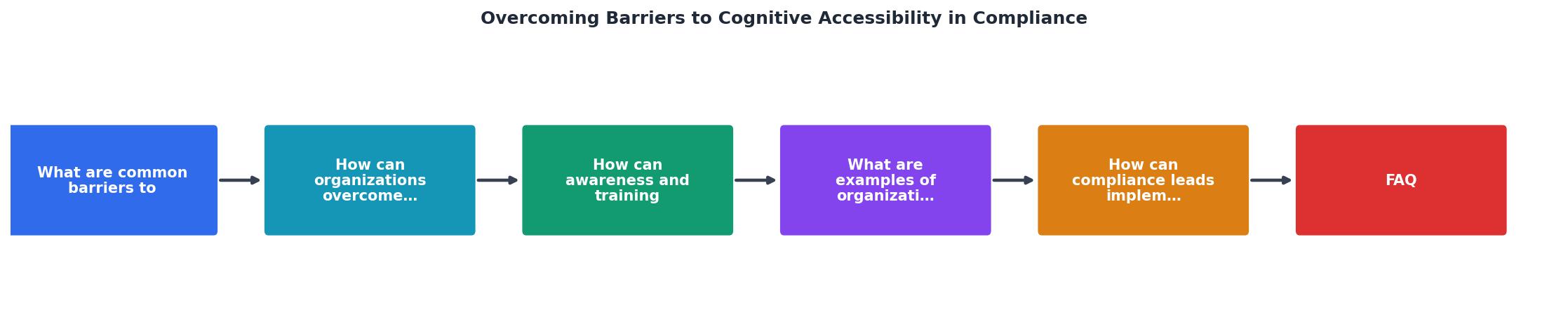
The diagram above shows the five core phases: Assess, Train, Implement, Audit, and Iterate. Each phase builds on the previous one, and the cycle repeats quarterly.
Cognitive Accessibility Compliance Implementation Guide
Your progress is saved automatically in your browser.
| Ad Hoc Approach | Structured Program |
|---|---|
| Fixes happen after complaints | Issues caught during design |
| No documentation trail | Full audit log for regulators |
| Training is optional | Role-specific training required |
| Budget requested reactively | Budget planned annually |
| Cognitive a11y ignored until lawsuit | Cognitive a11y embedded in workflow |
FAQ
Frequently Asked Questions
Additional Resources
- Best Strategies for Cognitive Accessibility in Digital Design - Conducting comprehensive user testing with individuals with cognitive impairments is critical for identifying potential accessibility barriers ...
- The Complete Guide to Cognitive Accessibility for ... - Common Accessibility Challenges for Cognitively Disabled Users. For users with cognitive disabilities, a “less-is-more” approach can be helpful.
- Accessibility for People with Cognitive Disabilities - You can improve cognitive accessibility by using plain language, creating intuitive navigation, and minimizing distractions, making online experiences more ...