
Most organizations know they should address cognitive accessibility. Fewer know how to actually get it done when budgets are tight, stakeholders are skeptical, and the regulatory landscape keeps shifting. The gap between intention and execution is where real compliance risk lives, and closing it requires specific strategies that go beyond good intentions. This article breaks down the most common implementation barriers and gives you a repeatable plan for overcoming each one.

- Cognitive accessibility implementation stalls because of awareness gaps, budget constraints, unclear ownership, and resistance to change.
- Overcoming these barriers requires structured stakeholder engagement, phased resource allocation, and documented processes that satisfy both regulators and internal teams.
- A step-by-step implementation plan turns abstract compliance goals into trackable, defensible actions.
Why cognitive accessibility stalls
Cognitive accessibility covers how well people with ADHD, dyslexia, anxiety, low digital literacy, or cognitive fatigue can understand and use a website. Unlike contrast ratios or alt text, cognitive barriers are harder to measure, harder to explain to leadership, and harder to fit into existing audit workflows. That combination creates a perfect environment for inaction.
Organizations that have solid WCAG 2.2 Level AA compliance programs still routinely skip cognitive considerations. The reason is structural: most automated accessibility tools flag visual and technical issues but ignore comprehension, reading level, and navigation complexity. When your tooling does not surface a problem, the problem stays invisible in reports.
A 2024 WebAIM survey found that the majority of accessibility programs focus on perceivable and operable criteria, leaving understandable and robust criteria under-addressed. That gap is exactly where cognitive accessibility lives.
Common implementation barriers
Before you can fix the problem, you need to name it. Here are the barriers that show up repeatedly across industries:
- Awareness gaps - Decision-makers conflate accessibility with screen reader support. Cognitive accessibility does not register as a distinct compliance area.
- Budget constraints - Accessibility budgets are already stretched thin. Adding cognitive audits feels like scope creep.
- Unclear ownership - Is cognitive accessibility a UX problem, a content problem, or a compliance problem? When nobody owns it, nobody does it.
- Lack of tooling - Traditional audit tools do not test for cognitive load, reading complexity, or navigation confusion.
- Resistance to change - Teams that just finished a WCAG remediation project do not want to hear there is another layer to address.
- Regulatory ambiguity - WCAG guidelines reference cognitive accessibility, but specific success criteria are still evolving, making it hard to define "done."
Overcoming resistance to change

Resistance is not irrational. Teams that just spent months remediating WCAG issues have legitimate fatigue. Telling them "there is more to do" without context will backfire. The key is framing cognitive accessibility as an extension of work already done, not a separate initiative.
Speak the language of risk
Compliance leads already understand risk registers. Position cognitive accessibility gaps as unmitigated risk items. Reference the EAA timeline, ADA Title III litigation trends, and Section 508 refresh expectations. When cognitive accessibility appears on the risk register alongside other compliance items, it gets budget attention.
Show the overlap
A significant portion of cognitive accessibility improvements overlap with general usability improvements. Simpler navigation, clearer calls to action, reduced cognitive load on forms: these changes also reduce bounce rates and support tickets. Frame the work as "finishing what we started" rather than "starting something new."
Use real user data
Abstract arguments about inclusion do not move budget committees. Concrete data does. Tools like PagePerson Insights can surface specific pages where visitors struggle with comprehension or cognitive overload, giving you evidence that maps directly to business metrics.
"Many struggle to keep up with evolving web accessibility laws and cognitive accessibility nuances.">, Best Strategies for Cognitive Accessibility in Digital Design
Build a coalition
Do not try to push cognitive accessibility alone. Identify allies in UX, content, legal, and customer support. Customer support teams often have direct evidence of user confusion. Legal teams care about regulatory exposure. UX designers care about usability scores. Each ally brings a different argument to the table.
- Legal: litigation risk and regulatory deadlines
- UX: usability metrics and design quality
- Content: readability scores and plain language goals
- Customer support: ticket volume related to confusion
- Marketing: conversion rates and bounce rates
Budget and resource allocation

Budget is the barrier everyone names first. But cognitive accessibility does not require a massive standalone budget if you integrate it into existing workflows.
Phase the work
Do not try to audit and remediate everything at once. Start with high-traffic, high-risk pages: landing pages, checkout flows, account creation, and key informational pages. A phased approach spreads cost across quarters and delivers measurable progress at each stage.
Leverage existing tools and processes
If you already run accessibility audits, add cognitive criteria to the existing checklist rather than creating a parallel process. If you already do content reviews, add reading level checks. If you already run usability tests, add tasks that specifically test comprehension.
Cost-effective approaches
Not every cognitive accessibility improvement requires development work:
- Content rewrites - Simplifying language to a lower reading level costs content time, not engineering time.
- Navigation restructuring - Reducing menu depth and labeling items more clearly is a design and content task.
- Form simplification - Reducing form fields and adding inline help text is a quick development win.
- Error message improvements - Rewriting error messages in plain language is a content change with outsized impact.
The following dashboard illustrates how a typical mid-size organization might allocate effort across cognitive accessibility improvement categories:
Effort Allocation: Cognitive Accessibility Fixes
Real-world implementation approaches

Organizations that succeed with cognitive accessibility share a few patterns worth studying.
Public sector: phased compliance
Government agencies in the EU have been preparing for the European Accessibility Act by adding cognitive criteria to their existing EN 301 549 audit processes. The approach is incremental: start with the highest-traffic citizen-facing services, document findings in the standard accessibility statement format, and remediate in priority order. The key insight is that they did not create a separate "cognitive accessibility project." They expanded the scope of the existing compliance program.
Healthcare: patient portal simplification
Healthcare organizations face both HIPAA and ADA obligations. Several large hospital networks have reduced patient portal abandonment by simplifying appointment booking flows, rewriting medical jargon into plain language, and adding step-by-step progress indicators to multi-page forms. These changes were driven by patient complaint data, not by accessibility audits, but they addressed cognitive accessibility gaps directly.
Financial services: form redesign
Banks and insurance companies have found that simplifying application forms reduces both abandonment rates and customer support calls. One documented approach involves reducing a 12-field form to 6 fields across two steps, adding contextual help tooltips, and using plain-language error messages. The compliance team documented these changes as cognitive accessibility improvements, satisfying both regulators and the business case.
Building your implementation plan
This is where abstract strategy becomes concrete action. The following process diagram shows the five stages at a glance:
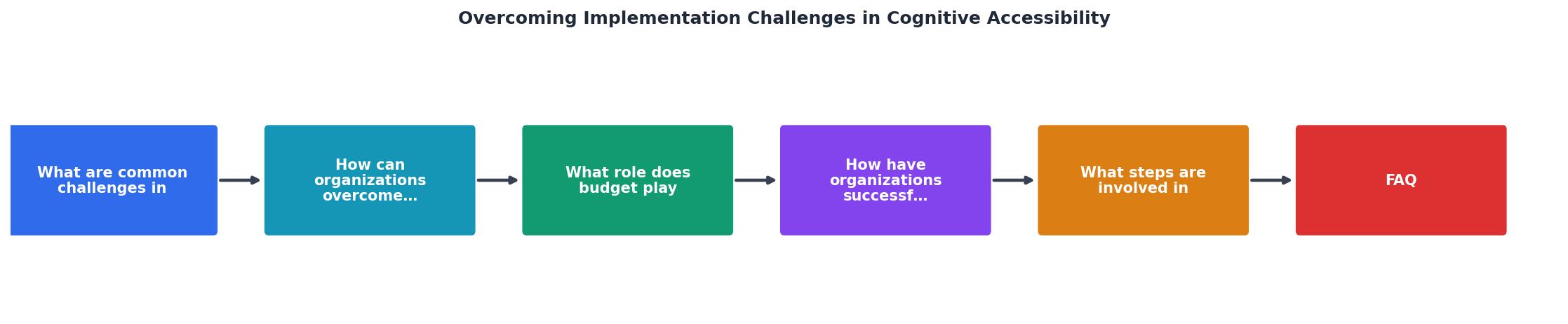
The five stages are: Audit, Prioritize, Engage, Remediate, and Document. Each stage feeds into the next, and the cycle repeats as new pages or features are added.
- Audit - Run a cognitive accessibility review on your highest-traffic pages. Check reading level, navigation complexity, form length, error message clarity, and cognitive load indicators. PagePerson Insights can automate much of this initial scan.
- Prioritize - Rank findings by a combination of user impact and regulatory risk. Pages with high traffic and high abandonment rates go first.
- Engage - Present findings to stakeholders using the risk-and-overlap framing described above. Assign ownership: content team for language, design team for navigation, development team for interactive elements.
- Remediate - Execute fixes in sprints or phases. Content changes first (fastest, lowest cost), then design changes, then development work.
- Document - Record every change in your accessibility documentation. Update your accessibility statement. Create before/after evidence for regulatory review.
| Standalone Approach | Integrated Approach |
|---|---|
| Separate budget line | Folded into existing accessibility budget |
| New audit process | Extended criteria in current audits |
| Dedicated team needed | Distributed across content, UX, dev |
| Hard to justify ROI | Shares ROI with usability improvements |
| Stalls at stakeholder buy-in | Leverages existing compliance momentum |
Cognitive Accessibility Implementation Plan
Your progress is saved automatically in your browser.
FAQ
Frequently Asked Questions
Additional Resources
- Best Strategies for Cognitive Accessibility in Digital Design - Common Accessibility Challenges for Cognitively Disabled Users · 1. Difficulty Maintaining Focus: · 2. Sensory Overload: · 3. Cognitive Overload:.
- Ten strategies and best practices for cognitive accessibility ... - Raising awareness about the challenges faced by individuals with cognitive disabilities encourages the adoption of accessible design principles.
- Barriers to creating value with cognitive accessibility features ... - This study identified various barriers to implementing cognitively accessible digital services, including lack of knowledge, resources, time, ...