


Most founders and product teams write blog content for the wrong reasons. They chase SEO rankings, publish on a schedule, or fill word counts without asking whether a single reader actually takes action. The result: traffic that doesn't move the needle on conversions. This guide walks you through a blogging strategy that ties content directly to revenue, fixes cognitive barriers that stop readers from understanding what you do, and builds authority that turns visitors into customers.
TL;DR
- Blogging drives roughly 67% more leads than companies that don't blog consistently, but only if your content answers real visitor questions and removes comprehension barriers.
- Most blog content fails because it's written for search engines, not for people struggling to understand your product or navigate your site.
- Structure every post around a core visitor question, test comprehension with real users, and measure success by tracking which articles drive conversions.
- Cognitive load, the mental effort required to understand your message, is the hidden enemy of blog ROI; reduce it through clear language, short paragraphs, and visual breaks.
- Use a repeatable content audit process to find gaps, spot confusion points, and fix articles that trap visitors without moving them toward a sale.
Blogging is one of the most underutilized conversion levers in early-stage SaaS. Companies spend thousands on paid ads but ship blog content no one finishes. The gap between a blog post that ranks and a blog post that converts is vast. A high-ranking article that confuses readers or uses jargon they don't understand costs you leads. An article that clearly answers a visitor's question and guides them toward your product is an invisible salesperson.
The blogging strategy covered here assumes you already have products, customer interviews, or early revenue signals. You're not writing to build an audience from zero. You're writing to move the visitors you already have further down the conversion funnel, answer their skepticism, and remove the cognitive friction that makes them leave.
Why Most Blog Content Fails
Blog posts fail for two reasons: they don't answer the question the reader actually has, or they're so cognitively demanding that readers give up halfway through.
Most teams start with SEO keywords. They find a search phrase with volume, outline an article around that keyword, and publish. The article ranks. Traffic arrives. Nothing converts. Why? Because the keyword doesn't map to a real visitor problem at the moment they're trying to decide whether to buy.
A different failure mode is publishing content that's technically correct but written in language your audience doesn't yet speak. You're a SaaS founder writing for other founders, so you use frameworks, acronyms, and inside language. A first-time visitor to your site reads the same post and feels lost. The post has high cognitive load, it demands too much mental effort to parse.
Here's the uncomfortable truth: most blog content is written by smart people who assume their readers are exactly like them. They're not. Your blog visitors are seeing your product for the first time, often skeptical, often time-pressed, and often unfamiliar with your category. Every sentence that requires them to know jargon, infer a connection, or hold multiple ideas in their head increases dropout risk.

The Visitor Question Framework
Every blog post you write must answer a single, specific visitor question. Not a general topic. A specific question someone asks right before they land on your site or right after they bounce from your homepage.
Start by collecting real visitor questions. Where do they come from?
- Support tickets and emails.
- Calls with early customers.
- Unfinished signup flows (tools like Pendo show where people drop off).
- Reddit threads and forums in your space.
- Comment sections on competitor blogs and YouTube videos.
- Objection-handling scripts your sales team uses in discovery calls.
These clusters become your blog topics. Each post answers one cluster of related questions.
Write the article title as a question or a direct answer. "How Long Does Setup Take?" instead of "Setup & Implementation." This immediately tells the reader whether the article is for them. It also wins clicks in search results because the reader sees an exact match to what they searched for.
Structure the post with a clear answer in the first 200 words. Don't bury the lead. If someone lands on your post from search or a link, they need to know in three sentences whether this article is relevant and whether you have the answer they came for.
Cognitive Load: The Silent Conversion Killer
Cognitive load is the amount of mental effort your reader must spend to understand what you wrote. High cognitive load causes abandonment. Low cognitive load invites scanning, skimming, and engagement.
Measure cognitive load by sentence length, paragraph length, concept density, and jargon.
- Sentence length: Aim for 15-18 words on average. Vary between 8-word punchy sentences and 25-word explanatory ones. Your brain processes short sentences faster.
- Paragraph length: Three to four sentences per paragraph. Longer paragraphs feel dense and intimidating. Shorter ones invite reading.
- Concept density: Introduce one new idea per paragraph. Don't stack five jargon terms in one sentence.
- Jargon: Define every term on first use. "Cognitive load (the mental effort required to understand something)" not just "cognitive load." Better yet, replace jargon with plain language whenever possible.
Now compare: "Tracking where visitors come from and what content they see before buying helps you spend ad dollars more wisely."
Same idea. Second version is 70% easier to parse because it uses everyday words, shorter sentences, and concrete examples.

Build Blog Content Into Your Funnel
Your blog is not a separate project from your conversion funnel. It's part of it. Blog posts serve specific roles at specific stages.
Top of funnel (awareness): General questions like "What is X?" or "How do I Y?" Visitors here don't know your product exists. They're researching the space. Your goal: become a trusted resource, rank for broad terms, build authority.
Middle of funnel (consideration): Comparison questions like "X vs. Y" or "When should I use X?" Visitors here know the category. They're comparing solutions. Your goal: explain why your approach is different, share customer wins, address common objections.
Bottom of funnel (decision): Specific questions like "How does your product work?" or "Can your tool integrate with my stack?" Visitors here are close to buying. They need technical reassurance. Your goal: reduce purchase friction, provide implementation clarity, show ROI.
Most teams only write middle-of-funnel content. They publish case studies and feature deep-dives. What they miss: top-of-funnel content that brings in cold visitors and middle-of-funnel content that moves visitors from awareness to considering a purchase.
Map your blog post calendar to the funnel. Publish a mix. A good split for a growing SaaS: 40% top-of-funnel, 40% middle-of-funnel, 20% bottom-of-funnel.

The Three-Step Blog Audit Process
Once you have 15-20 published posts, run a blog audit. Most audits focus on SEO metrics: word count, keyword density, backlinks. Audit for conversion instead.
Step 1: Traffic-to-conversion audit. Pull your analytics for the last 90 days. For each post, record pageviews, average time on page, bounce rate, and conversions (signups, demo requests, contact form submissions). Which posts bring traffic but zero conversions? Those are your red flags.
Step 2: Readability and comprehension scan. Pick your three underperforming posts. Read them as a first-time visitor. Do they answer the question in the title? Is there jargon you don't understand? Are paragraphs short enough to scan? Could you explain the main takeaway in one sentence?
Step 3: User test a sample. Recruit 3-5 first-time visitors or customers-to-be. Ask them to read one post and then tell you back, without looking at the text, what the main idea was. If they struggle, cognitive load is too high.
Rewrite, Don't Delete
When a post underperforms, your instinct is to delete it or start over. Don't. Rewrite it.
A post that attracts traffic but doesn't convert has done half the work already. Search engines already know about it. You don't need to rebuild its authority from scratch. You need to fix why readers don't convert.
Common fixes:
- Add a clearer answer or summary at the top.
- Break long paragraphs into shorter ones.
- Replace jargon with plain language.
- Add a strong call-to-action that guides readers to your product or demo page.
- Include a specific use case or customer example that resonates with your target audience.
- Reduce sentence and word complexity (use a tool like Hemingway Editor to measure).
Blog Audit Checklist
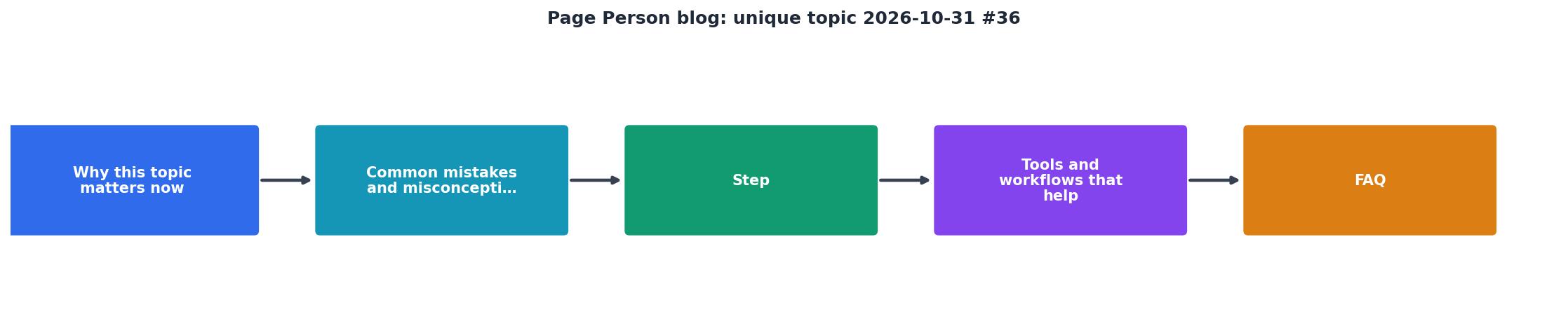
The audit card above walks through the process in order. This is the same sequence many founders and product teams follow when they move from publishing blog content to optimizing it for actual business outcomes.
Publishing and Distribution
A great blog post sits in your archive if no one reads it. Distribution matters as much as writing.
- Email: Send every new post to your email list. Write a teaser in the subject line, not "New Blog Post."
- Slack communities: Post to relevant Slack communities and forums where your customers hang out. Don't spam; contribute genuinely.
- Product: Link to relevant blog posts from within your app or landing pages. If someone is asking a question your blog post answers, guide them there.
- Partnerships: Ask customers, partners, and advisors to share posts they find useful.
- Repurpose: Turn a blog post into a Twitter thread, a LinkedIn article, a video, or a podcast episode. One post becomes five pieces of content.
"I want to be 100% open and transparent with you when it comes to blogging.">, Top 36 Best Personal Blogs Of 2021 You Should Be Reading
Measure What Matters
Your blog is not working if it doesn't move a metric tied to revenue. Not vanity metrics like pageviews or time on page. Revenue metrics.
Track these:
- Blog traffic to signup: What percentage of blog readers become signups? (Goal: 3-8% depending on your sales model.)
- Blog traffic to demo or contact: For B2B, what percentage request a demo? (Goal: 2-5%.)
- Revenue from blog traffic: Close the loop. Use UTM tags and CRM data to see which blog posts led to actual customers.
- Cost per acquisition (CPA) from organic search: If you're spending money on content, what's your payback?
- Customer satisfaction: Ask customers which blog posts they read before buying. A post that influences buyers matters more than a post with 10x the traffic.
Blog Content Readiness Checklist
Your progress is saved automatically in your browser.
FAQ
Frequently Asked Questions
Additional Resources
- Top 36 Best Personal Blogs Of 2021 You Should Be Reading - Are you looking for the best personal blogs? Check out this list. It includes some of the most popular personal blogs on the Internet today.
- Blog Design Examples: 40+ Well-Designed Websites (2026) - The blog post page design is like any good one: readable fonts, structured text, everything. However, the blog landing page is a bit unique.
- Best Niches & Trending Topics to Start a Blog in 2026 - Find out what to blog about in 2026—top niches, trending topics, and money-making ideas to help you grow and profit from your blog.