
Most accessibility audits stop at contrast ratios and alt text. The cognitive layer, where users actually fail to understand content, navigate flows, or complete tasks, gets ignored because teams lack a structured way to think about it. User personas built around cognitive needs give design teams that structure, turning vague complaints about confusing interfaces into specific, testable design requirements.

- User personas focused on cognitive accessibility identify specific comprehension barriers that standard WCAG audits miss.
- Building personas around conditions like ADHD, dyslexia, anxiety, and low digital literacy produces concrete, actionable design requirements.
- Teams that use cognitive personas ship clearer interfaces, reduce bounce rates, and meet accessibility standards beyond the visual checklist.
Why standard personas fall short
Traditional UX personas capture demographics, goals, and frustrations. They describe someone's job title, age range, and what they want to accomplish. That is useful for feature prioritization, but it tells you nothing about how a person processes information on screen.
A persona labeled "Marketing Manager, 34, wants quick reporting dashboards" does not reveal that this person has ADHD and loses focus after three seconds of scanning a dense data table. It does not capture that another user segment reads at a sixth-grade level and cannot parse your SaaS jargon. Standard personas treat cognition as uniform. It is not.
Cognitive accessibility personas add a layer that describes how someone reads, processes, remembers, and decides. They include attention span characteristics, reading level, working memory constraints, anxiety triggers, and sensory sensitivities. This transforms design reviews from "does this look good?" to "can this person actually use it?"
What are cognitive accessibility personas?

A cognitive accessibility persona is a fictional user profile that foregrounds how a person thinks, reads, and makes decisions rather than what they want to buy. It captures:
- Attention profile: Sustained attention capacity, distractibility triggers, multitasking tolerance.
- Reading and comprehension: Literacy level, language fluency, tolerance for jargon, preferred content formats.
- Memory constraints: Working memory capacity, reliance on recognition vs. recall, need for persistent navigation cues.
- Emotional and anxiety factors: Decision paralysis triggers, trust signals needed, tolerance for time pressure.
- Motor and sensory context: Device preferences, zoom usage, screen reader reliance, environmental distractions.
The gap is real. Most design teams test for visual accessibility (contrast, font size, alt text) but skip cognitive testing entirely. Cognitive personas close that gap by making invisible barriers visible during design reviews.
How personas uncover cognitive barriers
The process is straightforward. You build personas from real data, then use them as lenses during every design review.
Here is how cognitive personas surface problems that standard testing misses:
- Dense content blocks. A persona with dyslexia flags that a 400-word paragraph with no subheadings creates a wall of text. The fix: break it into chunks with clear headers.
- Ambiguous CTAs. A persona with low digital literacy reveals that "Get Started" means nothing without context. The fix: "Create Your Free Account" tells the user exactly what happens next.
- Cognitive overload in forms. A persona with ADHD highlights that a 12-field registration form causes abandonment. The fix: progressive disclosure, three fields per step.
- Time pressure anxiety. A persona with generalized anxiety disorder flags countdown timers on checkout pages as panic-inducing. The fix: remove artificial urgency or make it optional.
- Navigation complexity. A persona with working memory limitations shows that mega-menus with 40+ links are unusable. The fix: simplified navigation with clear categories.
Building effective cognitive personas

Creating cognitive personas requires real research, not guesswork. Here is the process:
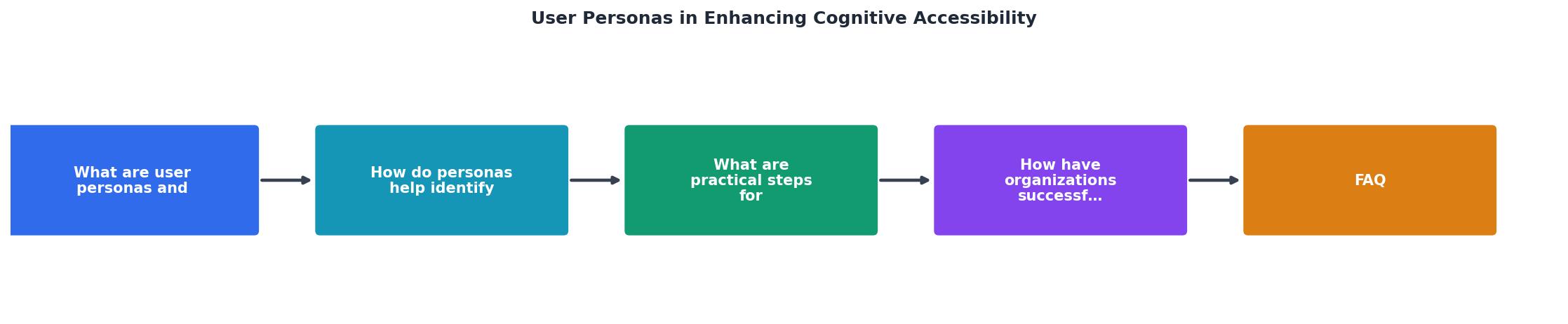
Step 1: Gather cognitive data
Start with your existing user research. Look for signals in:
- Support tickets mentioning confusion, "I don't understand," or repeated questions about the same flow.
- Session recordings showing hesitation, back-and-forth navigation, or rage clicks.
- Accessibility feedback from users who self-identify as having ADHD, dyslexia, or other cognitive conditions.
- Analytics patterns like high bounce on text-heavy pages or drop-off at complex form steps.
"Ensure there is a mechanism to resize, scale, or zoom in on the content at least to 200% of original size without loss of content or functionality.">, Sample Personas for Users With Disabilities
Step 2: Define cognitive profiles
For each persona, document these attributes:
- Name and scenario: A short label and the context they use your product in.
- Cognitive condition(s): ADHD, dyslexia, dyscalculia, anxiety, autism spectrum, age-related cognitive decline, low literacy, non-native language speaker.
- Attention span: How long they focus before needing a break or getting distracted.
- Reading behavior: Scanning vs. reading, tolerance for long text, preferred formats (bullets, visuals, video).
- Memory reliance: Do they remember where they left off, or do they need breadcrumbs and progress indicators?
- Decision style: Quick and impulsive, or slow and deliberate? Paralyzed by too many options?
- Stress triggers: What interface patterns cause frustration or anxiety?
Step 3: Map personas to flows
Take your three to five most critical user flows (onboarding, checkout, key feature adoption) and walk each cognitive persona through them. Document every friction point.
Step 4: Prioritize and fix
Rank friction points by severity (blocks task completion vs. causes mild annoyance) and frequency (affects one persona vs. multiple). Fix the high-severity, high-frequency issues first.
The following interactive card shows an example cognitive persona template you can adapt for your own projects:
Example: Cognitive Persona Card
- Long forms without progress bars
- Walls of text with no visual breaks
- Auto-playing video with sound
- Unclear "next step" after completing a task
Real-world persona implementations
Organizations across sectors have adopted cognitive personas with measurable results.
Gov.uk redesigned its digital services using personas that included users with low literacy and cognitive disabilities. Their content guidelines now mandate a reading level of age 9, short sentences, and one idea per paragraph. The result: task completion rates improved across all user groups, not just those with cognitive conditions.
BBC developed accessibility personas including "Pawel," a user with Asperger syndrome who needs predictable navigation and literal language. These personas shaped the BBC's content guidelines and navigation patterns, producing interfaces that reduced confusion for neurodivergent users.
Microsoft integrated cognitive accessibility into their Inclusive Design Toolkit. Their persona spectrum approach treats cognitive conditions not as edge cases but as one end of a continuum that affects everyone under stress, fatigue, or distraction. This reframing helped product teams justify accessibility work as a universal improvement, not a niche accommodation.
These examples share a pattern: cognitive personas did not just improve accessibility scores. They improved usability for everyone. Clearer language, simpler navigation, and reduced cognitive load benefit every user, especially on mobile, in noisy environments, or under time pressure.
Comparing approaches to accessibility
| Standard Accessibility Audit | Cognitive Persona-Driven Audit |
|---|---|
| Checks contrast, alt text, ARIA labels | Checks comprehension, cognitive load, decision friction |
| Automated tools catch most issues | Requires human walkthrough with persona lens |
| Pass/fail against WCAG criteria | Gradient of usability across cognitive profiles |
| Fixes are technical (code-level) | Fixes are design and content-level |
| Covers visual and motor access | Covers understanding and task completion |
Both approaches are necessary. A site can pass every automated WCAG check and still be incomprehensible to a user with dyslexia or overwhelming to someone with anxiety. Cognitive personas fill the gap that automated tools cannot reach.
Tools like PagePerson Insights can help identify where cognitive barriers exist on your pages, giving you data to build more accurate personas and prioritize fixes based on real visitor struggles.
Cognitive Accessibility Persona Development Checklist
Your progress is saved automatically in your browser.
FAQ
Frequently Asked Questions
What cognitive conditions are most common among your users, and have you built personas to account for them? Share your approach in the comments.
Additional Resources
- Sample Personas for Users With Disabilities - To enhance Section 508 conformance, two different types of user personas may be developed: those representing individuals with disabilities and those without ...
- Build Accessibility Personas: A Framework for Product Teams - A step-by-step playbook for building, validating, and operationalizing accessibility personas across product, UX, and SEO.
- Persona Co-Design for Improving Digital Accessibility - This paper examines approaches to developing authentic accessibility personas that can help improve the design of products for persons with disabilities.