Best Practices for Creating Accessible Forms for Users with ADHD
Creating accessible forms for users with ADHD is not just a matter of compliance; it's about ensuring everyone can effectively interact with digital content. When forms are too complex, unclear, or filled with errors, they can become significant barriers. This article explores best practices to simplify form fields, provide clear instructions, and deliver helpful error messages, enhancing usability and inclusivity for users with ADHD.


Creating accessible forms for users with ADHD is not just a matter of compliance; it's about ensuring everyone can effectively interact with digital content. When forms are too complex, unclear, or filled with errors, they can become significant barriers. This article explores best practices to simplify form fields, provide clear instructions, and deliver helpful error messages, enhancing usability and inclusivity for users with ADHD.

TL;DR: Designing accessible forms for users with ADHD involves simplifying form fields, providing clear instructions, and ensuring helpful error messages. These practices enhance usability and inclusivity.
Creating accessible forms is crucial for inclusivity, especially for users with ADHD who often face challenges with focus and cognitive load. Simplified, clear, and error-tolerant forms can make digital interactions smoother and more effective for everyone. Let's dive into the details of how to make this happen.
Why is Creating Accessible Forms Important for Users with ADHD?
Access to information and services should be a universal right. For users with ADHD, forms that are not thoughtfully designed can create significant barriers. These barriers can lead to frustration, abandonment of tasks, and ultimately, exclusion from digital services. Accessible forms not only benefit users with ADHD but also enhance overall user satisfaction and engagement.
"Most countries have regulations requiring digital accessibility, such as the Americans with Disabilities Act (ADA) and the European Accessibility Act."
— 5 Best Practices for Creating Accessible Forms, 5 Best Practices for Creating Accessible Forms
How to Simplify Form Fields for Accessibility?
Simplifying form fields can significantly reduce cognitive load, making it easier for users with ADHD to process and complete forms.

Techniques for Reducing Cognitive Load
- Limit the Number of Fields: Only ask for essential information. Each additional field increases the complexity and time required to complete the form.
- Group Related Information: Use sections or steps to group related fields. This approach helps users focus on one set of information at a time.
- Use Autofill and Defaults: Leverage browser autofill capabilities and default selections to reduce the user's effort.
How to Provide Clear Instructions in Forms?
Clear instructions guide users through forms, minimizing confusion and errors.
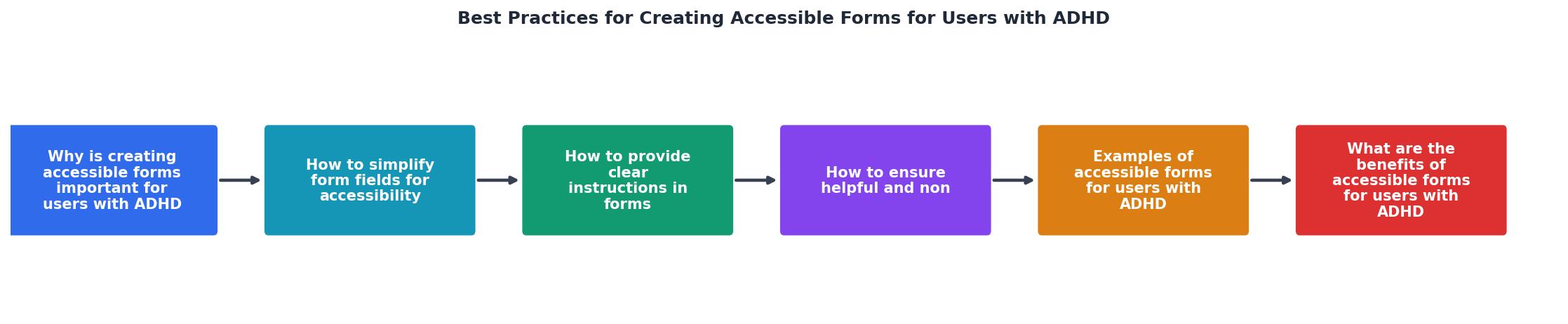
Strategies for Guiding Users Effectively
- Use Descriptive Labels: Ensure each form field has a clear and concise label. Avoid jargon or technical terms.
- Provide Examples: Show examples or use placeholder text to demonstrate the expected input format.
- Offer Step-by-step Guidance: For complex forms, provide a progress indicator or checklist to show users where they are in the process and what remains.
How to Ensure Helpful and Non-Intrusive Error Messages?
Error messages should be helpful, guiding users to correct mistakes without causing frustration.

Best Practices for Error Handling in Forms
- Be Specific: Clearly explain what went wrong and how to fix it. Vague messages like "Invalid input" are unhelpful.
- Use Inline Validation: Validate inputs as the user types, providing immediate feedback rather than waiting until form submission.
- Avoid Redundant Errors: If a user has corrected an error, ensure the message disappears or updates to reflect the change.
Examples of Accessible Forms for Users with ADHD
What are the Benefits of Accessible Forms for Users with ADHD?
Accessible forms offer numerous benefits, not just for users with ADHD, but for all users.

Advantages for Usability and User Satisfaction
- Increased Completion Rates: Users are more likely to complete forms if they are easy to understand and navigate.
- Reduced Error Rates: Clear instructions and helpful error messages lead to fewer mistakes.
- Enhanced User Experience: Simplified and accessible forms contribute to a positive overall user experience.
Key takeaway: Accessible forms improve user satisfaction and completion rates, benefiting both users and organizations.
FAQ
Frequently Asked Questions
Practical Template for Designing Accessible Forms
Creating accessible forms involves several key steps. Use the following checklist to guide your design process:
Designing Accessible Forms Checklist
Your progress is saved automatically in your browser.
Incorporating these best practices into your form design process can make a significant difference in accessibility and user satisfaction. Consider using tools like PagePerson Insights to further enhance your forms' accessibility features.
Before you go, what strategies have you found most effective in creating accessible forms? Share your thoughts and experiences in the comments below.
Additional Resources
- 5 Best Practices for Creating Accessible Forms - Form fields should have clear, descriptive labels that inform users what information is required. Labels should be placed close to the corresponding input field ...
- Creating Accessible Forms | Digital Accessibility Services - Select a theme with an accessible level of color contrast. · Avoid animated backgrounds or auto-playing music. · Add a form title to display in the browser tab.
- How to Make Your Website More Accessible for People ... - Internet users with ADHD may adjust their browser settings to limit color or to enforce certain fonts, which may make text easier to read. Some ...
Need Help with Accessibility?
Improve your site's accessibility and conversion rates with our AI-powered analysis.
Get Started