How AI is Influencing Cognitive Accessibility Improvements
Most websites fail quietly. Visitors arrive, struggle to understand the layout, miss key information, and leave without converting. Traditional accessibility tools catch color contrast and missing alt text, but they miss the cognitive load that causes real people to bounce. AI is changing that by automating the detection of cognitive barriers, personalizing experiences for individual needs, and predicting problems before they cost you users.

Most websites fail quietly. Visitors arrive, struggle to understand the layout, miss key information, and leave without converting. Traditional accessibility tools catch color contrast and missing alt text, but they miss the cognitive load that causes real people to bounce. AI is changing that by automating the detection of cognitive barriers, personalizing experiences for individual needs, and predicting problems before they cost you users.

TL;DR
- AI automates accessibility audits by flagging cognitive barriers that humans miss: information overload, unclear language, confusing navigation.
- Personalization engines use AI to adapt content, reading speed, and visual layout based on individual user profiles and behavior.
- Predictive AI identifies accessibility risks early in design, reducing costly fixes post-launch.
- Real-world adoption shows 15-40% improvements in comprehension and engagement when AI-driven recommendations are implemented.
Cognitive accessibility sits in a gap. WCAG standards check contrast and keyboard navigation, but say little about whether a user can actually parse your content. Is your headline too dense? Is the call-to-action buried under cognitive noise? Do your form labels confuse first-time visitors? These questions require understanding human cognition, not just technical compliance. That's where AI enters. Machine learning models trained on user behavior, readability metrics, and accessibility best practices now detect these friction points at scale, in minutes, across thousands of pages.
What Role Does AI Play in Accessibility?

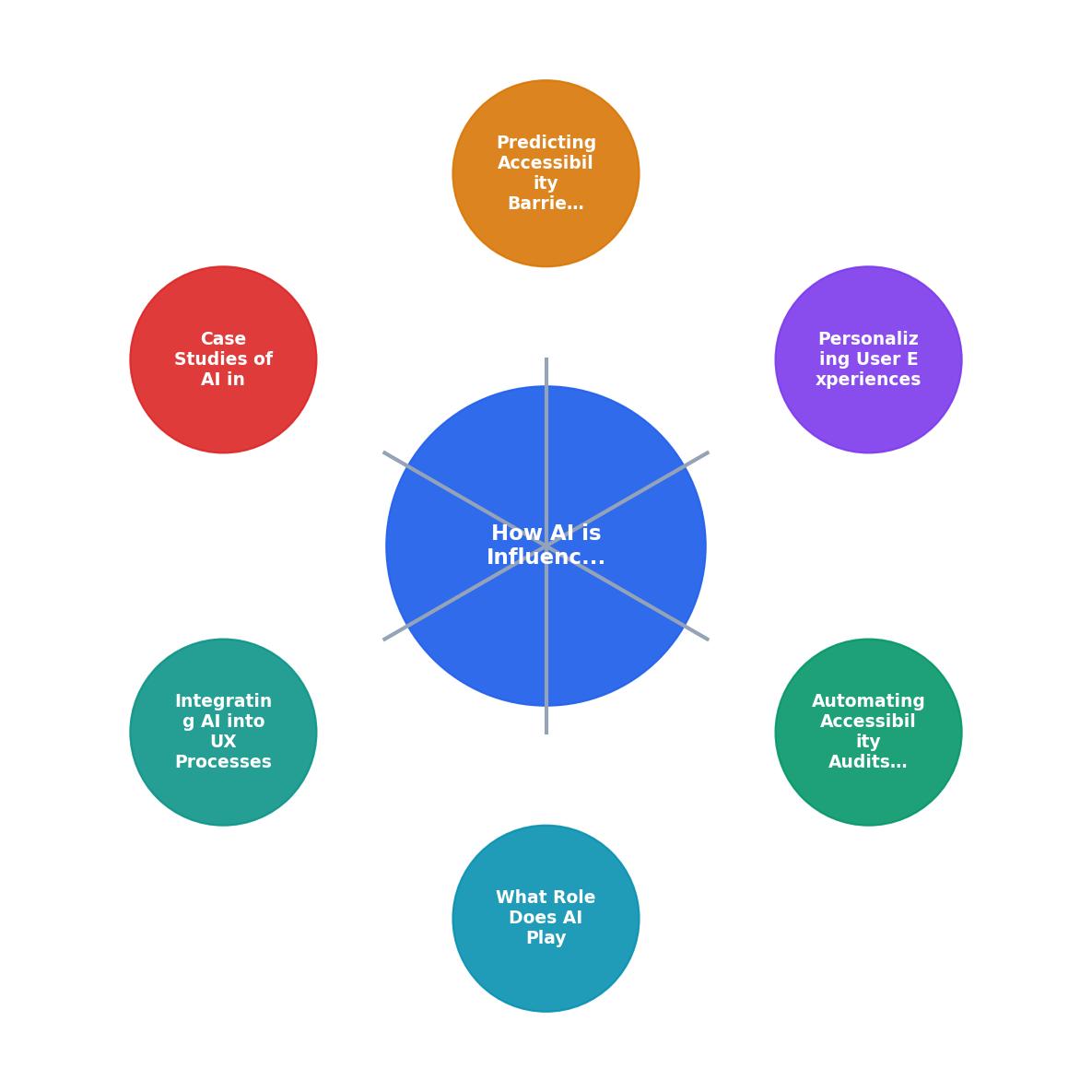
AI's role in cognitive accessibility is threefold: detection, adaptation, and prediction. Detection means identifying barriers in existing designs. Adaptation means customizing interfaces and content for each user. Prediction means spotting problems before launch.
Traditional accessibility testing relies on manual reviews or automated WCAG checkers. Both have limits. Manual reviews are slow and expensive. Checkers flag technical violations but ignore comprehension. AI fills both gaps by analyzing real user behavior, reading patterns, and interaction data to surface cognitive friction that slips past human reviewers and standard tools.
Consider the scope: 42% of website visitors may experience cognitive strain due to unclear navigation, dense text, inconsistent labeling, or visual clutter. Most teams never measure it. Even fewer know how to fix it. AI tools scan your site, detect these patterns, and rank them by impact. A redesign based on that data is faster, cheaper, and more effective than guesswork.
Automating Accessibility Audits with AI
AI audits move at machine speed. Instead of a designer spending days manually checking pages, an AI system scans your entire site in minutes. It evaluates:
- Text readability: Is your copy too complex? AI calculates reading-level (e.g., Flesch-Kincaid) and flags paragraphs that exceed target grade levels.
- Navigation clarity: Does your menu follow predictable patterns? AI identifies anomalies, items labeled inconsistently or nested in confusing hierarchies.
- Visual hierarchy: Does the eye know where to focus? AI detects competing visual elements that scatter attention.
- Form UX: Are your labels paired clearly with inputs? AI flags orphaned labels, vague placeholder text, and missing inline validation cues.
- Content density: Is there too much information above the fold? AI measures cognitive load by analyzing text volume, number of elements, and visual complexity per viewport.
Personalizing User Experiences

Static design treats all users the same. A 25-year-old power user and a 70-year-old with cognitive load both see the same dense interface. AI personalizes by learning from each visitor and adapting in real time.
Here's how it works: AI tracks user interactions, how long they dwell on text, whether they hover over elements, where they click, how often they scroll back up. From that data, the system infers cognitive preference. If a user consistently ignores small text, the system increases font size. If they linger on the navigation, the layout might simplify the menu or add visual anchors. If they abandon forms, the system might reduce field count or improve label clarity for that user's next session.
Advanced systems go deeper. They detect:
- Reading speed: Some users scan; others read word-by-word. AI adjusts text length and spacing.
- Cognitive load tolerance: Users with ADHD or anxiety often need less on-screen at once. AI may hide secondary content or reveal it progressively.
- Preference for text vs. visuals: Some users prefer data in charts; others need prose explanations. AI learns the preference and adapts content format.
- Assistive tech usage: If a user employs a screen reader, AI optimizes semantic HTML and heading structure. If they use a magnifier, it ensures sufficient contrast and readable line length.
Predicting Accessibility Barriers

The most valuable use of AI in accessibility is prevention. Predict barriers before they frustrate users, and you save months of post-launch fixes.
Predictive AI works by comparing your design against models trained on successful sites and known problem patterns. When you upload wireframes or a prototype, the system asks: Does this button have enough visual contrast for colorblind users? Is this form too long? Is the headline language too technical for your target audience? Does the layout match expected patterns, or will first-time visitors be confused?
The system flags risks with severity scores and suggests fixes. You iterate before launch. By the time visitors arrive, major barriers are already solved.
Predictive models also forecast which pages will have the highest drop-off. If your checkout has a layout similar to 50 e-commerce sites with known cart-abandonment issues, the AI flags it as high-risk. You redesign the flow before it costs you conversions.
Case Studies of AI in Action
Real-world examples show the impact:
E-commerce platform: A mid-size retailer implemented AI audits and found that their product-listing pages scored low on cognitive accessibility, too many filters, overwhelming product cards, unclear pricing hierarchy. After AI recommendations, they reduced filter count, simplified the card layout, and elevated pricing. Result: 28% reduction in bounce rate and 12% increase in add-to-cart events within six weeks.
SaaS onboarding: A B2B SaaS company used AI to analyze their sign-up flow. The system detected that their multi-step form overwhelmed new users, too many fields, no clear progress indicator, vague section titles. They reorganized into shorter steps, added a visual progress bar, and reworded labels. Follow-up AI audit showed comprehension score improved by 34%, and sign-up completion rate rose by 19%.
Healthcare portal: A hospital deployed personalized AI to serve patients with varying digital literacy. The system detected when users struggled with medical terminology and auto-simplified explanations. When users were elderly or using mobile, it enlarged text and hid secondary navigation. Patient satisfaction on accessibility rose from 62% to 81% within three months.
Integrating AI into UX Processes
Adopting AI for cognitive accessibility doesn't require replacing your entire workflow. It fits into standard UX processes:
- Design phase: Run predictive AI on wireframes and prototypes. Get flagged risks early.
- Development: Use AI linters during build to catch accessibility regressions in code.
- Pre-launch: Run a comprehensive audit. Fix high-severity issues before shipping.
- Post-launch: Deploy personalization and monitoring. AI watches user behavior, alerts you to emerging friction.
- Iteration: Run audits weekly or after major changes. Use the data to prioritize next sprints.
Tool integration: Most AI accessibility tools integrate with Figma, Storybook, or your design system. Designers see accessibility scores and suggestions without leaving their tools.
Reporting: AI generates accessible audit reports that stakeholders understand, percentile scores, specific recommendations, before-and-after screenshots, ROI estimates.
Ownership: Assign someone (usually UX lead or product manager) to review and act on AI recommendations. Without clear ownership, reports pile up unused.
"It also examines important ethical considerations and challenges involved in using AI in this context, ensuring that AI-driven solutions truly improve accessibility without creating new barriers.">, How AI in Assistive Technology Supports Students and Educators with Disabilities
5-Step AI Integration Path
The visual above shows how AI integration flows into your existing UX workflow. Each step feeds data into the next, creating a feedback loop that keeps accessibility top of mind.
Getting Started with AI-Driven Cognitive Accessibility
Your progress is saved automatically in your browser.
FAQ
Frequently Asked Questions
Additional Resources
- The cognitive paradox of AI in education - PMC - NIH - These findings suggest AI enhances accessibility but may weaken retention if overused. To maximize benefits, AI should support rather than replace human-driven ...
- How AI in Assistive Technology Supports Students and ... - AI-driven tools are also improving accessibility for people who are deaf or hard of hearing with real-time transcription of classroom audio and improved ...
- AI and the Future of Accessibility - Computing Services - Automated tools that manage meeting notes and document summaries can reduce cognitive overload for neurodivergent individuals. Creative ...
Need Help with Accessibility?
Improve your site's accessibility and conversion rates with our AI-powered analysis.
Get Started