Typical Challenges in Achieving Cognitive Accessibility
Most websites claim to be accessible. Few actually are, especially when it comes to cognitive accessibility. The problem isn't lack of good intentions; it's that the barriers are invisible to people who don't struggle with attention, processing speed, or information overload. Building truly accessible experiences means confronting real obstacles: limited awareness, tight budgets, competing priorities, and technical complexity that most organizations underestimate.

Photo by Nadiia Doloh from Pexels
Most websites claim to be accessible. Few actually are, especially when it comes to cognitive accessibility. The problem isn't lack of good intentions; it's that the barriers are invisible to people who don't struggle with attention, processing speed, or information overload. Building truly accessible experiences means confronting real obstacles: limited awareness, tight budgets, competing priorities, and technical complexity that most organizations underestimate.
TL;DR:- Cognitive accessibility barriers stem from awareness gaps, resource constraints, unclear requirements, and technical trade-offs that compound over time.
- Organizations overcome these by embedding accessibility into team training, design processes, and tooling, not treating it as an afterthought.
- Solutions include accessible templates, personas with cognitive disabilities, and automated feedback during development to catch issues early.
Understanding the Real Barriers
Cognitive accessibility is harder than visual or motor accessibility because the problems aren't obvious in code or screenshots. You can't see that a form is confusing or that information density causes overwhelm. The majority of web pages are overly complex, cluttered, unclear, and difficult to navigate, and nobody planned it that way.
The gap exists because most teams don't know what they're optimizing for. WCAG compliance checkers catch missing alt text and low contrast. They don't measure whether your copy is clear, your steps are logical, or your interface respects working memory limits. That's why cognitive accessibility feels optional: it's not enforced by browser standards or automated audits.

Three systemic barriers block progress:
- Awareness and knowledge gaps, Teams don't understand what cognitive accessibility is, how it differs from visual accessibility, or why it matters to conversion.
- Resource and time constraints, Accessibility is treated as a compliance checkbox, not a design principle. Tight timelines don't leave room for testing with real users or iterating on clarity.
- Technical and process barriers, Accessible components exist, but integrating them requires deliberate architecture and design decisions that feel like friction against speed.
Challenge 1: Limited Awareness and Knowledge
Most product teams can name WCAG guidelines. Few can articulate what makes a form cognitively accessible versus just technically compliant. The knowledge gap isn't small, it's foundational.
Designers learn responsive design, interaction patterns, and visual hierarchy. They rarely learn about cognitive load, working memory limits, or how attention disorders affect interface use. Developers implement accessibility as a qa check: alt text, color contrast, keyboard navigation. Cognitive clarity never makes the ticket.
The cost is real. Visitors with ADHD, anxiety, dyslexia, or low digital literacy leave confusing sites faster. Your conversion metrics drop, but your analytics don't say why. You see "bounce on page 2" without understanding that page 2 has too many options, unclear language, or requires holding too much context in memory.
Building awareness requires:
- Team training on cognitive disabilities, Not a compliance workshop. A walkthrough of how people with ADHD navigate your checkout, or how someone with dyslexia reads your help text.
- Defining personas that include cognitive needs, Not just "millennial" or "B2B user." Include "user with attention challenges" or "user with low digital literacy."
- Shared vocabulary, Teach teams to talk about cognitive load, working memory, and decision fatigue the same way they discuss accessibility.
- Leadership buy-in, Awareness stops at the team level without executive support. If leaders see cognitive accessibility as a retention and conversion driver, resources follow.
"The majority of web pages are overly complex, cluttered, unclear, and difficult to navigate and essentially shut these users out of the digital world.">, The Complete Guide to Cognitive Accessibility for Cognitive Disabilities
Challenge 2: Information Overload and Complexity

The average landing page has tripled in length since 2010. Navigation menus expanded. Feature lists grew. Modals, pop-ups, and notifications stack on top. Individually, none of it seems unreasonable. Together, it's cognitive overload.
Information overload hits people with ADHD, anxiety, and cognitive disabilities hardest, but it affects everyone. Research shows that reducing decision points and simplifying visual hierarchy lifts conversion across segments.
The irony: most of this complexity crept in because teams wanted to cover more ground, appear more feature-rich, or hedge their bets with extra options. Nobody set out to confuse users.
Fixing it means:
- Progressive disclosure, Hide advanced options. Show core flow first. Let users opt into complexity.
- Clear hierarchy, One primary action per screen. Reduce visual noise. Use whitespace and contrast to guide attention.
- Plain language, Replace jargon with conversational words. "Upgrade your subscription" beats "Tier escalation." Test comprehension with real users, not internal reviews.
- Reduce cognitive load during key tasks, Checkout, account setup, and onboarding should be linear, uncluttered, and forgive errors.
Challenge 3: Form and Input Complexity

Forms are where cognitive accessibility falls apart hardest. Long forms with vague labels, no error hints, conditional fields that change context mid-flow, and mandatory fields that reject valid input force users to hold too much context at once.
A user with dyslexia struggles not with reading comprehension but with the cognitive load of decoding. Add a form that demands exact formatting (SSN as XXX-XX-XXXX, phone with parentheses) and they're not just reading, they're doing working memory gymnastics.
Common traps:
- Unclear field labels, "Reference" is ambiguous. "Your order number (found in your confirmation email)" is clear.
- Lack of inline help, Error messages that arrive after submission force users to backtrack and retry. Real-time feedback with plain language guidance prevents frustration.
- Conditional logic that changes the form, Showing/hiding fields based on input is effective but disorienting if not explained clearly.
- Mandatory complexity, Date fields that demand MM/DD/YYYY when a calendar picker or flexible input would work. Phone fields that strip dashes. Postal codes that enforce format.
- No undo or review step, If a user makes a mistake on a multi-step form, make it easy to review and correct before final submission.
- Use auto-fill and smart defaults, Reduce manual input where possible.
- Group related fields, Visual and logical grouping helps users segment the task.
- Show progress, Multi-step forms need a progress indicator so users know how much is left.
- Test with real users, Have someone with a cognitive disability or low digital literacy try your form. Watch them think aloud. Don't intervene.
Challenge 4: Resource and Time Constraints
In startups and resource-constrained teams, accessibility is a luxury. Sprint deadlines pull designers away from accessibility work. Budget for user testing evaporates. The team splits: some people care, others see it as overhead.
The misconception is that cognitive accessibility requires unlimited time or budget. Actually, it's cheaper to design simply from the start than to fix complex, confusing interfaces later.
Resource solutions:
- Build accessibility into templates and design systems, Once you solve a pattern (clear form, simple checkout, readable content layout), reuse it. Teams move faster when they're not reinventing the wheel.
- Automate what you can, Tools like PagePerson Insights flag cognitive barriers automatically during development: unclear headings, dense paragraphs, insufficient contrast in interactive elements. Automation reduces review cycles.
- Start small, iterate, You don't need to audit the entire site. Pick one high-traffic page. Simplify it. Measure conversion lift. Use that data to justify broader investment.
- Shift left, Catch issues early, during design. Iterating prototypes is cheaper than refactoring shipped code.
Challenge 5: Technical Implementation
Even teams committed to cognitive accessibility hit technical friction. Building accessible forms requires specific HTML structure, ARIA attributes, and JavaScript patterns. Accessible color contrast is easy; accessible information architecture is architectural work that touches templates, navigation, and content strategy.
Many teams default to overbuilt solutions: complex state management, heavy JavaScript frameworks, and intricate interactions. These amplify cognitive load and are often harder to make accessible than simpler alternatives.
Common technical traps:
- Inaccessible third-party components, Rich UI libraries often prioritize visual polish over clarity and accessibility.
- Insufficient testing, Automated accessibility checkers only catch 30-40% of issues. Cognitive accessibility requires manual review and user testing.
- No content strategy, Beautiful, accessible interfaces fail if the copy is unclear, headings are vague, or instructions assume too much context.
- Navigation complexity, Deep site hierarchies, unclear labels, and missing breadcrumbs disorient users with working memory or attention challenges.
- Choose accessible primitives, Semantic HTML, simple patterns, and standard components out-of-the-box often beat custom JavaScript.
- Document patterns, As you build accessible components, document them. Make it easy for new team members to follow conventions.
- Automate feedback during development, Linters and pre-commit checks that catch common cognitive accessibility issues reduce manual review burden.
- Plan for testing infrastructure, User testing with people who have cognitive disabilities (or use assistive tech) should be part of your QA process, not a one-time audit.
How Organizations Overcome These Challenges
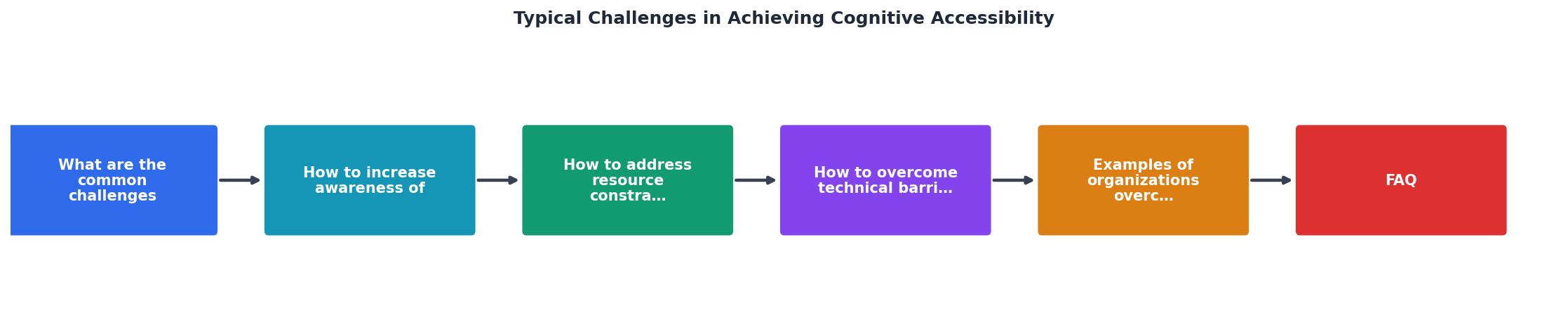
Organizations that move the needle don't solve all barriers at once. They establish a sequence:
- Build awareness, Train teams, share real user stories, define success metrics beyond compliance.
- Simplify design and content, Reduce complexity, tighten copy, test clarity with real users.
- Implement accessible patterns, Use design systems and templates to scale best practices.
- Integrate testing, Add cognitive accessibility to definition of done. Include manual review and user feedback.
- Measure and iterate, Track conversion, engagement, and user satisfaction. Connect cognitive accessibility improvements to business outcomes.
The best-performing companies don't view cognitive accessibility as a compliance requirement. They see it as a design discipline that expands their addressable market and improves experience for everyone, not just people with disabilities.
Interactive Cognitive Accessibility Challenges Framework
Understanding where your organization sits in the journey helps prioritize next steps. Below is a framework showing the relationship between challenge areas and typical organizational responses:
How Organizations Respond to Cognitive Accessibility Challenges
Awareness Gap
Information Overload
Form Complexity
Resource Constraints
The framework above shows that organizations don't need infinite resources. Small, focused changes, like simplifying a checkout flow or adding inline form help, often produce measurable conversion lifts. Those wins build the case for deeper investment.
Overcoming Cognitive Accessibility Challenges: Action Checklist
Your progress is saved automatically in your browser.
FAQ
Frequently Asked Questions
What cognitive accessibility challenge do you face most in your organization, awareness, resources, or technical implementation? The path forward depends on where you're stuck.
Additional Resources
- The Complete Guide to Cognitive Accessibility for ... - Common Accessibility Challenges for Cognitively Disabled Users · Attention · Cognitive Overload · Comprehension · Memory · Problem-Solving.
- Best Strategies for Cognitive Accessibility in Digital Design - Common Accessibility Challenges for Cognitively Disabled Users · 1. Difficulty Maintaining Focus: · 2. Sensory Overload: · 3. Cognitive Overload:.
- The State of Web Accessibility for People with Cognitive ... - two common challenges arose. First, there is often too much text on the websites or web apps. Again, participant feedback across multiple studies highlighted ...
Need Help with Accessibility?
Improve your site's accessibility and conversion rates with our AI-powered analysis.
Get Started