Choosing the Right Audience Persona in Page Person
Your landing page converts at 2%. You rewrite the headline, swap the hero image, shorten the form. Nothing moves. The problem is not the page itself.


Your landing page converts at 2%. You rewrite the headline, swap the hero image, shorten the form. Nothing moves. The problem is not the page itself. The problem is you are optimizing for a visitor who does not exist. Picking the correct audience persona inside Page Person changes the entire analysis, and the fixes it recommends, so every edit you make actually matches the people who land on your site.

- Each audience persona in Page Person represents a distinct cognitive profile (reading level, attention span, digital literacy, anxiety triggers).
- Selecting the wrong persona means the tool flags the wrong barriers and you fix things that do not matter to your actual visitors.
- Match your persona to your real traffic source and buyer profile, run the analysis, then act on the specific recommendations that persona surfaces.
Why Persona Selection Drives Conversion
Most website owners treat all visitors as one group. Analytics dashboards reinforce this: sessions, bounce rate, time on page. Averages. But a first-time visitor arriving from a Facebook ad behaves nothing like a returning user who bookmarked your pricing page. Their reading speed, tolerance for jargon, and willingness to scroll differ dramatically.
Page Person addresses this by letting you choose an audience persona before running an analysis. Each persona models a specific cognitive profile. A persona tuned for high-anxiety first-time buyers will flag trust signals, unclear return policies, and ambiguous CTAs. A persona tuned for expert repeat users will focus on information density and navigation shortcuts instead.
Pick the wrong one and you get a report full of irrelevant suggestions. Pick the right one and every recommendation maps directly to the friction your real visitors experience.

Common Persona Mistakes
Three mistakes show up repeatedly when founders configure Page Person for the first time.
- Defaulting to the "general" persona. It sounds safe. It is useless. A general persona averages out cognitive traits, which means it catches surface-level issues but misses the specific barriers that cause your particular audience to bounce.
- Choosing the aspirational customer instead of the actual one. You want enterprise buyers, but 80% of your traffic is small-business owners clicking Google Ads. Analyze for the traffic you have, not the traffic you wish you had.
- Never switching personas. Different pages serve different audiences. Your blog post attracts top-of-funnel readers with low product knowledge. Your pricing page gets bottom-of-funnel prospects who already understand the category. One persona cannot cover both.
Step-by-Step Persona Selection
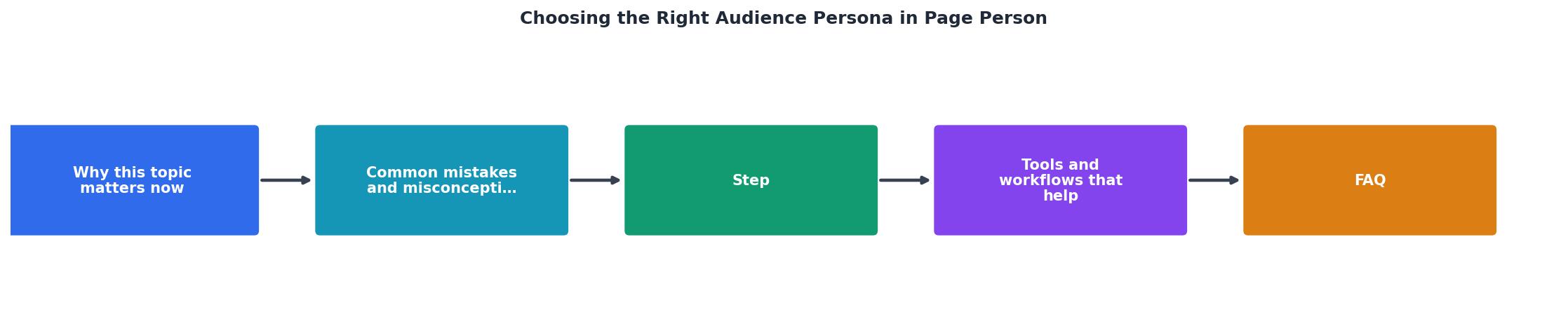
Follow these steps to match the right persona to each page you analyze. The process diagram above shows the flow: Identify Traffic Source, Map Cognitive Profile, Select Persona, Run Analysis, Review & Act.
1. Identify your traffic source
Open your analytics. Filter by the page you want to analyze. Look at the top three acquisition channels. Paid social? Organic search? Email? Each channel carries a different visitor mindset.
- Paid social visitors have low intent and short attention spans. They clicked an ad mid-scroll.
- Organic search visitors have a specific question. They expect a direct answer fast.
- Email visitors already know your brand. They tolerate more complexity.
2. Map the cognitive profile
Ask yourself four questions about the typical visitor from that channel:
- How familiar are they with your product category?
- How much text will they read before deciding?
- What is their primary anxiety (price, trust, complexity, commitment)?
- Are they likely on mobile or desktop?
3. Select the matching persona
Inside Page Person, review the available personas. Each one lists its cognitive traits. Match your informal profile to the closest persona. If your visitor has low category familiarity, high price anxiety, and arrives from a Facebook ad, choose a persona that models first-time, low-trust visitors.
4. Run the analysis
Click analyze. Page Person scans the page through the lens of that persona. The report highlights barriers specific to that cognitive profile: confusing jargon for low-familiarity visitors, missing trust signals for high-anxiety visitors, walls of text for low-attention visitors.
5. Act on persona-specific fixes
Prioritize the top three recommendations. These are the friction points that matter most for the visitors you actually have. Ignore generic best practices that do not appear in the report.
"Check out how YW Istanbul put target personas into play for their client in order to boost post interactions by over 7,000%.">, How To Define A Target Persona: A Step

Matching Pages to Personas
Not every page on your site needs the same persona. Here is a practical mapping that works for most SaaS and DTC sites:
| Page Type | Typical Visitor | Recommended Persona Traits |
|---|---|---|
| Landing page (paid) | Cold, low-trust, short attention | First-time, high-anxiety, low familiarity |
| Blog post | Curious, mid-funnel, searching | Moderate familiarity, medium attention |
| Pricing page | Warm, comparing options | High familiarity, price-focused anxiety |
| Onboarding flow | Signed up, motivated but confused | New user, low product literacy |
| Help docs | Existing user, frustrated | Task-focused, moderate-to-high literacy |
The key insight: your homepage and your help docs serve completely different cognitive profiles. Analyzing both with the same persona guarantees you miss critical barriers on at least one of them.
Tools and Workflows That Help

Page Person works best when it fits into a repeatable workflow. Here is what I recommend:
- Weekly audit cycle. Pick one high-traffic page per week. Select the persona that matches its primary traffic source. Run the analysis. Fix the top issue before next week.
- Post-launch check. Every time you publish a new landing page or update existing copy, run Page Person with the intended audience persona before driving traffic to it.
- A/B test validation. Before declaring a winner in your A/B test, run both variants through Page Person. Sometimes the "winning" variant just happened to get better traffic quality. The persona analysis reveals whether the copy itself is actually clearer.
The following card shows an example of how persona selection changes the number of barriers detected on the same page:
Same Page, Different Personas
Example: a SaaS pricing page analyzed three ways. The first-time buyer persona surfaces 11 cognitive barriers (jargon, missing trust cues, unclear tier differences) that the general persona misses entirely.
Persona Selection Checklist
Your progress is saved automatically in your browser.
FAQ
Frequently Asked Questions
Additional Resources
- Why Audience Personas are Critical for Social Media Marketing - Creating detailed audience personas and understanding who your target audience is can make a huge difference in the success of your social ...
- How To Define A Target Persona: A Step-By-Step Guide - A target persona is a fictional profile of a person who represents one of your key target audience groups, based on characteristics of your customers. It's also ...
- How to Create Marketing Personas: Guide + Examples - What a marketing persona is and how to build and use one: a step-by-step guide with examples to shape content and campaigns around real ...
Need Help with Accessibility?
Improve your site's accessibility and conversion rates with our AI-powered analysis.
Get Started