Steps for a Cognitive Accessibility Audit of Banking Apps
Cognitive accessibility in banking apps is crucial for ensuring that all users, regardless of cognitive ability, can effectively navigate and utilize financial services. This article delves into the essential steps needed to conduct a comprehensive cognitive accessibility audit of banking apps. By simplifying interfaces, enhancing text readability, and ensuring secure transactions, banking apps can significantly improve user comprehension and trust.

Cognitive accessibility in banking apps is crucial for ensuring that all users, regardless of cognitive ability, can effectively navigate and utilize financial services. This article delves into the essential steps needed to conduct a comprehensive cognitive accessibility audit of banking apps. By simplifying interfaces, enhancing text readability, and ensuring secure transactions, banking apps can significantly improve user comprehension and trust.

TL;DR
- Simplifying interfaces and enhancing readability are key to improving cognitive accessibility.
- Secure and accessible transactions build user trust.
- Conducting these audits leads to better user experiences and increased customer satisfaction.
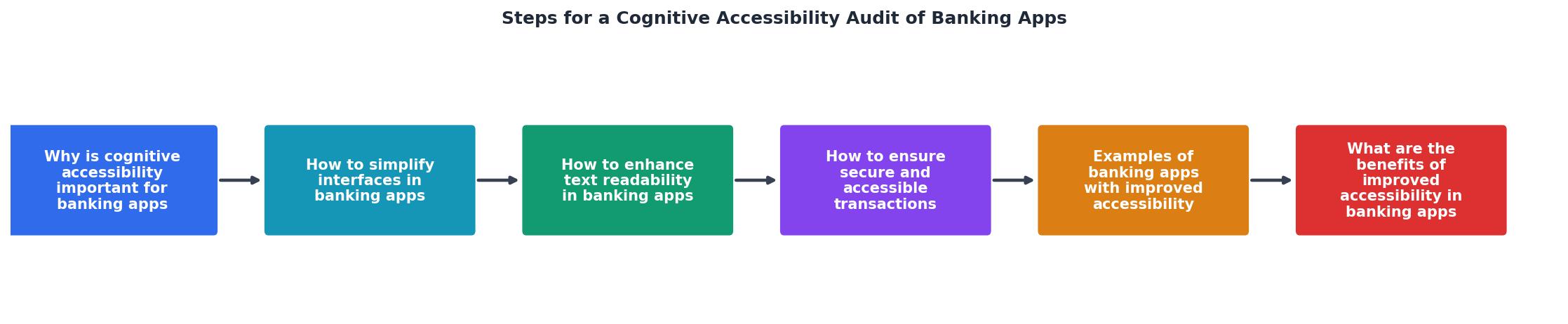
Why is Cognitive Accessibility Important for Banking Apps?
Cognitive accessibility in banking apps ensures that users, regardless of cognitive ability, can manage their finances with ease. This accessibility is critical because it directly impacts user trust and satisfaction. When users struggle to understand or navigate an app, they are more likely to abandon it, leading to lost customers and potential revenue.
Key takeaway: Enhancing cognitive accessibility can transform user experiences, making banking apps more inclusive and user-friendly.
How to Simplify Interfaces in Banking Apps?
Simplifying interfaces is a fundamental step in making banking apps more cognitively accessible. A clean, intuitive design helps users to navigate the app without feeling overwhelmed.

Techniques for Creating User-Friendly Interfaces:
- Minimal Design: Avoid clutter by using minimalistic design elements. This helps users focus on essential features without distraction.
- Consistent Navigation: Use predictable patterns for navigation to reduce cognitive load. Users should always know where to find key functions.
- Feedback and Guidance: Provide immediate feedback for user actions. If a transaction is processed, confirm it with a clear message.
How to Enhance Text Readability in Banking Apps?
Text readability is crucial for ensuring users can process information quickly and accurately. Poor readability can lead to misunderstandings, especially in financial contexts where precision is vital.
Strategies for Improving Text Clarity:
- Use Plain Language: Avoid jargon and complex terms. Opt for simple, straightforward language that is easy to understand.
- Readable Fonts: Choose fonts that are legible across different devices and sizes. Ensure there is adequate contrast between text and background.
- Chunk Information: Break down information into smaller, digestible parts. Use bullet points and headings to organize content clearly.
How to Ensure Secure and Accessible Transactions?
Ensuring secure and accessible transactions is pivotal in gaining user trust. Users need to feel confident that their financial data is protected and that they can complete transactions without hassle.

Best Practices for Transaction Processes:
- Clear Instructions: Provide step-by-step instructions for each transaction process. Users should know exactly what information is needed and why.
- Security Prompts: Implement security prompts that are easy to understand and follow. Use two-factor authentication to enhance security without complicating the process.
- Error Handling: Design error messages that are clear and instructive, guiding users on how to correct mistakes.
"The Web Content Accessibility Guidelines (WCAG) are the international standards for digital accessibility."
— 4 Common Accessibility Barriers in Mobile Banking , 4 Common Accessibility Barriers in Mobile Banking
Examples of Banking Apps with Improved Accessibility
What are the Benefits of Improved Accessibility in Banking Apps?
Improving accessibility in banking apps offers numerous advantages, not just for users but also for financial institutions. Enhanced accessibility leads to better customer experiences, reduced churn rates, and increased customer loyalty.
- User Satisfaction: Users appreciate apps that are easy to use and understand, leading to higher satisfaction and retention rates.
- Competitive Advantage: Accessibility can be a differentiator in the crowded banking app market, attracting a broader user base.
- Compliance and Risk Management: Meeting accessibility standards reduces the risk of legal challenges and enhances brand reputation.
Conducting a Cognitive Accessibility Audit
A cognitive accessibility audit involves a systematic review of an app's design and functionality to identify barriers to user comprehension and engagement.
Checklist for Conducting an Audit:
Cognitive Accessibility Audit Checklist
Your progress is saved automatically in your browser.
FAQ
Frequently Asked Questions
Key takeaway: By prioritizing cognitive accessibility, banking apps can enhance user experience, increase customer trust, and stand out in the competitive financial technology landscape.
Have you conducted a cognitive accessibility audit on your banking app? Share your experiences and insights in the comments below.
Additional Resources
- 4 Common Accessibility Barriers in Mobile Banking Apps - Below, we'll look at several common accessibility barriers in banking apps, then provide a framework for finding (and remediating) other issues.
- ADA Compliance for Mobile Banking Apps - SearchX - Quick Steps to Compliance: · Conduct accessibility audits using automated and manual testing. · Fix issues like poor contrast, small touch targets ...
- EAA Requirements for Online Banking Accessibility - An audit should follow every major release that changes user-facing flows. For stable interfaces, an annual audit cycle is reasonable.
Need Help with Accessibility?
Improve your site's accessibility and conversion rates with our AI-powered analysis.
Get Started