Creating Cognitive Accessibility Reports for Compliance Officers
Most accessibility audits stop at color contrast ratios and missing alt text. The cognitive layer, how well visitors actually understand your content, navigate your flows, and complete tasks without confusion, rarely makes it into a formal compliance report. That gap is a liability. This guide walks through exactly how to structure, populate, and deliver cognitive accessibility reports that satisfy regulators, survive audits, and document genuine inclusion.

Most accessibility audits stop at color contrast ratios and missing alt text. The cognitive layer, how well visitors actually understand your content, navigate your flows, and complete tasks without confusion, rarely makes it into a formal compliance report. That gap is a liability. This guide walks through exactly how to structure, populate, and deliver cognitive accessibility reports that satisfy regulators, survive audits, and document genuine inclusion.

- Cognitive accessibility reports document how your digital properties meet WCAG cognitive-related success criteria, not just visual and motor requirements.
- A solid report includes an executive summary, scope definition, methodology, per-criterion findings with severity ratings, remediation timelines, and evidence screenshots.
- Structuring reports around recognized frameworks like VPAT/ACR and mapping findings to specific WCAG 2.2 criteria makes them audit-ready and regulator-friendly.
Why cognitive accessibility reports exist

Standard accessibility audits check perceivable and operable criteria well. Screen reader compatibility, keyboard navigation, color contrast. Cognitive accessibility covers a different set of barriers:
- Reading level of body copy, error messages, and instructions
- Navigation predictability across pages and flows
- Memory load required to complete multi-step tasks
- Error recovery clarity when users make mistakes
- Timeout policies that penalize slow readers or distracted users
"The ACR is a representation of how the product meets the applicable Section 508 Technical Standards.">, How to Create an Accessibility Conformance Report Using A Voluntary Product Acce
Without a formal report, "we tested it" is just a claim. With one, it becomes evidence.
How to structure the report
A cognitive accessibility report needs a predictable structure so auditors, legal teams, and regulators can find what they need fast. Here is the section breakdown that works across VPAT-based ACRs, internal audit documents, and third-party assessments:
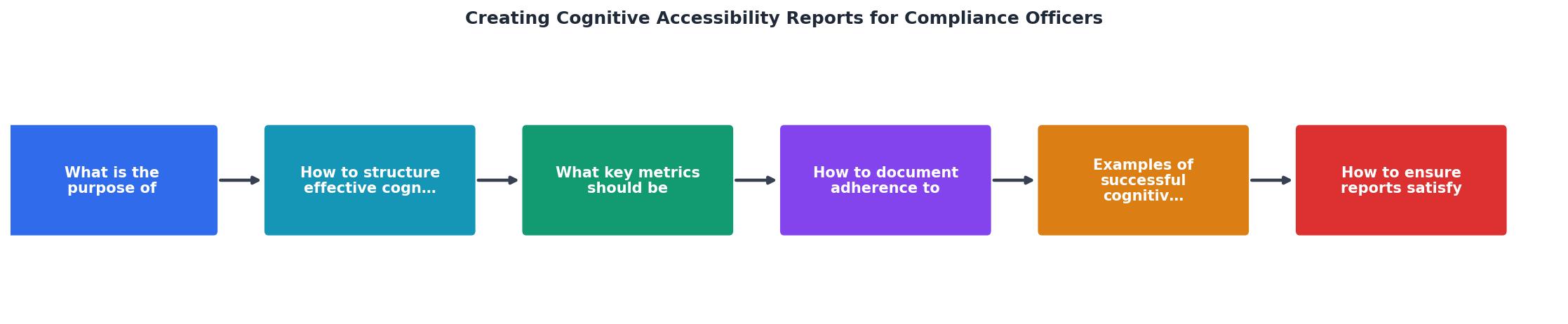
- Executive Summary - Two paragraphs max. State the product tested, the standard referenced (WCAG 2.2 AA, Section 508, EN 301 549), the date range, and the overall conformance level.
- Scope - List every URL, user flow, and content type included. Be explicit about what was excluded and why.
- Methodology - Name the tools used (automated scanners, manual testing protocols, cognitive walkthrough techniques), the testing environment, and the assistive technologies involved.
- Findings by Criterion - The core of the report. Each WCAG success criterion gets its own entry with a conformance level (Supports, Partially Supports, Does Not Support, Not Applicable) and evidence.
- Severity Ratings - Assign each finding a severity: Critical, Major, Minor, or Advisory. This drives remediation priority.
- Remediation Plan - Specific fixes, owners, and deadlines for each non-conformant finding.
- Appendices - Screenshots, test scripts, user flow diagrams, and raw data.
Key metrics for compliance reports

Numbers make reports defensible. Vague statements like "navigation could be clearer" get ignored. Specific metrics get budget. Here are the data points every cognitive accessibility report should include:
- Reading grade level of primary content (measured via Flesch-Kincaid or similar). Target: 8th grade or below for public-facing content.
- Task completion rate for key user flows tested with participants who have cognitive disabilities or simulated cognitive load.
- Error rate and recovery time on forms, checkout flows, and multi-step processes.
- Cognitive load score based on the number of decisions, inputs, and context switches per task.
- Timeout incidents where users lost progress due to session expiration.
- Conformance percentage across all applicable WCAG cognitive-related success criteria.
Cognitive A11y Report Snapshot
Each metric should include the testing method, sample size, and date collected. Auditors want reproducibility, not just results.
Documenting WCAG conformance

WCAG 2.2 AA contains several success criteria directly relevant to cognitive accessibility. Your report needs to address each one individually. Here are the criteria that matter most for cognitive compliance:
Understandable (Principle 3):- 3.1.3 Unusual Words - Define jargon, idioms, and technical terms
- 3.1.4 Abbreviations - Provide expanded forms on first use
- 3.1.5 Reading Level - Supplemental content for text above lower secondary education level
- 3.2.1 On Focus - No unexpected context changes when elements receive focus
- 3.2.2 On Input - No unexpected context changes when users enter data
- 3.3.1 Error Identification - Errors are described in text
- 3.3.2 Labels or Instructions - Input fields have clear labels
- 3.3.3 Error Suggestion - Suggest corrections when errors are detected
- 3.3.4 Error Prevention - Reversible, checked, or confirmed submissions for legal/financial data
- 2.2.1 Timing Adjustable - Users can extend, turn off, or adjust time limits
- 2.4.6 Headings and Labels - Descriptive headings that aid comprehension
- The conformance level (Supports / Partially Supports / Does Not Support)
- A plain-language explanation of what was tested
- Screenshots or recordings showing the finding
- The specific URL or component affected
- Recommended remediation with effort estimate
Report templates that work
Two template approaches dominate the compliance landscape:
VPAT-based ACR (Accessibility Conformance Report):
The Voluntary Product Accessibility Template from the IT Industry Council is the de facto standard for procurement. Version 2.5 includes columns for WCAG 2.x, Section 508, and EN 301 549. For cognitive accessibility, add a supplementary section after the standard VPAT table that covers cognitive walkthrough results, reading level analysis, and user testing findings with cognitively diverse participants.
- Dashboard page with pass/fail/partial counts and severity distribution
- Detailed findings grouped by user flow (not by WCAG criterion number)
- Remediation roadmap with quarterly milestones
- Appendix with raw test data
| VPAT-Based ACR | Internal Audit Report |
|---|---|
| Required for government procurement | Best for internal stakeholders |
| Criterion-by-criterion structure | Flow-by-flow structure |
| Standardized format across vendors | Customizable to organization needs |
| Focuses on conformance levels | Focuses on user impact and fixes |
| Updated per product release | Updated quarterly or per sprint |
Pick the format your audience expects. Government contracts need VPATs. Internal teams need narrative reports. Many organizations maintain both.
Meeting regulatory requirements
Regulators look for three things in accessibility documentation: completeness, recency, and methodology transparency.
Completeness means every applicable criterion is addressed. Leaving a criterion blank signals you skipped it, not that it passed. Mark criteria as "Not Applicable" with a justification when they genuinely do not apply.
Recency matters because websites change constantly. A report from 18 months ago covering a site that has been redesigned twice is worthless. Establish a reporting cadence: quarterly for high-traffic public-facing sites, semi-annually for internal tools, and after every major release.
Methodology transparency requires naming your tools, your testers, and your process. Did you use automated scanning only? That covers roughly 30% of WCAG criteria. Did you include manual expert review? Cognitive walkthroughs with real users? Each layer adds credibility.
Here is a practical sequence for producing audit-ready reports:
- Define scope with stakeholders (URLs, flows, content types)
- Run automated scans to catch low-hanging issues
- Conduct manual expert review against each cognitive criterion
- Perform cognitive walkthroughs with 3-5 participants representing diverse cognitive profiles
- Compile findings into your chosen template
- Assign severity ratings and remediation owners
- Review with legal/compliance before distribution
- Store the signed report in your compliance document management system
Cognitive Accessibility Report Checklist
Your progress is saved automatically in your browser.
FAQ
Frequently Asked Questions
What is the biggest challenge you face when documenting cognitive accessibility for compliance? Share your experience so others can learn from it.
Additional Resources
- How to Create an Accessibility Conformance Report Using ... - Step 1: Download the VPAT® · Step 2: Complete the Accessibility Conformance Report (ACR) Title Page · Step 3: Understand the three columns of the VPAT® tables.
- Designing policies for real-world policing - From compliance to cognitive accessibility Agencies often expand policies without improving how officers learn and apply them. Embrace ...
- How to Create an Accessibility Conformance Report (ACR) - How do you create an Accessibility Conformance Report step-by-step? · Step 1: Select the right VPAT edition · Step 2: Set up your audit scope.
Need Help with Accessibility?
Improve your site's accessibility and conversion rates with our AI-powered analysis.
Get Started