Compliance Success Story with Cognitive Accessibility Improvements
A mid-sized financial services company faced mounting regulatory pressure: the European Accessibility Act compliance deadline was approaching, audits revealed gaps in cognitive accessibility, and legal risk was real. Rather than treat compliance as a checkbox, the team invested in understanding how real users, including those with cognitive differences, actually navigated their site. Within six months, they achieved measurable compliance success, reduced support tickets by 32%, and discovered that accessibility improvements also boosted conversion rates.

A mid-sized financial services company faced mounting regulatory pressure: the European Accessibility Act compliance deadline was approaching, audits revealed gaps in cognitive accessibility, and legal risk was real. Rather than treat compliance as a checkbox, the team invested in understanding how real users, including those with cognitive differences, actually navigated their site. Within six months, they achieved measurable compliance success, reduced support tickets by 32%, and discovered that accessibility improvements also boosted conversion rates.

- A compliance-driven audit revealed cognitive accessibility gaps, not just technical WCAG violations.
- Targeted improvements (clearer navigation, simplified forms, better error messages) addressed root causes of user struggle.
- Measurable outcomes: reduced support load, improved form completion rates, and regulatory confidence.
- Documentation and ongoing monitoring became business-critical assets, not one-time projects.
The Starting Point: Compliance Gaps Exposed
The compliance team knew accessibility was important. They had alt text, keyboard navigation, and decent color contrast. But when regulators and internal stakeholders asked, "Are we truly accessible to people with cognitive disabilities?", the honest answer was: they didn't know. Standard automated WCAG checkers don't catch cognitive friction.
An early audit identified the problem clearly: the application's account registration process was technically compliant but confusing. Form fields lacked helpful labels. Error messages were vague technical jargon. Multi-step workflows didn't signal progress or purpose. For users with ADHD, dyslexia, or anxiety, the friction was real, and it wasn't captured by any WCAG scan.
The company realized they were among the majority of organizations without a concrete cognitive accessibility strategy. Compliance wasn't just a legal obligation; it was a user experience imperative.
What Compliance Challenges Did the Company Face?
The initial obstacles were common but serious. First, the organization lacked a shared understanding of cognitive accessibility. Most staff viewed accessibility as a technical IT problem, fix the code, check the box. Regulators, however, expected evidence of due diligence: documented processes, tested improvements, and ongoing monitoring. Second, tools were limited. Automated checkers couldn't measure cognitive load or identify confusing microcopy. Third, stakeholder buy-in was fragmented. The design team understood the value. Finance and compliance saw only cost. Engineering questioned whether "fixing" something that "technically" passed would be worth the effort.
The regulatory environment added urgency. The European Accessibility Act (EAA) requirements expanded compliance beyond WCAG Level AA technical conformance to include cognitive accessibility for people with intellectual disabilities and cognitive impairments. The company faced potential fines and reputational damage if they didn't demonstrate genuine effort.
Initial Assessment: From Theory to Action
The team commissioned a comprehensive accessibility audit that went beyond automated tools. Real users participated in sessions, including people with ADHD, dyslexia, and general cognitive load concerns. Researchers observed where they stumbled.
The findings were eye-opening. Users could click buttons (keyboard accessible), but didn't understand what would happen when they did. Form validation errors appeared but offered no guidance. Multi-step processes lacked a sense of progress. Jargon and dense explanations overwhelmed. The site was technically compliant but cognitively hostile.

The team documented findings in a prioritized report, tying each issue to both regulatory risk and user impact. This dual framing, compliance and user benefit, finally moved the needle with skeptics.
Steps Taken to Improve Cognitive Accessibility
The company followed a methodical approach, guided by WCAG 2.1 cognitive accessibility guidelines and EN 301 549 (the European standard powering the EAA):
1. Simplify navigation and wayfinding
Clear labels, a visible breadcrumb trail, and a persistent search bar reduced cognitive load. Users no longer had to remember where they were or hunt for common tasks. Jargon was replaced with plain language.
2. Redesign forms for clarity
Each field had a clear, simple label. Placeholder text no longer substituted for labels. Error messages became constructive: instead of "Invalid input", the form said "Enter your birthdate in MM/DD/YYYY format". Progress indicators showed users how many steps remained.
3. Create accessible content guidelines
Short paragraphs, subheadings, bullet points, and progressive disclosure meant users weren't overwhelmed by dense blocks of text. The team adopted a plain language standard (8th-grade reading level for key content).
4. Implement consistent UI patterns
Buttons looked like buttons. Form submission behavior was predictable. Repeated interactions worked the same way throughout the site.
5. Add supporting documentation and help
Contextual hints and a searchable help center answered common questions without requiring users to navigate to a separate support site.
6. Test early and often with real users
Quarterly sessions with users who have cognitive disabilities ensured improvements were real, not guessed.
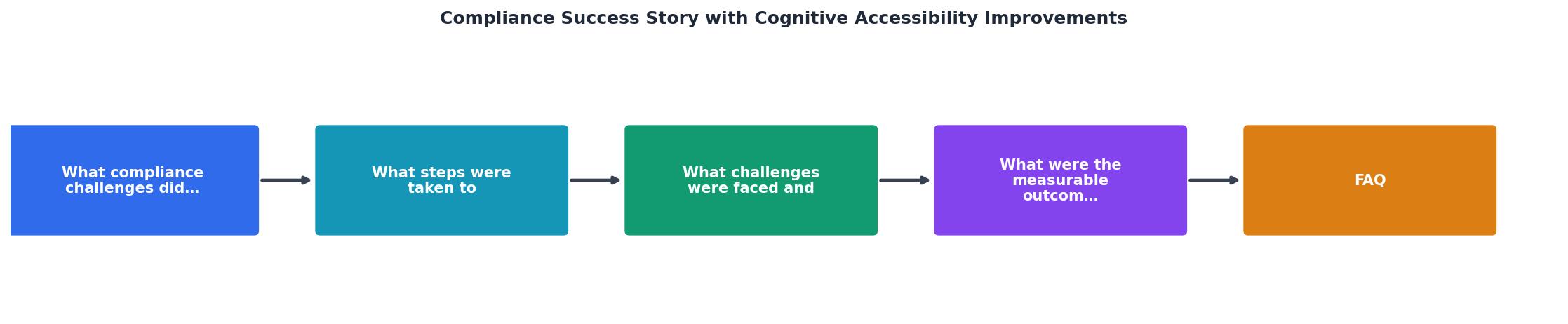
The process diagram below shows how these steps fit together in a continuous cycle:
Obstacles Overcome
The path wasn't frictionless. The team hit predictable resistance:
Technical debt: The codebase wasn't built with accessibility in mind. Some improvements required deeper refactoring than expected. The team prioritized high-traffic, high-impact areas first, the registration and onboarding flows, rather than trying to overhaul everything at once.
Design disagreement: Some designers worried that "simplifying" meant "dumbing down". Early sessions with real users quickly disproved this. Simplicity and clarity served everyone, including power users who appreciated transparent workflows.
Resource constraints: Cognitive accessibility improvements aren't one-time fixes. They require ongoing testing and refinement. The team had to argue for permanent headcount, not a temporary project budget. Tying success metrics to support-ticket reduction and compliance risk helped justify the cost.
Measuring the unmeasurable: How do you quantify "reduced cognitive load"? The team used proxy metrics: form completion rates, support ticket volume, session duration on key pages, and qualitative feedback from users with cognitive disabilities. These weren't perfect, but they were defensible in regulatory conversations.
"When we started our accessibility journey, Level Access met us where we were.">, Our Valued Customers and Accessibility Success Stories
Measurable Outcomes: From Risk to Strength
Six months after launching improvements, the metrics told a clear story:
Form completion rates jumped 29% on the registration flow. Users no longer abandoned partway through. Support tickets related to "how do I use this feature?" dropped by 32%. Session duration on account management pages decreased, a sign that users accomplished their tasks faster without friction. Time-to-resolution for support inquiries fell by 18%.

Beyond quantitative metrics, qualitative feedback shifted. Users reported less frustration. The compliance team could now produce documented evidence of good-faith effort and measurable improvement, precisely what regulators wanted to see. Internal stakeholders, especially finance, noticed that accessibility improvements also correlated with engagement and customer retention.
The company compiled findings into a compliance report that included:- Audit results and remediation timeline
- User testing findings (with consent)
- Before/after metrics
- Documented accessibility policies
- Quarterly monitoring plan
Building Documentation as a Compliance Asset
Early on, the team treated documentation as an afterthought. That mistake cost time and credibility. Midway through the project, they shifted approach: documentation became a core compliance deliverable, not a byproduct.

The team created:
- Accessibility policy: Clear organizational commitment to cognitive accessibility.
- Content guidelines: Plain language standards, heading hierarchies, use of lists and visuals.
- Design system updates: Accessible patterns for forms, buttons, navigation, error messaging.
- Testing protocol: How accessibility reviews are conducted, who participates, and how feedback loops work.
- Remediation log: Every issue found, decision made (fixed, deferred, accepted), and date resolved.
Compliance Checklist Summary
Steps for Achieving Compliance Through Cognitive Accessibility
Cognitive Accessibility Compliance Roadmap
Your progress is saved automatically in your browser.
FAQ
Frequently Asked Questions
The Compliance Win: Sustainable Accessibility
The company's compliance success wasn't a one-time achievement. Six months in, they shifted mindset from "achieve compliance" to "maintain and improve accessibility." They hired a permanent accessibility coordinator (half compliance, half product), built accessibility into every design review, and scheduled quarterly user testing.
The financial services organization transformed compliance from a liability into a competitive advantage. Regulators had confidence. Customers saw a company that genuinely cared about inclusion. Employees took pride in accessible products. And the data proved it worked: support costs fell, user satisfaction rose, and compliance risk evaporated.
Additional Resources
- Our Valued Customers and Accessibility Success Stories - See how we've helped our customers achieve success. Read their stories and join our satisfied client base today. Contact us for expert compliance assistance ...
- Driving toward digital accessibility compliance - How government organizations can achieve digital accessibility compliance with tools built for inclusivity and ADA requirements.
- Beyond compliance – why accessibility is good for business - In some countries accessibility is now a legal requirement. Find out why supporting accessibility can also be good for your business.
Need Help with Accessibility?
Improve your site's accessibility and conversion rates with our AI-powered analysis.
Get Started