Strategies to Enhance Comprehension for Low Digital Literacy Users
Navigating the digital world can be daunting for users with low digital literacy. Complex language, confusing navigation, and lack of visual aids often leave these users behind. However, by adopting specific strategies, websites can become more accessible and improve user comprehension. This article explores practical methods to simplify digital experiences, ensuring that all visitors can engage effectively.

Navigating the digital world can be daunting for users with low digital literacy. Complex language, confusing navigation, and lack of visual aids often leave these users behind. However, by adopting specific strategies, websites can become more accessible and improve user comprehension. This article explores practical methods to simplify digital experiences, ensuring that all visitors can engage effectively.

TL;DR: Improve comprehension for low digital literacy users by simplifying language, using visual aids, and designing intuitive navigation. These strategies enhance accessibility and conversion rates.
Understanding how to cater to users with low digital literacy is crucial for enhancing website accessibility and conversion rates. These users face numerous challenges, including complex language and intricate navigation. By implementing strategies like language simplification, visual aids, and intuitive navigation, you can significantly improve their online experience and increase your site's effectiveness.
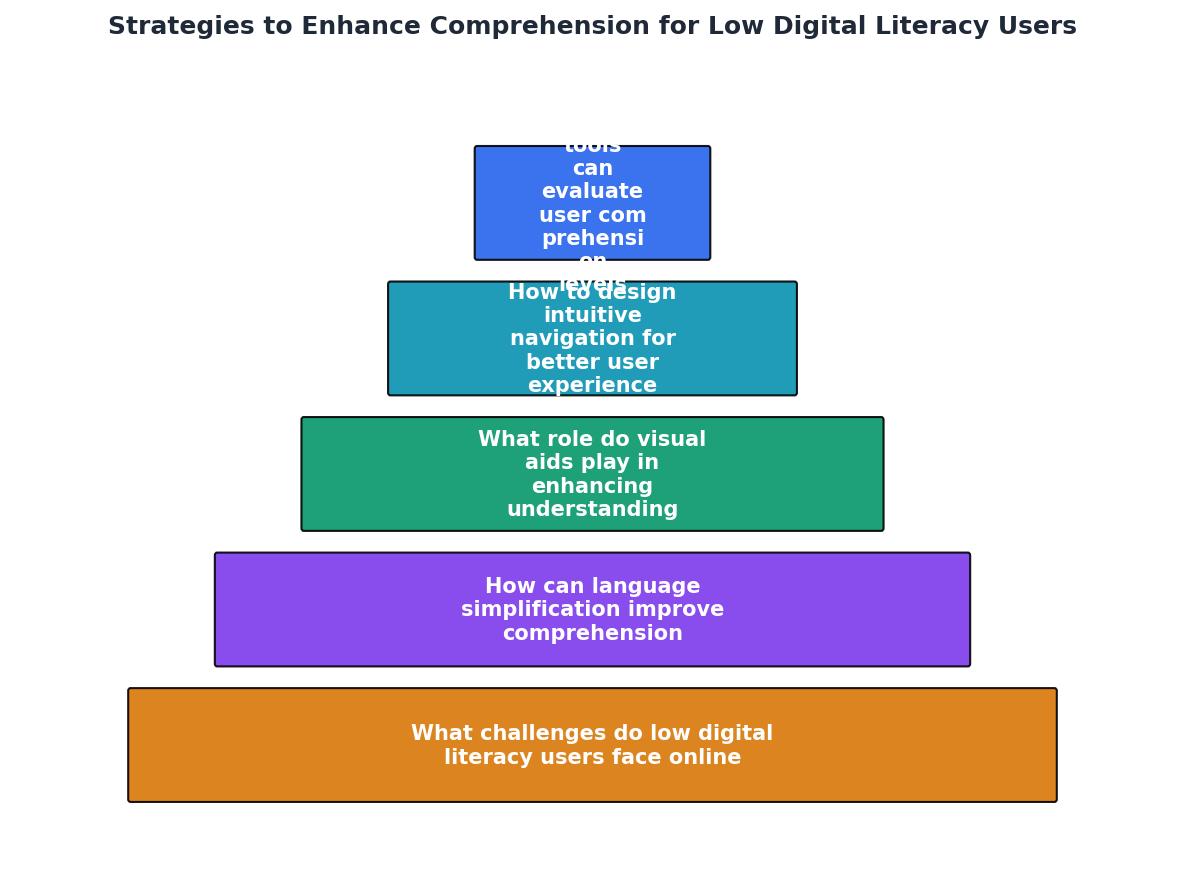
What challenges do low digital literacy users face online?
Low digital literacy users often encounter barriers that hinder their online experiences. These barriers include complex language, non-intuitive navigation, and inadequate visual guidance. Such obstacles not only frustrate users but also lead to higher bounce rates and lower conversion rates.

"Digital reading is also often interrupted by multi-tasking (Baron, 2015): 67% of readers don’t last ten minutes before they’re messaging or shopping during reading!">, Is Comprehension Better with Digital Text?
This statistic underscores the importance of capturing and retaining user attention through simplified and engaging content. Users with low digital literacy may also struggle with understanding complex web elements, such as dropdown menus or pop-ups, which can be overwhelming without proper guidance. Moreover, the lack of familiarity with web conventions can lead to confusion and frustration, causing users to abandon the site altogether.
How can language simplification improve comprehension?
Language simplification is a key strategy for enhancing comprehension. By using clear and simple language, websites can make their content more accessible to users with varying literacy levels.
- Avoid jargon: Use common words and phrases that are universally understood. Jargon and technical terms can alienate users who are not familiar with them, creating a significant barrier to comprehension.
- Short sentences: Keep sentences concise to minimize cognitive load. Long, complex sentences can be difficult to follow and understand, especially for users who are not proficient in reading.
- Active voice: Use active voice to make sentences direct and engaging. Active voice is more straightforward and easier to understand, making the content more relatable and less intimidating.
What role do visual aids play in enhancing understanding?
Visual aids, such as images, infographics, and videos, play a crucial role in improving comprehension for low digital literacy users. They provide context and clarity, helping users grasp complex concepts quickly.

Effective visual aids include:
- Infographics: Simplify complex data and processes. Infographics can break down information into digestible parts, using visuals to explain data in a more approachable way.
- Icons: Guide users through actions and navigation. Icons serve as visual cues that can quickly communicate functions or actions, reducing the need for reading.
- Videos: Demonstrate processes or provide additional explanations. Videos can cater to auditory and visual learners, offering a dynamic way to understand content.
How to design intuitive navigation for better user experience
Intuitive navigation is essential for enhancing user experience, particularly for those with low digital literacy. Clear navigation structures help users find information easily and efficiently.

Key principles for intuitive navigation:
- Consistent layout: Maintain a consistent design across all pages. This consistency helps users predict where to find information, reducing confusion and enhancing usability.
- Descriptive labels: Use clear and descriptive labels for navigation links. Labels should be straightforward and accurately reflect the content they lead to, helping users make informed decisions about where to click.
- Logical structure: Organize content in a logical hierarchy. A well-structured site map allows users to understand the relationship between different sections and find information more quickly.
What tools can evaluate user comprehension levels?
Several tools can help evaluate user comprehension levels, ensuring that your website is accessible to users with low digital literacy. These tools provide insights into how users interact with your site and where they may encounter difficulties.
- Readability tests: Tools like Hemingway Editor and Readable assess the complexity of your text. These tools highlight areas where language may be too complex and suggest simpler alternatives.
- Heatmaps: Platforms like Hotjar and Crazy Egg show where users click and scroll, indicating potential comprehension issues. By analyzing user behavior, you can identify areas that may be confusing or difficult to navigate.
- User testing: Conduct tests with real users to gather feedback on usability and comprehension. User testing provides direct insights into user experiences, revealing specific challenges and areas for improvement.
Case studies: Before-and-after examples of improved comprehension
Checklist for Evaluating and Improving Website Comprehension
Your progress is saved automatically in your browser.
FAQ
Frequently Asked Questions
To wrap up, how have you adapted your website to cater to users with low digital literacy? Share your experiences in the comments below.
Additional Resources
- Is Comprehension Better with Digital Text? - Explore if comprehension is better with digital text versus paper. Discover insights from research on teaching reading with digital text.
- Digital Literacy Tools: How Technology Can Enhance ... - Utilize technology in reading with text-to-speech and speech-to-text features to support diverse learning needs, enhancing word recognition and ...
- A digital literacy model to narrow the digital literacy skills gap - A new innovative digital literacy model has been proposed to be integrated into the existing and future education frameworks and models.
Need Help with Accessibility?
Improve your site's accessibility and conversion rates with our AI-powered analysis.
Get Started