Ensuring Cognitive Accessibility in Online Gaming Environments
Most online games are designed for players with typical cognitive abilities. Players with ADHD, dyslexia, anxiety, or low working memory hit invisible walls: overwhelming menus, confusing narratives, time pressure that triggers panic. These barriers aren't edge cases, they're mainstream exclusions. The good news is that cognitive accessibility in games doesn't require sacrificing fun or aesthetic.

Most online games are designed for players with typical cognitive abilities. Players with ADHD, dyslexia, anxiety, or low working memory hit invisible walls: overwhelming menus, confusing narratives, time pressure that triggers panic. These barriers aren't edge cases, they're mainstream exclusions. The good news is that cognitive accessibility in games doesn't require sacrificing fun or aesthetic. It requires intention during design, thoughtful UI choices, and support tools that let players adjust the experience to their needs.

- Cognitive accessibility in gaming means designing for diverse working memory, attention, and processing speeds, not just visual or motor ability.
- Core strategies: simplify interfaces, reduce cognitive load, offer pause/skip options, use clear language, and provide customizable difficulty that doesn't penalize players.
- UI adjustments include larger text, high contrast, icons paired with labels, and consistent navigation patterns.
- Support tools like subtitle options, remappable controls, and colorblind modes remove friction for players with specific cognitive needs.
- Games like Stardew Valley, Celeste, and Microsoft Flight Simulator show that accessibility features enhance engagement for all players, not just those with disabilities.
Online gaming has become a cultural mainstream. Yet most games assume perfect cognitive conditions: instant comprehension, sustained attention, rapid decision-making under pressure, and working memory capacity to juggle multiple objectives simultaneously. Players with ADHD, dyslexia, dyscalculia, anxiety disorders, or post-stroke cognitive recovery struggle silently, quit games they'd otherwise love, and assume gaming isn't for them. That assumption is wrong. Cognitive accessibility is a design problem, not a player problem. When you solve it, you unlock engagement for millions.
Why cognitive accessibility matters in gaming
Cognitive accessibility in gaming isn't niche advocacy. Around 16% of the global population has some form of cognitive disability, and many more experience temporary cognitive load from fatigue, distraction, or stress. Gaming itself is cognitively demanding by nature: you're tracking narratives, managing resources, learning control schemes, and making time-sensitive decisions. Layer on poor UI design, unclear objectives, or punishing failure states, and the game becomes inaccessible not just for players with disabilities, but for anyone playing in non-ideal conditions (on a commute, while fatigued, in a noisy environment).
Games with cognitive accessibility features don't just serve disabled players. They serve casual players who want to relax, hardcore players who want to customize difficulty to their skill, and international audiences who benefit from clearer language and less reliance on rapid reading. Accessible games have higher engagement, longer retention, and stronger community reputations. That's not altruism, that's good product.
How game design accommodates cognitive disabilities
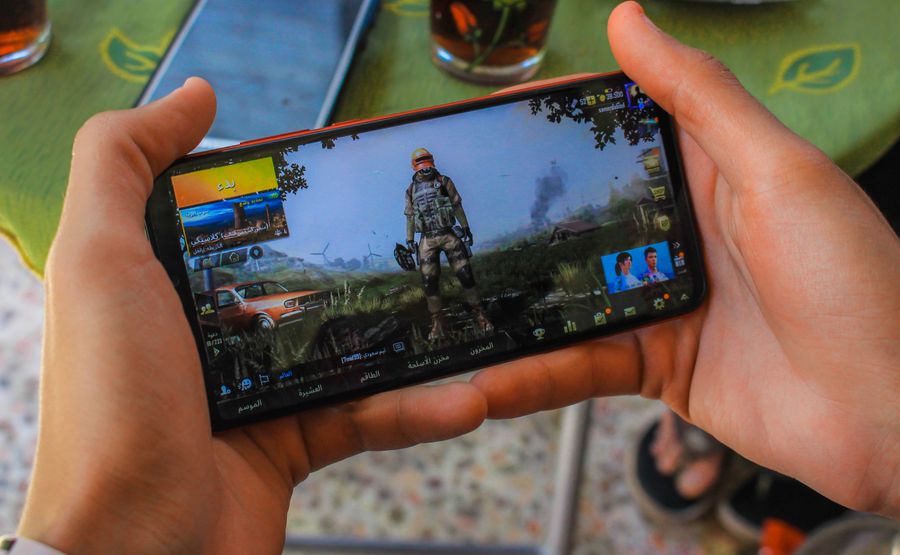
Game design at the mechanical level sets the cognitive ceiling. If your core loop requires instant reactions, players with processing delays won't reach the intended challenge; they'll hit frustration. If your story unfolds in rapid-fire dialogue with no recap, players with working memory issues will lose narrative thread. If your UI hides critical information in nested menus, players with attention deficits will miss it entirely.
Simplify core loops
Don't make every action multistep. A tutorial in Stardew Valley teaches you to plant seeds, water them, and harvest. That's it. No resource juggling, no hidden mechanics, no penalty for taking your time. The game scales complexity gradually, letting players build competence before introducing new systems. Compare this to games that bombard you with eight simultaneous tutorials and expect you to retain all of it.
Offer adjustable difficulty and customization
Difficulty in games usually means tighter time limits, more enemies, or higher math. Cognitive difficulty is different: it's about complexity, number of objectives, decision velocity, and working memory demands. Celeste offers options to slow the game speed or skip sections entirely. This isn't "easy mode," it's letting players adjust the game to their cognitive needs and still experience the narrative and accomplishment. Players who use these options don't feel patronized; they feel included.
Reduce time pressure
Many games use timers as artificial difficulty. But for players with anxiety disorders or processing delays, timers trigger panic that has nothing to do with skill. Building in pause options, removing real-time pressure from critical story moments, or offering timed and untimed difficulty settings removes this barrier. Baldur's Gate 3 lets you pause mid-combat; this doesn't cheapen the challenge for power-gamers, it accommodates players who need time to process their options.
Avoid dark patterns in narrative
Some games use confusing story beats, abrupt tonal shifts, or unclear character motivation as "immersion." For players with trauma history or anxiety, this creates genuine distress. Signal emotional content clearly. Let players know what they're walking into. Offer warning before intense scenes. This isn't censorship, it's respect.
Adjusting the user interface for accessibility

The UI is where cognitive accessibility becomes tangible. A well-designed interface reduces cognitive load by presenting information clearly, consistently, and hierarchically.
Use clear, direct language
Replace technical jargon with player-friendly terms. Instead of "Mana depletion protocol initiated," say "You're out of mana, wait to recover." Test your UI text with players outside your team. What's obvious to you as designer may confuse players unfamiliar with genre conventions. Avoid acronyms unless absolutely necessary; if you must use them, define them on first use and in a glossary.
Pair icons with labels
Never rely on icons alone. A heart icon for health is learned convention, but the skull icon meaning "poison" or the infinity loop meaning "loop mode" aren't universal. Always include text labels next to icons. This helps players with visual processing issues and non-native speakers.
Maintain consistent navigation
If you change where menus appear or how they function mid-game, players with cognitive processing delays struggle to adapt. Keep navigation in the same place, use the same interaction patterns, and establish clear mental models. A pause menu accessed the same way every time, with the same layout, reduces cognitive friction massively.
Increase text size and contrast
Cognitive disabilities often co-occur with visual processing differences. Larger text (18pt minimum for UI, 16pt for body text) and high-contrast color schemes (not just for colorblindness, but for clarity) help. Test color combinations: don't rely solely on color to convey information. Use color plus icons, or color plus shape.
"Designing for players with color blindness is essential, as 8% of all men are color-blind.">, Gaming Accessibility: How to Make Games Inclusive
Provide quest/objective summaries
Players forget objectives. Instead of making them hunt through dialogue logs or notes, display a clear "Current Objective" section that updates automatically. Let players review completed quests without searching. This particularly helps players with working memory issues or ADHD.
Design for skim-ability
Players scan interfaces, they don't read every word. Use headings, bullet points, and visual hierarchy to make information findable fast. Dense walls of text in menus are cognitive friction.
Support tools for players with cognitive disabilities

Beyond design, support tools remove specific friction points for players with distinct cognitive needs.
Subtitle and transcript options
Not every player processes audio the same way. Dyslexic players might process audio better than text; others need captions to understand accents or audio quality. Offer full subtitles, speaker labels, and music/sound cues indicated in text. The Xbox Adaptive Controller pairs with audio transcripts in many games, letting players receive story via text or audio depending on their needs.
Remappable controls
Players with fine motor issues often rely on button remapping. But button remapping also helps players with ADHD or processing delays who need muscle-memory-friendly layouts. Offer full control customization, including hold-vs-toggle options and adjustable button sensitivity.
Colorblind modes
Beyond colorblind mode (which adjusts colors for different types of color blindness), use patterns or shapes to distinguish game elements. A health bar that's red and a mana bar that's blue helps sighted players fast, but a health bar with a cross pattern and a mana bar with a star pattern helps colorblind players and players with visual processing issues.
Difficulty granularity
Single-axis difficulty ("Easy," "Medium," "Hard") forces compromise. Let players adjust independently: damage taken, enemy count, time pressure, puzzle complexity. A player with ADHD might want normal difficulty but turn off time pressure. A player with low working memory might want reduced enemy count but normal timing.
Save flexibility
Some players need to save frequently due to fatigue or attention limits. Offer quicksave, manual saves at any point, and auto-save before major decisions. This removes stress and lets players engage at their own pace.
Games leading in cognitive accessibility
Several studios have shown that cognitive accessibility and commercial success aren't mutually exclusive. Stardew Valley builds everything around player pacing: no timers, no fail states, no judgment for playstyle. Players with ADHD report it as a rare game they can sustain focus on because cognitive load is gradual, consistent, and under their control. Celeste made accessibility central to marketing, offering options to slow gameplay speed, disable backgrounds for reduced visual noise, and skip difficult sections. The result: millions of plays and devoted community engagement.
Microsoft Flight Simulator offers extensive accessibility settings including reduced cognitive load modes: simplified avionics, optional autopilot, and adjustable time pressure. A Short Hike removes failure states entirely, letting players explore at their pace without anxiety. The Last of Us Part II includes audio descriptions and visual indicators for critical information, supporting players with various processing styles.
These games didn't compromise vision or art to achieve accessibility. They changed what "challenge" means. For Celeste, challenge isn't speed, it's emotional and mechanical mastery. For Stardew Valley, the challenge is planning your farm season, not execution speed. The games are more engaging because players of different abilities can all feel challenged.
Measuring impact on player engagement
When you implement cognitive accessibility features, measurable outcomes follow. Player retention increases because players with cognitive disabilities, who quit games at higher rates, now complete them. Session length increases when players can pause, customize, or adjust pace. Community sentiment shifts because players with accessibility needs feel seen and welcome.
Case data from studios that added comprehensive accessibility shows retention improvements of 15-40%, depending on the player base. Players who use accessibility features engage deeper, not shallower. They report higher satisfaction, recommend the game more, and spend more time in it. The business case is strong: accessibility is retention infrastructure.
Interactive accessibility assessment dashboard
Understanding the cognitive load profile of your game helps prioritize what to fix. Below is an interactive reference showing how various design decisions impact cognitive accessibility:
Cognitive Accessibility Score by Feature
The dashboard above scores common game design decisions by their impact on cognitive accessibility. Features in the "High" tier (customizable difficulty, pause functionality, clear objectives) directly reduce cognitive load and working memory demands. "Medium" tier features improve access for specific disabilities or play styles. "Low" tier features actively harm cognitive accessibility and should be reconsidered in design.
Checklist: Game Accessibility Assessment
Game Cognitive Accessibility Checklist
Your progress is saved automatically in your browser.
FAQ
Frequently Asked Questions
Additional Resources
- How to create video games with cognitive accessibility features - This paper aims to map the current state of cognitive accessibility and propose a set of recommendations for developing cognitively accessible ...
- Benefits, barriers, and accessibility in video games: a focus ... - This study explores the barriers, including psychological and emotional challenges, faced by college students with disabilities while engaging in video gaming.
- Gaming Accessibility: How to Make Games Inclusive - It means ensuring that games are accessible to people with a wide range of disabilities, including those with limited mobility, those who ...
Need Help with Accessibility?
Improve your site's accessibility and conversion rates with our AI-powered analysis.
Get Started