Export CSV Reports From Page Person for Stakeholder Reviews
You ran a cognitive accessibility audit on your landing page, found twelve issues dragging down conversions, and now your co-founder wants proof before approving any design changes. Screenshots of a browser extension do not cut it in a board deck or a Slack thread with your agency. A clean CSV export turns raw audit data into a shareable, sortable, filterable artifact that stakeholders actually read and act on.


You ran a cognitive accessibility audit on your landing page, found twelve issues dragging down conversions, and now your co-founder wants proof before approving any design changes. Screenshots of a browser extension do not cut it in a board deck or a Slack thread with your agency. A clean CSV export turns raw audit data into a shareable, sortable, filterable artifact that stakeholders actually read and act on.

- Open PagePerson Insights on any page, run the audit, and click the CSV export button to download a structured report.
- The CSV includes issue type, severity, affected element, and recommended fix, ready for spreadsheets or project management imports.
- Filtering and annotating the CSV before sharing turns a raw data dump into a stakeholder-ready action plan that ties cognitive barriers to conversion impact.
Why CSV Reports Matter for Conversion
Stakeholders do not live inside your browser. They live in Google Sheets, Excel, Jira, and Monday.com. When you surface a cognitive accessibility issue like confusing microcopy on a pricing page, the person who approves the fix needs context they can sort, filter, and forward.
That number is not hypothetical. Cognitive barriers affect a significant share of your traffic: people with ADHD skimming too-dense paragraphs, anxious first-time buyers confused by ambiguous CTAs, or anyone on a phone with three tabs open. A CSV report captures each barrier as a discrete, trackable row. No interpretation needed. No "trust me, I saw it in the extension."
Three reasons CSV beats screenshots for stakeholder reviews:
- Sortable by severity so decision-makers see the highest-impact issues first.
- Importable into project tools like Jira, Linear, Asana, or Trello with zero reformatting.
- Diffable over time so you can compare this week's audit to last month's and show progress.

Common Mistakes With Audit Exports
Before walking through the export steps, here are the traps that waste time:
- Exporting before filtering. A full-site dump with 200 rows overwhelms a non-technical stakeholder. Export only the page or section under review.
- Skipping severity labels. A flat list of issues with no priority ranking looks like busywork. Stakeholders need to see "critical" vs. "low" at a glance.
- Sending raw CSV without context. A spreadsheet attachment with no summary email or cover note gets ignored. Always pair the file with a two-sentence explanation of what it contains and what you recommend.
- Not mapping issues to revenue impact. A row that says "confusing CTA text on /pricing" is useful. A row that also notes "this page gets 4,000 visits/month and converts at 1.2%" is persuasive.
Step-by-Step Export Process
This is the core workflow. Five steps, under three minutes.
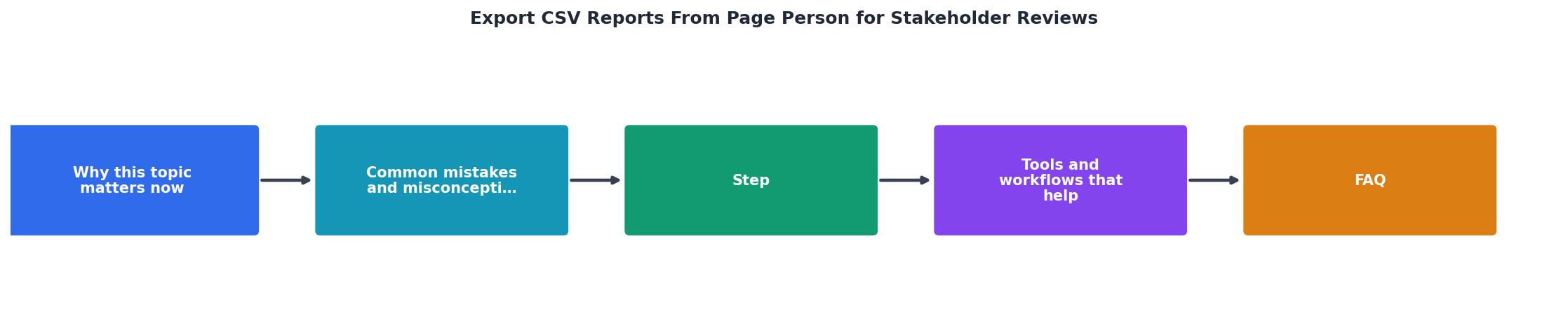
- Open target page. Navigate to the URL you want to audit in Chrome.
- Run audit. Click the PagePerson Insights extension icon and start the cognitive accessibility scan.
- Review results. The extension displays issues grouped by category: readability, cognitive load, navigation clarity, CTA comprehension, and form complexity.
- Click Export CSV. Hit the export button in the extension panel. The file downloads immediately with a timestamped filename.
- Open and annotate. Open the CSV in Google Sheets or Excel. Add columns for owner, priority override, or revenue impact before sharing.
- Issue ID for tracking
- Category (e.g., cognitive load, readability)
- Severity (critical, high, medium, low)
- Affected element (CSS selector or description)
- Page URL
- Recommendation (plain-language fix suggestion)
Compared to manually documenting each finding in a spreadsheet, the CSV export handles the tedious part. You spend your time on annotation and prioritization instead of data entry.

Prepare the CSV for Stakeholders
A raw export is a starting point. A stakeholder-ready report is a finished product. Here is how to bridge the gap.
Filter ruthlessly. If you are presenting to a marketing lead, remove rows about form field tab order. Keep issues that directly affect messaging clarity and CTA comprehension. If you are presenting to engineering, keep everything but sort by implementation effort.
Add a summary tab. In Google Sheets, create a second tab called "Summary" with:
- Total issues found
- Breakdown by severity (e.g., 3 critical, 7 high, 12 medium)
- Top 3 recommended fixes with estimated conversion impact
- Date of audit and URL audited
Here is an example of how a typical stakeholder-ready CSV looks after annotation, based on a SaaS landing page audit:
Annotated CSV Preview
| Issue | Severity | Element | Owner |
|---|---|---|---|
| Ambiguous CTA label | Critical | .hero-btn | Marketing |
| Pricing table cognitive overload | Critical | #pricing-grid | Design |
| Jargon in feature list | High | .features ul | Marketing |
| No error recovery on form | High | #signup-form | Engineering |
| Low contrast helper text | Medium | .form-hint | Design |
Workflows That Scale

Once you have the export habit, build a repeatable workflow around it.
Weekly audit cadence. Pick one high-traffic page per week. Run PagePerson Insights, export the CSV, annotate it, and drop it into a shared Google Drive folder. Over a month you build a library of audits that shows trends.
Jira/Linear integration. Most project management tools accept CSV imports. Map the "Issue" column to ticket title, "Severity" to priority, "Recommendation" to description, and "Affected element" to a custom field. One import creates a sprint's worth of tickets.
Before/after comparisons. Save each export with a date in the filename (e.g., pricing-audit-2026-08-28.csv). After fixes ship, re-run the audit and export again. A simple VLOOKUP or INDEX/MATCH between the two files shows which issues were resolved and which persist.
| Manual Documentation | CSV Export Workflow |
|---|---|
| 30-45 min per page | Under 3 min per page |
| Inconsistent format | Standardized columns every time |
| Hard to diff over time | Date-stamped files, easy comparison |
| Copy-paste into Jira | Direct CSV import into Jira/Linear |
| Subjective severity | Extension-assigned severity levels |
CSV Export Checklist for Stakeholder Reviews
Your progress is saved automatically in your browser.
FAQ
Frequently Asked Questions
What does your current process for sharing audit findings with stakeholders look like, and where does it break down?
Need Help with Accessibility?
Improve your site's accessibility and conversion rates with our AI-powered analysis.
Get Started