How do i page someone: Practical Guide
Paging someone used to mean punching a number into a beeper and waiting by the phone. Today the concept has evolved into a sprawling set of digital notification methods, from on-call alerting systems to website callback widgets and even old-school intercom pages. If you have ever wondered how to actually reach a specific person through the noise of modern communication channels, this guide breaks down every practical method, step by step, so you can get a response instead of silence.

Paging someone used to mean punching a number into a beeper and waiting by the phone. Today the concept has evolved into a sprawling set of digital notification methods, from on-call alerting systems to website callback widgets and even old-school intercom pages. If you have ever wondered how to actually reach a specific person through the noise of modern communication channels, this guide breaks down every practical method, step by step, so you can get a response instead of silence.

- Paging someone in 2026 means choosing the right channel: on-call tools like PagerDuty or Opsgenie, direct messaging platforms, website contact systems, or even physical PA systems.
- The key is matching urgency to method: high-urgency pages go through escalation tools, low-urgency ones through async messaging.
- Set up clear escalation paths, test them regularly, and make sure the person you are paging actually receives the notification on a device they check.
That number is not random. When you page someone through a channel they do not actively monitor, the odds of being ignored skyrocket. Choosing the right paging method is the single biggest factor in getting a response.
Why paging still matters

Slack has 200+ channels. Email inboxes overflow. Push notifications pile up. The entire point of paging is to cut through that clutter with a signal that says: "This needs attention now."
Three scenarios where paging is the correct move:
- Incident response in software teams. A production server goes down, and the on-call engineer needs to know immediately.
- Customer escalation on a website. A visitor cannot complete a purchase and needs a human, not a chatbot loop.
- Physical location paging. A hospital, warehouse, or retail store needs to reach a specific employee on the floor.
If your website is one of the places where visitors try to page someone and fail, tools like PagePerson Insights can show you exactly where the cognitive friction sits, revealing why visitors give up before they ever reach your contact form.
Common mistakes when paging
People get paging wrong in predictable ways. Here are the ones I see most often:
- Using low-urgency channels for high-urgency messages. Sending a Slack DM when you need PagerDuty. The person is AFK, and your message sits unread for hours.
- No escalation path. You page one person. They do not respond. Now what? Without a defined escalation chain, you are stuck.
- Overloading the page with context. A page should be short: what happened, how urgent, what you need. A three-paragraph message gets skimmed and misunderstood.
- Paging the wrong person entirely. Outdated on-call schedules, stale contact lists, or unclear ownership means your page lands on someone who cannot help.
- Ignoring time zones. Paging someone at 4 AM their time for a non-critical issue burns goodwill fast.
Step-by-step: how to page someone
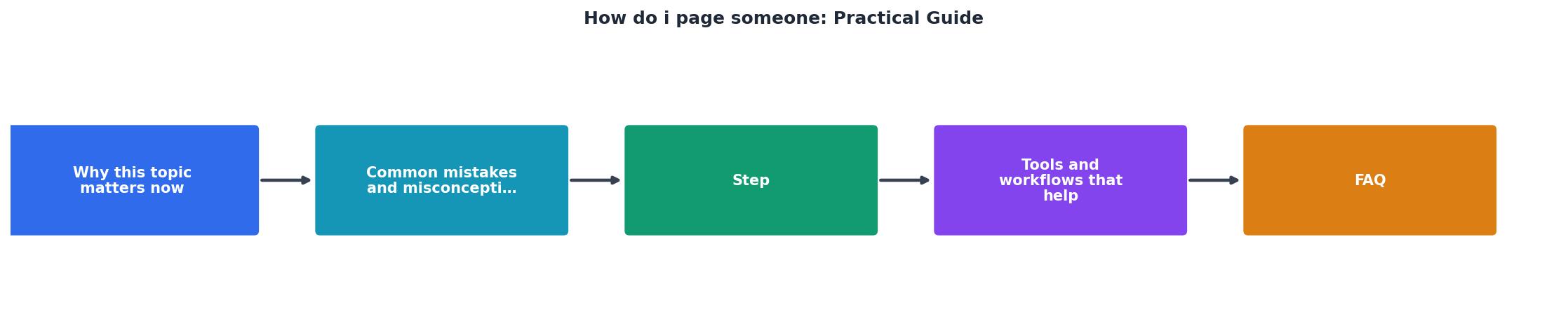
Follow these steps in order. The process works whether you are paging a colleague, an on-call engineer, or trying to reach someone through a website.
1. Identify the right person
Check the on-call schedule, org chart, or contact directory. For websites, this means knowing whether the contact form goes to support, sales, or a general inbox. Do not guess.
2. Choose the right channel
Match urgency to method:
- Critical/immediate: PagerDuty, Opsgenie, phone call, physical PA system
- Urgent but not critical: Slack/Teams direct message with a follow-up ping after 10 minutes
- Standard: Email, contact form, ticketing system
3. Write a clear page
Keep it to three elements:
- What: One sentence describing the issue
- Urgency: Critical / High / Medium
- Action needed: What you need from them specifically
4. Send and set a timer
Send the page. Set a 5-minute timer for critical issues, 15 minutes for urgent ones. If no response, escalate.
5. Escalate if needed
Follow the predefined escalation path. Page the backup person, then the team lead, then the manager. Document each step.
"The Practical Guide on How to Talk to Anyone delivers 65 practical, science-backed techniques to help you communicate with clarity, confidence, and authenticity-both personally and professionally.">, The Practical Guide on How to Talk to Anyone: 65 Simple Secrets to Confident ...
Clear communication is the backbone of effective paging. A vague page creates confusion. A specific one gets action.
Tools and workflows that help

Here is a breakdown of the most common paging tools by category:
On-call and incident management:- PagerDuty handles alert routing, escalation policies, and on-call scheduling. It integrates with monitoring tools like Datadog and Grafana.
- Opsgenie (by Atlassian) offers similar functionality with tight Jira integration.
- Incident.io focuses on Slack-native incident management with built-in paging.
- Slack with the
/remindcommand or workflow automations can serve as a lightweight paging system for non-critical issues. - Microsoft Teams urgent notifications bypass Do Not Disturb settings, which makes them useful for time-sensitive pages.
- Intercom, Drift, and Crisp let website visitors page a real person through live chat widgets.
- Contact forms with smart routing send the page to the right department automatically.
| Traditional Paging | Modern Digital Paging |
|---|---|
| Physical beeper | PagerDuty / Opsgenie alert |
| PA system announcement | Slack urgent message |
| Phone call to desk | Teams call with screen share |
| Paper sign-out sheet | On-call schedule in tool |
| No escalation tracking | Automated escalation chains |
Design your paging workflow

A paging workflow is only as good as its weakest link. Here is how to build one that actually works:
- Define ownership. Every service, product area, or department needs a clear owner. No orphan pages.
- Set up on-call rotations. Weekly rotations with handoff notes. Use a tool, not a spreadsheet.
- Create escalation policies. Primary responder gets 5 minutes. Then backup. Then manager. Three tiers minimum.
- Test monthly. Run a fire drill. Page the on-call person and measure response time. If it takes longer than your SLA, fix the process.
- Review and iterate. After every real incident, ask: did the page reach the right person fast enough? Adjust.
Five minutes. That is the standard target for critical incident response. If your team consistently misses it, the problem is almost always in the routing, not the people.
The following card shows what a healthy paging workflow looks like when all the pieces are in place:
Paging Workflow at a Glance
Paging Readiness Checklist
Your progress is saved automatically in your browser.
FAQ
Frequently Asked Questions
What is the biggest paging challenge you have faced on your team or website? Drop your experience below.
Additional Resources
- Paging etiquette and good practice - The main message (Do not include patient details) · The name, role, and location of the person who is paging · An indication of the urgency · A number to call back ...
- The Practical Guide on How to Talk to Anyone: 65 Simple ... - The Practical Guide on How to Talk to Anyone delivers 65 practical, science-backed techniques to help you communicate with clarity, confidence, ...
- Parker Lawson - Practical-Guide-How-Talk-Anyone - Read social cues and respond with emotional intelligence; Use body language, eye contact, and vocal tone to project confidence; Navigate difficult conversations ...
Need Help with Accessibility?
Improve your site's accessibility and conversion rates with our AI-powered analysis.
Get Started