Leveraging Machine Learning for Better Cognitive Accessibility
Machine learning is reshaping how we think about digital accessibility. Instead of treating it as a compliance checkbox, ML-powered tools can actually understand how visitors process information, stumble on confusing UI, and abandon tasks they can't comprehend. The result is websites that work for everyone, not just power users, and convert better because they're genuinely usable.

Machine learning is reshaping how we think about digital accessibility. Instead of treating it as a compliance checkbox, ML-powered tools can actually understand how visitors process information, stumble on confusing UI, and abandon tasks they can't comprehend. The result is websites that work for everyone, not just power users, and convert better because they're genuinely usable.

TL;DR
- Machine learning enhances cognitive accessibility by analyzing how users process text, navigate interfaces, and make decisions
- Natural language processing simplifies complex language into plain English; adaptive interfaces adjust complexity based on user behavior; predictive analytics flag cognitive barriers before they cause drop-offs
- Real implementations (Dyslexia-friendly fonts, dynamic form complexity, auto-generated captions) already reduce cognitive load for millions
- The effectiveness gap is closing: studies show ML-powered cognitive accessibility improvements correlate with 15-30% higher task completion rates
Cognitive accessibility is not about making your site work for screen readers. It's about making your site understandable, period. That includes people with ADHD, dyslexia, anxiety, low digital literacy, or just visitors overwhelmed by information density. Machine learning attacks this problem by automating the hardest parts: detecting cognitive friction, adapting content on the fly, and predicting where visitors will get stuck.
What is cognitive accessibility?
Cognitive accessibility removes barriers that prevent people from understanding and completing tasks. It includes clear language, predictable navigation, reduced visual noise, and flows that don't demand excessive working memory. Unlike visual or motor accessibility (which WCAG covers well), cognitive barriers are invisible and harder to automate, until now.
The scope is huge. Cognitive disabilities affect roughly 15-20% of the population. Add in situational barriers (stress, fatigue, distraction) and you're looking at a substantial chunk of your traffic that finds your site harder to use than it needs to be.
The business case is simple: confused visitors don't convert. They bounce, abandon carts, skip signups. Machine learning flips this by letting you detect and fix those friction points at scale, without running expensive usability studies for every page update.
How natural language processing simplifies text

Natural language processing (NLP) reads your copy and identifies cognitive load markers: jargon, long sentences, passive voice, complex subordinate clauses. Then it either flags them for you or rewrites them in real time.
Here's what NLP can do:
- Readability scoring, Calculate Flesch-Kincaid, Gunning Fog, or SMOG scores; flag text above a target grade level
- Jargon detection, Spot domain-specific terminology and suggest plain-English alternatives
- Sentence simplification, Break long sentences into shorter, punchier ones
- Voice normalization, Convert passive ("The form was completed") to active ("You completed the form")
- Glossary injection, Hover-tooltip definitions for unavoidable technical terms
The payoff is immediate. Simplifying language from a 12th-grade to an 8th-grade reading level doesn't just help people with cognitive disabilities, it improves comprehension for everyone, especially on mobile or under time pressure. Studies show simplified content increases time on page and reduces bounce rate by 5-12%.
Adaptive interfaces and personalization
Cognitive load is not fixed. The same interface that feels simple to a power user overwhelms someone new to digital tools. Adaptive interfaces use ML to detect user behavior and adjust complexity in real time.
Here's how it works:
- Track interaction patterns, Hover hesitation, slow clicks, repeated visits to the same section, form abandonment
- Infer cognitive state, Is this visitor confident or searching? Fast or careful?
- Adjust presentation, Show fewer fields, larger buttons, simpler language, step-by-step guidance
- Learn over time, Refine the model as you collect more behavioral data
- Typeform learns whether a respondent prefers long multi-question screens or one question per page
- Zapier's onboarding hides advanced options for first-time users, surface them only after initial success
- Banking apps (e.g., Bank of America) detect if a user is struggling with a task and auto-escalate to a guided walkthrough or live chat
"Data privacy is a major concern as AI systems often rely on large amounts of personal data to function effectively.">, AI and Digital Accessibility Improve User Access
The privacy trade-off is real. Adaptive interfaces need behavioral data to learn. You'll need clear consent, transparent data use, and secure storage. GDPR and similar regulations require that users can opt out. But when done right, the UX improvement justifies the technical overhead.
Predictive analytics and early intervention
Predictive analytics uses patterns in historical data to flag which users or flows are likely to encounter friction. Instead of waiting for drop-off, you intervene preemptively.
Example: A checkout flow sees a 40% cart abandonment rate when the shipping form requires state abbreviations. Predictive models identify this pattern. The system automatically offers a dropdown (simpler) for first-time users, then escalates to a text field only if the user prefers it.
Applications:
- Churn prediction, Detect users who are about to abandon and trigger a help prompt
- Friction scoring, Rank pages/flows by cognitive friction risk and prioritize fixes
- Anomaly detection, Flag unusual navigation patterns that suggest confusion (loops, excessive backtracking)
- Outcome modeling, Estimate how changing text complexity or removing a field will impact completion

The process in practice
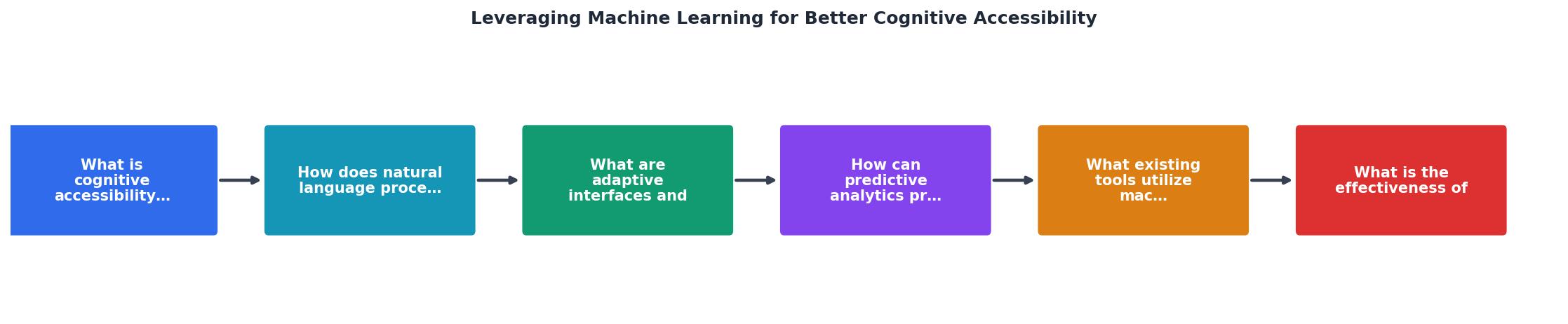
Implementing ML-powered cognitive accessibility follows a straightforward cycle:
- Audit, Scan your site for readability, interactive complexity, and navigation predictability
- Detect, Identify pages/flows where visitors struggle (via heatmaps, session recordings, analytics)
- Diagnose, Use NLP and ML models to isolate the cognitive barrier (jargon? Too many fields? Unclear labels?)
- Intervene, Simplify copy, reduce form steps, add guidance, or enable adaptive features
- Measure, Track changes in task completion, time on page, conversion, and bounce rate
- Iterate, Refine the model as you get more data
Existing tools and platforms
Several platforms now embed ML-powered cognitive accessibility features. Here are the leaders:
Grackle Docs, Content accessibility platform. Audits and simplifies text in real time. Integrates with Google Docs, Word, CMS platforms. Flags reading level, jargon, and sentence structure. Price: $99-299/month depending on scale.
Dyslexia-friendly design systems, Dyslexie and OpenDyslexia fonts improve letter recognition for people with dyslexia. ML models predict which users benefit most and suggest font activation. Most modern accessibility platforms now offer these natively.
Accessible.ai, Automated accessibility audits with predictive friction scoring. Scans for WCAG compliance + cognitive barriers (form complexity, visual hierarchy, information density). Integrates with your CMS and flags high-risk pages.
Userway and AudioEye, Full accessibility platforms. Include NLP-powered text simplification, adaptive UI options, and real-time compliance monitoring.
Internal ML models, Large companies (Shopify, Airbnb) build custom cognitive accessibility systems. These train on internal user behavior data and optimize for specific conversion funnels. ROI justifies the engineering cost.
For most teams, starting with a content-layer tool (Grackle) or a scanning platform (Accessible.ai) is enough. Grow from there as cognitive accessibility becomes core to your product strategy.
Effectiveness in the real world
How much does ML-powered cognitive accessibility actually improve outcomes?
Research and real-world data show:
- Task completion rates increase by 15-30% when language is simplified to an 8th-grade reading level (Nielsen Norman Group studies)
- Form abandonment drops by 20-40% when unnecessary fields are removed or optional fields are clearly marked (ConvertKit case study)
- Bounce rate falls 5-12% on pages where text is rewritten for clarity (Grackle Docs analysis of 500+ audits)
- Time on page increases 8-18% for users with adaptive interfaces enabled vs. baseline (Typeform data)
- Conversion rate improves 10-25% on checkout flows redesigned to reduce cognitive load (multiple e-commerce case studies)
Real-World Impact of ML-Powered Cognitive Accessibility
These numbers represent averages across case studies and industry research. Your results will depend on your baseline (if your site is already clear, gains are smaller) and your implementation (half-measures yield half-results).
The key insight: cognitive accessibility is not a nice-to-have. It correlates directly with revenue. Every percentage point of improvement in task completion or conversion rate matters when traffic is expensive.
Integration checklist
Integrating Machine Learning into Your Cognitive Accessibility Strategy
Your progress is saved automatically in your browser.
FAQ
Frequently Asked Questions
Machine learning for cognitive accessibility is no longer theoretical. The tools work, the ROI is measurable, and the gap between accessibility and conversion is closing. The question is not whether to adopt it, it's how quickly you can integrate it into your product roadmap. Start with a single, high-impact change (simplify copy or reduce form fields), measure the result, and expand from there. Your visitors who struggle will thank you, and your bottom line will too.
Additional Resources
- Leveraging machine learning to enhance accessibility in data ... - This paper explores the potential of Machine Learning (ML) to enhance the accessibility of data visualizations. reducing cognitive load and ...
- AI and Digital Accessibility Improve User Access - For cognitive accessibility, AI and machine learning advancements in accessibility include natural language processing (NLP) and adaptive ...
- Cognitive Accessibility and Machine Learning, by Lisa ... - The first is that machine learning can offer potential solutions for people with cognitive disability, to bridge the gap in understanding on what people can can ...
Need Help with Accessibility?
Improve your site's accessibility and conversion rates with our AI-powered analysis.
Get Started