Page impressions (people): Practical Guide
Most analytics dashboards show you page impressions as a raw number. Ten thousand impressions sounds great until you realize 6,000 of those came from 800 people refreshing, bouncing, and leaving confused. The metric that actually moves revenue is page impressions measured by unique people, because that tells you how many real humans saw your page and what percentage of them converted. This guide breaks down exactly how to track, interpret, and act on people-based page impressions to stop wasting ad spend on phantom traffic.


Most analytics dashboards show you page impressions as a raw number. Ten thousand impressions sounds great until you realize 6,000 of those came from 800 people refreshing, bouncing, and leaving confused. The metric that actually moves revenue is page impressions measured by unique people, because that tells you how many real humans saw your page and what percentage of them converted. This guide breaks down exactly how to track, interpret, and act on people-based page impressions to stop wasting ad spend on phantom traffic.

- Page impressions (people) counts unique individuals who loaded your page, not total page loads.
- Tracking people instead of raw hits reveals your true audience size and real conversion rate.
- Fixing the gap between impressions and people-based impressions often uncovers comprehension barriers that kill conversions.
What page impressions (people) actually means
A standard page impression fires every time a browser loads your page. One visitor who refreshes three times generates three impressions. Page impressions (people) de-duplicates that count to show how many distinct individuals viewed the page within a given period.
The difference matters for one reason: conversion math. If your landing page gets 10,000 impressions and 200 signups, your conversion rate looks like 2%. But if those 10,000 impressions came from 4,000 unique people, your real conversion rate is 5%. That changes every decision you make about copy, layout, and ad spend.
Google Analytics 4 already shifted toward user-based metrics. The "Users" column in GA4 reports approximates people-based impressions. But approximation is the key word. Cross-device tracking, cookie consent, and ad blockers all create gaps between the number GA4 reports and the actual humans visiting your page.
Why this metric matters now

Three trends make people-based impressions more relevant than ever:
- Cookie deprecation and consent laws reduce the accuracy of session-based tracking. Counting people requires first-party data strategies, not third-party cookies.
- Rising CPCs across Google Ads and Meta mean every wasted click costs more. Knowing how many real people land on your page (and leave without converting) directly impacts your CAC calculation.
- Multi-device browsing inflates raw impression counts. A single person checking your pricing page on their phone at lunch and again on their laptop at home creates two sessions but represents one buying decision.
"An impression is a number, but reach is a person.">, How to Calculate Impressions A Practical Guide
When you stop treating impressions as a vanity metric and start treating them as a people count, you see the real size of your audience. And you see exactly where comprehension failures push those people away.
Common mistakes and misconceptions

Mistake 1: Treating all impressions as equal. A page with 50,000 monthly impressions and 8,000 unique people has a very different optimization path than a page with 50,000 impressions and 45,000 unique people. The first page has a small, returning audience (possibly confused users retrying). The second has broad reach with low engagement depth.
Mistake 2: Ignoring the impression-to-people ratio. Calculate it: divide total impressions by unique people. A ratio above 2.5 on a landing page signals that visitors are reloading, navigating away and coming back, or getting stuck. That is a comprehension problem, not a traffic problem.
Mistake 3: Optimizing for more impressions instead of more people. Buying more ad impressions when your existing visitors do not convert is like turning up the volume on a broken speaker. Fix the page first.
Mistake 4: Confusing "unique pageviews" with "unique people." GA4's "Views" metric counts pageviews per session. A person who visits the same page in two separate sessions still generates two unique pageviews. The "Users" metric is closer to what you want, but it still has limitations from consent gaps.
Step-by-step approach
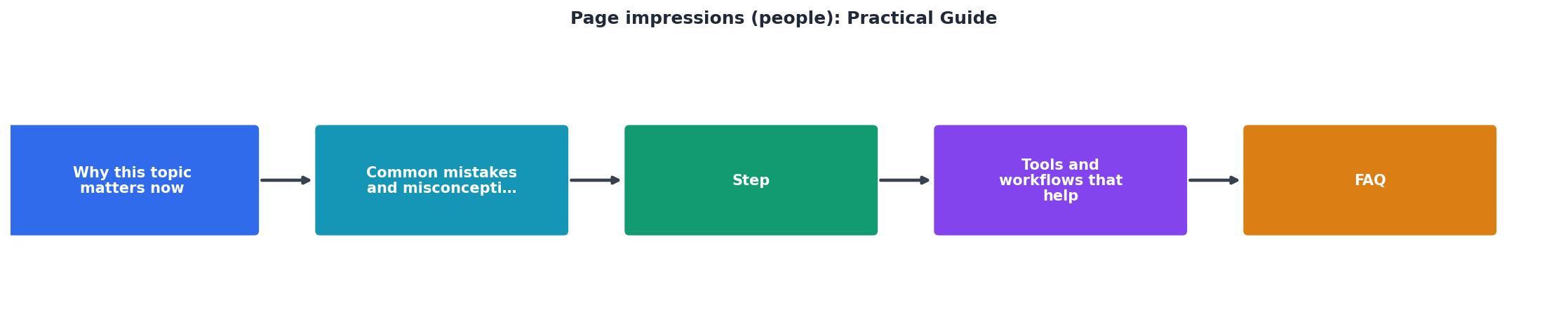
Here is a five-step process to start using people-based impressions effectively:
Step 1: Audit your current numbers
Open GA4 and navigate to Pages and Screens. Compare the "Views" column with the "Users" column for your top 10 landing pages. Export this data into a spreadsheet. Add a column for the ratio (Views / Users). Sort by ratio, highest first.
Step 2: Flag high-ratio pages
Any page with a ratio above 2.0 deserves investigation. These pages attract repeat visits from the same people without converting them. Common causes include confusing navigation, unclear value propositions, and forms that error out without helpful messages.
Step 3: Run a cognitive accessibility check
Use a tool like PagePerson Insights to scan flagged pages. It identifies specific comprehension barriers: jargon density, unclear CTAs, cognitive overload from too many choices, and reading-level mismatches. This gives you concrete fixes instead of guesses.
Step 4: Fix and re-measure
Implement the top three fixes on your highest-traffic flagged page. Wait two weeks. Re-pull the Views-to-Users ratio. A drop in ratio combined with stable or rising conversion rate confirms you removed friction.
Step 5: Build a monthly review cadence
Add the impression-to-people ratio to your monthly reporting dashboard. Track it alongside conversion rate. When the ratio spikes on a page, treat it as an early warning signal.
Tools and workflows that help

Here is a practical comparison of approaches for tracking and acting on people-based impressions:
| Manual Approach | Tool-Assisted Approach |
|---|---|
| Export GA4 data weekly | Automated dashboards in Looker Studio |
| Manually calculate ratios in spreadsheets | Pre-built ratio columns with alerts |
| Guess why people bounce | PagePerson Insights flags cognitive barriers |
| A/B test based on hunches | Prioritize fixes by severity score |
| Review quarterly | Monthly automated reports |
Google Analytics 4 remains the foundation. Set up a custom exploration with "Users" as the primary metric and "Views" as a secondary metric. Add a calculated field for the ratio.
Looker Studio (formerly Data Studio) connects directly to GA4 and lets you build a dashboard that highlights pages where the ratio exceeds your threshold. Set conditional formatting to turn cells red when the ratio passes 2.5.
Hotjar or Microsoft Clarity adds session recordings. Once you identify high-ratio pages, watch 10-15 recordings of first-time visitors. Look for hesitation, rage clicks, and scroll-backs. These behaviors confirm cognitive friction.
The following dashboard card shows what a typical monthly snapshot looks like for a SaaS landing page when you track people-based impressions alongside conversion data:
Monthly Page Impressions Report
Notice the gap between the two conversion rates. The impression-based rate (2.1%) looks discouraging. The people-based rate (5.2%) tells a different story: your page actually converts a reasonable share of real visitors. The problem is not conversion. The problem is that the same people keep coming back without completing the action, which inflates impressions and masks the real picture.
Page Impressions (People) Action Checklist
Your progress is saved automatically in your browser.
FAQ
Frequently Asked Questions
Additional Resources
- How to Calculate Impressions A Practical Guide - Learn how to calculate impressions with our practical guide. We break down the formulas, tools, and strategies for Google Ads, Meta, ...
- What are impressions, position, and clicks? - An impression means that a user has seen (or potentially seen) a link to your site in Search, Discover, or News. In general, an impression is counted whenever ...
- Page Impressions - Page Impressions counts the total number of times content from your page or about your Facebook page is viewed by or shown to users.
Need Help with Accessibility?
Improve your site's accessibility and conversion rates with our AI-powered analysis.
Get Started