Tools for Testing Cognitive Accessibility on Websites
Most accessibility tools stop at contrast ratios and missing alt text. They completely ignore the cognitive layer where real users get lost, confused, or overwhelmed. If your website passes automated WCAG checks but still confuses visitors with ADHD, dyslexia, or anxiety, you need a different category of tools. This guide covers the specific tools that test cognitive accessibility, how they compare, and how to fold them into your design workflow.

Most accessibility tools stop at contrast ratios and missing alt text. They completely ignore the cognitive layer where real users get lost, confused, or overwhelmed. If your website passes automated WCAG checks but still confuses visitors with ADHD, dyslexia, or anxiety, you need a different category of tools. This guide covers the specific tools that test cognitive accessibility, how they compare, and how to fold them into your design workflow.

- Standard accessibility checkers miss cognitive issues like reading complexity, unclear navigation, and information overload.
- Tools like WAVE, Axe, Hemingway Editor, and PagePerson Insights each cover different slices of cognitive accessibility.
- Combining automated scanning with manual cognitive walkthroughs gives you the most complete picture.
- Integrating these tools into your sprint cycle catches cognitive barriers before they reach production.
Why cognitive accessibility matters
Automated WCAG scanners catch about 30% of all accessibility issues. The rest require human judgment, and cognitive barriers sit squarely in that gap. A button with perfect contrast still fails if the label reads "Proceed to Finalize Submission" instead of "Submit." A navigation menu that passes every technical check still fails if it dumps 47 links on someone with attention difficulties.
Cognitive accessibility means designing content and interactions so people with varying cognitive abilities can understand, navigate, and act. That includes users with dyslexia, ADHD, anxiety disorders, traumatic brain injuries, age-related cognitive decline, and anyone under stress or multitasking. The W3C's Cognitive and Learning Disabilities Accessibility Task Force (COGA) has published supplemental guidance, but tooling has lagged behind.
The gap is real: most design teams audit for screen reader compatibility and color contrast, then call it done. Cognitive load, reading level, and decision complexity go untested.
Top tools for cognitive testing

Here is a breakdown of the tools that actually address cognitive accessibility, each from a different angle.
WAVE (WebAIM)
WAVE is a free browser extension and online tool from WebAIM. It flags structural issues like missing headings, broken reading order, and redundant links. These are cognitive barriers, not just technical ones. A page with no heading hierarchy forces users to scan everything linearly, which is brutal for anyone with attention difficulties.
"The WAVE subscription API and Stand-alone WAVE API and Testing Engine are effective tools for easily collecting accessibility test data on many pages.">, WAVE Web Accessibility Evaluation Tools
WAVE does not measure reading level or cognitive load directly, but its structural analysis is a solid foundation.
Axe by Deque
Axe (the browser extension and CI integration from Deque Systems) catches WCAG violations programmatically. Its cognitive relevance comes from rules around form labels, error identification, and consistent navigation. The axe-core engine runs in automated pipelines, so you catch regressions before deployment.
Limitation: Axe focuses on code-level compliance. It will not tell you that your pricing page has too many options or that your error messages use jargon.
Hemingway Editor
Hemingway Editor is a writing tool, not an accessibility scanner. But reading complexity is a core cognitive barrier. Paste your page copy into Hemingway and it highlights sentences that are hard to read, passive voice, and adverb overuse. Aim for Grade 6-8 reading level for broad comprehension.
Readable
Readable goes deeper than Hemingway on text analysis. It scores content using Flesch-Kincaid, Gunning Fog, Coleman-Liau, and other readability formulas. It also flags jargon and sentence length. For teams managing large content libraries, Readable's API can scan pages in bulk.
PagePerson Insights
Where most tools check code or text in isolation, PagePerson Insights analyzes the full cognitive experience. It evaluates how real visitors with ADHD, anxiety, dyslexia, and low digital literacy experience your pages, then surfaces specific fixes. If you need evidence to justify a UX change to stakeholders, the cognitive audit data gives you something concrete instead of "it feels confusing."
Stark
Stark is a Figma/Sketch plugin that checks contrast, color blindness simulation, and focus order. Its cognitive value is in the design phase: catching issues before code exists. Stark's Vision Simulator lets you preview how users with different visual and cognitive conditions perceive your layouts.
Here is how these tools compare across key cognitive accessibility dimensions:
How to choose the right tool

Picking a tool depends on three things:
- What stage of the workflow you are in. Design phase? Use Stark. Development? Use Axe. Content review? Use Hemingway or Readable. Live site audit? Use WAVE or PagePerson Insights.
- What cognitive dimensions matter most. If your users struggle with reading comprehension (healthcare, government, education), prioritize readability tools. If your users get lost in complex flows (SaaS onboarding, e-commerce checkout), prioritize navigation and cognitive load analysis.
- How much automation you need. A solo designer can run WAVE manually. A team shipping weekly needs Axe in CI plus scheduled cognitive audits.
Real-world examples
A mid-size e-commerce company ran WAVE on their checkout flow and found 12 structural issues: missing form labels, inconsistent heading levels, and redundant links in the footer. After fixing those, they used Hemingway Editor to simplify their error messages from Grade 12 to Grade 7 reading level. Cart abandonment dropped by 8% in the following month.
A SaaS onboarding team used Axe in their CI pipeline to catch label and focus-order regressions. They paired it with cognitive walkthroughs where team members simulated the experience of a user with ADHD (time pressure, distractions, limited working memory). The combination revealed that their 9-step onboarding wizard overwhelmed new users. They reduced it to 4 steps with progressive disclosure.
A government agency used Readable to audit 400+ pages of public-facing content. Over 60% scored above Grade 10 reading level. They rewrote the worst offenders and saw a measurable increase in task completion rates for benefit applications.
Integrate tools into your workflow

Here is a practical integration path, broken into five steps.
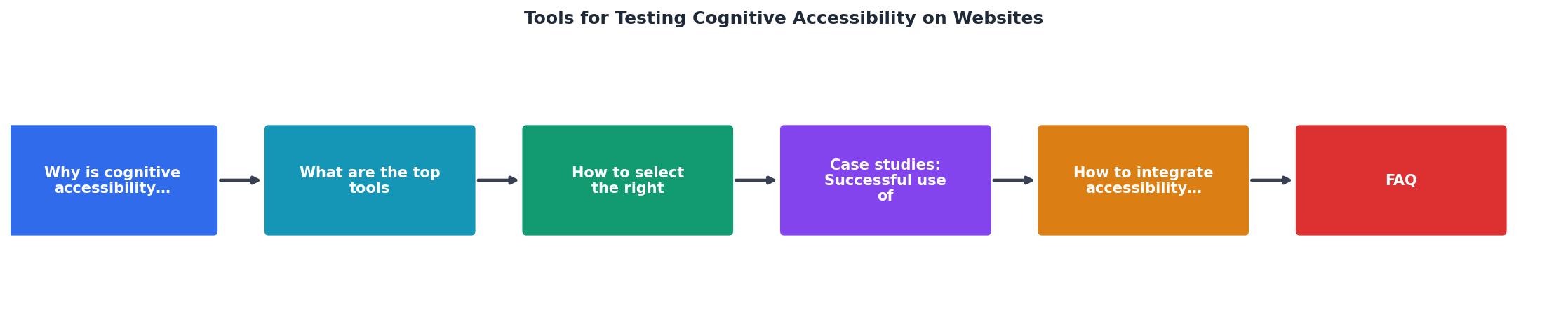
- Design review - Run Stark in Figma to check focus order, contrast, and cognitive simulation before handoff.
- Content review - Paste all user-facing copy into Hemingway or Readable. Flag anything above Grade 8.
- Development CI - Add axe-core to your test suite. Block merges that introduce new violations.
- Pre-launch audit - Run WAVE and PagePerson Insights on staging. Fix structural and cognitive issues.
- Post-launch monitoring - Schedule monthly cognitive audits. Track readability scores and cognitive load metrics over time.
The dashboard below shows an example of how a typical audit session breaks down across cognitive dimensions when you combine multiple tools:
Example: Combined Audit Results
This example represents a typical content-heavy SaaS marketing site. Reading level scores high because the team already used Hemingway. Cognitive load scores lowest because no tool had flagged decision overload on the pricing page until a dedicated cognitive audit caught it.
Cognitive Accessibility Tool Integration Checklist
Your progress is saved automatically in your browser.
FAQ
Frequently Asked Questions
What cognitive accessibility barriers have you found on your own sites that automated tools completely missed? Share your experience below.
Additional Resources
- Web Accessibility Testing Tools to Benefit Your Site and ... - These tools include automated web accessibility checkers, plugins and extensions, and templates designed to meet web accessibility standards.
- WAVE Web Accessibility Evaluation Tools - WAVE is a suite of evaluation tools that helps authors make their web content more accessible to individuals with disabilities.
- How to Choose the Right Accessibility Testing Tool - Learn how to choose the best accessibility testing tool for your website. Compare automated, manual, and hybrid tools to improve compliance, usability, ...
Need Help with Accessibility?
Improve your site's accessibility and conversion rates with our AI-powered analysis.
Get Started